Docs Getting started
Features overview
Full feature catalog for SlowBooks Pro 2026: everything an evaluator would scroll through, area by area.
The guides go deeper: installing, Server Edition, a cloud server, moving from QuickBooks and MYOB, banking, contractor mode, nonprofit mode, payroll and HR, working with your accountant, encrypting the company file, accessibility, the integrations (bank feeds, Mercury, Stripe, Square, PayPal, the Cloudflare AI gateway), and for a server TLS, operations and security.
Who can do what. Every install has named sign-ins in four roles:
administrator (everything), bookkeeper (all the daily books; not users,
tokens, settings, backups, companies, encryption, the accountant's copy,
Migrate Data, employee records or saved invoice messages), accountant (reads
everything but payroll, HR and the employee records; posts journal entries,
voids its own, attaches support to them and uses Reclassify Transactions) and
read-only (reads everything but the audit log). Payroll, tax forms, benefits,
garnishments and onboarding are an administrator's, reads included. A
program signs in with an API token (Settings → API Tokens; Authorization: Bearer sbp_…) as bookkeeper, accountant or read-only, never administrator
(since v2.29.0; one made as an administrator before then is refused since
v2.31.2 and flagged in the list until revoked); a token cannot manage users
or tokens or restore a backup, Can make backups lets it make, list and
download them, the audit log names it token:<label>, a revoked token
answers 401, and on a server with several companies it names its company in
X-SlowBooks-Company. Sign-ins end after four hours idle and when a user is
deactivated, re-roled or given a new password. A read never writes: a
list or report shows a default (the Uncategorized class, the job-cost types,
a nonprofit's net-asset accounts) without saving it; the default is saved at
the first write that needs it (v2.31.2). Full detail: Server Edition setup.
Invoicing & Payments (Accounts Receivable)
- Invoices — Create, edit, duplicate, void, mark as sent, email as PDF. Auto-numbering, auto due-date from terms (
Net 30or a plain day count; terms that read as a negative count, such as-0001, need a due date given, or the invoice is refused with the date it would have had), dynamic line items with running totals. Print/PDF generation via WeasyPrint. Inline customer creation from invoice form. Draft means not yet marked sent, not unposted: creating an invoice posts it to the books at once (A/R and income, and inventory-tracked items come out of stock); Mark Sent changes the status and posts nothing more. The form says so beside Create (v2.23.0, #293). Quantities keep four decimal places (v2.23.0): a line's quantity is stored to four places as unit prices are, shown as entered (2.125; 3.00 as before), refused finer, on invoices, estimates, credit memos, recurring invoices, bills, purchase orders and vendor credits — the imports stored a finer quantity and every read gave two places, so an edit took cents off the document - Line order (#604) — On every line form (invoices, estimates, sales receipts, credit memos, recurring invoices, bills, purchase orders, vendor credits, memorized bills and journal entries) each line has Move line up and Move line down buttons (dimmed at the ends), a handle to drag the line with the mouse, and Insert line below, which adds a blank line under that one. The totals follow, the order is saved with the document, and it prints, views and exports in that order. An edit that only reorders lines saves; over the API the order is the order of the
linesarray - Sales Receipts — One-screen invoice + payment for point-of-sale style sales where the customer pays on the spot. Payment method, deposit-to account, and line items on a single form; posts both documents and their journal entries atomically. Imports from QuickBooks Desktop: IIF
CASH SALEblocks, or a Transaction Detail report CSV filtered to Sales Receipt; a QuickBooks Online move brings sales in as journal entries from its Export data zip - Receipt scanning (Tier 2 OCR) — A Scan Receipt button on the Sales Receipt, Enter Bill and Enter Expense forms uploads a receipt image or PDF and pre-fills the form from local OCR: date, merchant/vendor hint, and the grand total as a single line, with detected tax split out (tax-rate field on sales receipts; noted in Bill Notes). Review boxes re-read one field from a box you draw on the image, the layout found for a merchant is remembered for its next receipt, and Settings → Receipt Scanning chooses the engine. The operator always reviews before saving, and the source file attaches to the document. On Windows and macOS the OS engine reads the text and the OS renders PDF pages, so nothing is installed; on Linux, Tesseract + poppler-utils are user-installed system binaries called via subprocess — zero new Python dependencies, never bundled, graceful "install Tesseract to enable scanning" degrade. Deterministic parsing, no AI. Spec: docs/design/receipt-intake-spec.md
- Estimates — Full estimate workflow with convert-to-invoice: the invoice is dated the day it is made, due by the customer's terms, addressed to the customer (the estimate is addressed when saved). Inline customer creation from estimate form
- Write Off (v2.22.2, #255) — forgive an open balance in any company, not only a nonprofit: a credit memo to Bad Debt Expense, applied to the invoice at once, voidable to undo. From A/R Aging, Write off balances under… a figure you type lists the open invoices under it, each with a tick, and posts one credit memo per invoice together; a balance that changed since the list was made (a payment landed) is left alone and named, and a closed period refuses the batch
- Late fees (v2.29.1, #500) — Settings → Late Fees: Enable, a rate and grace days. Apply Late Fees on A/R Aging posts a fee to each overdue invoice past its grace days, to 4800 Late Fee Income, once per invoice per run, and says which ones it charged
- Payments — Record payments with allocation across multiple invoices. Typing the amount fills the Apply column oldest invoice first (change any of it); money left over is kept as a customer credit only when you tick the box that says so. Draft invoices can be paid too. Auto-updates invoice balances and status (draft/sent/partial/paid). Void payments with reversing journal entries — refused while the payment is in a deposit, and once that deposit is reconciled. Retry-safe recording (v2.23.0, #292): a client that may send a request twice — a form after a lost response, an agent, a script — puts an
Idempotency-Keyheader onPOST /api/paymentsor/api/bill-payments; the same key with the same body answers with the first response (X-Replayed: true) and books nothing more, the same key with another body is a 409 (the body is compared by its values, so 100 and 100.00 are the same amount and a re-serialised retry still replays), every keyed answer carries anIdempotency-Keyheader naming the key it was booked or replayed under, a first delivery still running is a 409 until it finishes, and keys are kept seven days. The app's own Receive Payment and Pay Bills forms send one per submit and ignore a second click while one is in flight - Customer credits — Unapplied payment money and open credit memos are listed on Receive Payment, the customer page, the payment and the invoice, each with Apply; applying a foreign-currency remainder posts the realized exchange difference. A/R Aging, Income by Customer, the dashboard and every customer balance count them, so they tie to account 1100
- Foreign-currency invoices — Over the API (
currencyandexchange_rateon the invoice; the form has no currency picker). The document carries its currency ("EUR 850.00") on screen, in lists, on the PDF and in email; the ledger books the home amount at the invoice's rate, and A/R reports count that booked amount. Receive Payment offers the customer's invoice currencies and takes the rate on the payment date - Recurring Invoices — Schedule invoice generation (weekly/monthly/quarterly/yearly): an installment is made when you press "Generate Due Now" or Enter All Due (every missed installment in order, see Memorized transactions), or by the server's cron script; the app's own runs, when it opens and once a day, leave recurring invoices alone. A schedule keeps the day of its start date: begun on the 31st, it is dated the last day of a shorter month and the 31st again after it, a re-activated one resumes on that day, and one an earlier version had moved to the 28th returns to its day at its next installment. The form prices the item and shows a total; a schedule that adds up to $0.00 is refused, and the generator skips an old one. A schedule that has made invoices is not deleted (409, counting them); make it inactive instead
- Memorized transactions (#605) — A bill or a journal entry kept whole with a schedule, the way QuickBooks memorizes one: a memorized bill carries its vendor, terms, bill number and lines (account, memo, job, cost code, class, billable mark); a memorized journal entry its lines, reference, basis and adjusting mark. How often: daily, weekly, every two weeks, twice a month, monthly, every two months, quarterly, twice a year, yearly, or every N days, weeks or months; a next date, and an end date or a number of times. A monthly schedule begun on the 31st is entered on the last day of a shorter month and the 31st again after it; twice a month is the next date's day and fifteen days later. A recurring invoice holds to the day of its start date the same way. Two modes: auto-enter posts the document on its date: the app enters every due auto-enter memorized bill and journal entry when it opens and once a day while it runs, every missed date in order; when the company has a password, those runs wait until someone has signed in since the app started (a sign-in the app remembers counts, an API token does not), so nothing is entered behind the sign-in screen, and the audit log names the person signed in for what a run enters (an administrator or bookkeeper), or
scheduled runwhen nobody signs in (a company with no password yet, the cron script) or only a read-only or an accountant's sign-in has (recurring invoices are not entered on their own: as before they wait for Generate, Enter All Due or the server's cron, so an upgrade posts nothing nobody asked for, and the page lists their mode as Generated, with a note naming those three), and Enter All Due on the page enters every due schedule of both kinds at once, every missed date in order however far behind (when another window generates one of those installments first, it keeps going, so the ones after it are still made); the page says what was entered while you were away ("Entered 3 scheduled documents while you were away", each a link; a run that entered nothing and had to skip something says "2 scheduled documents could not be entered", with the reasons), and the box under the list, Enter due memorized bills and journal entries when the app opens and once a day (auto_enter_on_open, on by default), turns the automatic runs off, for a server that runsscripts/run_recurring.pyfrom cron instead. Remind lists it as due until you press Enter now, which posts it dated the scheduled date or today and moves the schedule on. An API caller sends the date it means asoccurrence(with Enter now,POST /api/memorized/{id}/enter, and with a recurring invoice'sPOST /api/recurring/{id}/generate), as the page does: a date that is no longer the schedule's next one is a 409 and nothing is posted; left out, the schedule's next date at the time of the call is entered. InGET /api/memorized(and/api/memorized/due) a row is named by itskindandidtogether: an invoice row's id is a recurring invoice's (/api/recurring/{id}), a bill or journal row's a memorized schedule's (/api/memorized/{id}), and the two can be equal. Enter now names the occurrence the page showed (occurrence): two windows pressing it for the same occurrence post one document, and a page left open after that occurrence was entered elsewhere (another window, Enter All Due or the app's own run) is told so (409, naming the occurrence and the schedule's next date) and posts nothing, rather than entering the next one early; dated today, it still enters that occurrence. An occurrence later than the schedule's next date is refused too (409, saying it is not the next one and naming both dates), and nothing is posted. The schedule is moved on in one guarded statement before anything posts, on SQLite and PostgreSQL alike. A recurring invoice's installment is claimed the same way (/api/recurring/{id}/generatetakesoccurrencetoo), so two generations at once (two windows, Generate, Enter All Due or the cron script) invoice a period once: Enter now on an installment just generated is told so (409) and makes nothing, a run leaves it to the other, and a locked file is a 409 or a named skip saying the company file is busy saving another change, never an error. The bill number follows one rule: left blank, each bill is numbered the date and the vendor's initials, as Enter Bill numbers one (unique per day); a number on the template is used as it is on the first bill and -2, -3 after that, since a vendor's bill number cannot repeat; Memorize from a bill leaves the number blank on purpose. A frequency that carries its own count (every two weeks, twice a month, quarterly, twice a year) takes no interval: sent with none, or 1, it is that count, and with another it is refused, naming the word; daily, weekly, monthly and yearly take one (every N days, weeks, months or years). Pause and resume (resuming skips the dates missed, as a re-activated recurring invoice does); Enter now on an ended schedule says it has ended, paused or not, and so do Resume on one and ticking Active again on a recurring invoice past its end date (409, "This schedule has ended: its end date was ...; move or clear the end date first", naming the end date the schedule has and any end date sent with it that is still too early; a request that moves the end date past the next date, or clears it, goes through); a memorized schedule that ended by its number of times says to raise the number of times. The Memorized Transactions page lists every schedule in one place, recurring invoices included, with type, next date, how often, mode, last entered (a link to the document), status and amount, a Due filter, and Enter now, Pause, Edit and Delete on each; Memorize on a bill's page or a journal entry's page starts a memorized one from it. The posted bill is what Enter Bill posts and the entry what the journal form posts, so a closed period refuses them the same way - Documents that add up to $0.00 — An invoice, credit memo, duplicate or estimate conversion for $0.00 asks "Save it anyway?" before it saves (API:
allow_zero_total: true, else 409zero_total); a no-charge invoice starts Paid - Invoice numbering and footer — Settings' invoice prefix, next invoice number (leading zeros kept as padding) and invoice footer are used
- Saved invoice messages (#392) — Settings → Invoice Messages keeps a short list of notes (how to pay, a thank-you), one the default; the invoice form's Message select copies the chosen text into Notes, editable — appended on a new line when Notes already hold hand-typed text, replacing them only when they are empty or still hold a saved message's text — and a new invoice starts with the default's text. The invoice keeps the text, not the choice, so editing a message later leaves old invoices alone
- Walk-in sales — A sales receipt needs no customer: counter sales go to a built-in Walk-in Customer (Anonymous Donor in a nonprofit)
- Unit prices to four places — $0.045 a box on invoices, estimates, sales receipts, credit memos, recurring schedules, bills, purchase orders, vendor credits and items; each line amount is rounded to the cent
- Discount items (#639): tick "Discount or concession: may carry a negative price" on a product or service item and a line on it takes a negative price on an invoice or sales receipt, the amount coming off the item's income account on either basis; any other item, or a line with no item, is refused as before (a refund belongs on a credit memo). The item an older QuickBooks Online import brought a discount in on is marked the same way, the items CSV export and import carry a Negative Price column, and an IIF
DISCitem imports marked. API:allows_negative_priceon an item, andis_discounton an item response says whether a line on it may go negative - Credit limit — Saving an invoice, editing one up, duplicating one (v2.31.1) or converting an estimate that takes a customer past their credit limit asks first, in the form and (v2.22.2, #256) on the API: 409
credit_limitwith the limit and what they'd owe, saved only withallow_over_credit_limit: true. What they owe counts the credits and unapplied payments they hold, as A/R Aging does; a sales receipt, paid at once, is never asked - Batch Payments — Apply payments to multiple invoices across multiple customers in a single transaction. Each line pays only its own customer's invoices, in the home currency; a batch with one wrong line is refused whole
- Credit Memos — Issue credits against customers, apply to that customer's invoices to reduce balance due. Picking an item fills its price; the form totals up; tax starts at the company's rate or the credited invoice's, and falls on the lines an invoice would tax. Each line takes its own class and job (v2.31.0, #640): the form draws the invoice form's Class cell on every line once the company has a class of its own (a nonprofit's funds always draw it); the reversal of that line's income posts with the line's class and job, the tax and receivable lines with the memo's, and a line with none takes the memo's, so P&L by Class and P&L by Job net a credit against the division or job that earned the sale, and a void nets each back to zero. Over the API a line's
class_idandjob_idare optional, and a line's job must be the customer's, as the memo's is. View, Save PDF and Print. Proper reversing journal entries. A memo that takes a stocked item back puts the quantity on the shelf and its cost back too, one entry per memo (DR Inventory Asset / CR COGS): at the original sale's cost, off the invoice's own sale postings and onto their accounts, when the memo names the invoice; at the item's average cost onto the item's accounts when it does not. Voiding the memo reverses both (v2.31.0, #641) - Vendor Credits — Record a credit a supplier gave you for a return, a short shipment or an overcharge. Debits Accounts Payable and credits the expense (or Inventory, for stock going back), then applies to any of that vendor's open bills or sits on their account until there is one. Applying posts nothing — A/P moved when the credit was issued. Stock going back keeps Inventory at quantity × average cost, as a bill's void does (out at the cost the credit takes off Inventory, tax included, and back at that cost on a void), and a credit that returns more than is on hand says so in
warnings("Widget: 2 on hand; this credit takes it to -3."), shown as a toast, or is refused when Refuse a sale of more than is on hand is on - Invoices list sorts by any column (v2.31.1, #650) — press a heading to sort by it, again to reverse; the headings are buttons the keyboard reaches, with
aria-sort; the order chosen is kept when you come back to the list - Quick Entry Mode — Batch invoice entry for paper invoice backlog. Save & Next (Ctrl+Enter) with running log. The customer picker has + New Customer (v2.29.1, #484), as on the New Invoice form: a name, email and phone in place, Save adds the customer and picks it with the date, terms, PO and lines kept as typed, and the focus goes back to the picker (Enter in the quick add saves the customer, Escape closes it; Save & Next with it still open adds the customer first). A read-only or accountant sign-in is not offered it
Accounts Payable
- Vendors: search and paid-to-date (v2.23.5) — the list filters as you type on name, company, phone and email, and
GET /api/vendors?search=covers the same four (#569); a vendor's page shows paid this year and all time, with a payments CSV - Vendor payment history (#569) — a vendor's page lists every bill payment, direct expense and bank-feed entry to the vendor in one Payment history, oldest first with a running total, over a date range that starts as year to date; voided rows are listed, marked and left out of the totals; Export CSV writes the same range through the CSV export service (Date, Type, Method, Check # / Ref, Amount, Running total, Paid from, Notes, Voided, Total paid).
GET /api/vendors/{id}/payment-historyreturns the rows withtotalsby kind,totalandall_time. The bill-payment subtotal is summed by the 1099 query; register entries that name the vendor count toward the 1099-NEC (#590) only when paid from a bank account, by their expense and cost-of-goods lines, so the bank-entry subtotal can be more than the 1099 counts of it. Direct expenses, which the 1099 does not count, sit beside them - Purchase Orders — Non-posting documents to vendors with auto-numbering, live line amounts and totals, View, Save PDF and Print, and a To Bill step that asks for an account on each line that has none. A new PO starts at no tax
- Bills — Enter vendor bills (AP mirror of invoices). A posted bill can be edited the way an invoice can (v2.21.0): the header or the lines, re-posting its journal; not below what has been paid, not when voided, not into a closed period. Track payables with status progression (draft/unpaid/partial/paid/void). Each line posts to the account on the line, else the item's expense account, else the vendor's default — a line none of them names is refused (it used to fall back to 6000). Enter Bill has an Account column, fills a picked item's cost and account, takes the vendor's terms and due date, shows the vendor's summary beside the form (what you owe them, their last five bills and payments, their notes, and a link to their page), shows a running total and refuses $0.00. A line is an amount alone until a quantity or rate is typed (#391): a utility bill's line is what it says, and the API takes
amountby itself, stored as quantity 1 at that rate. Save PDF and Print. Scan a vendor receipt to pre-fill the form (see Receipt scanning under Sales Receipts) - Bill Quick Entry (v2.29.1, #487) —
#/bill-entry: a stack of vendor bills keyed one after another (vendor with quick add, date, bill number, terms, lines of account, words and amount). Save & Next / Ctrl+Enter posts/api/bills, adds the bill to a batch log with a running count and total, and starts the next with the vendor, date and terms kept. The Account and Item cells have the account (#485) and item quick adds. Sidebar, top bar (Bill Entry) and the Bills page's Quick Entry; not offered to a read-only or accountant sign-in - Expenses — A receipt that's already paid, by card, cash or check: DR the expense account, CR the bank, cash or credit-card account it was paid from, in one step with no bill to pay later. Scan Receipt fills it in. An expense takes a vendor or a payee, a reference and a class and job, and can span several accounts (v2.31.0, #599): its lines grid takes an account, a memo, a job, a cost code and type, a nonprofit function and class, and a billable mark per line, with a running total against the amount paid; the lines must add up to it, and one line looks and posts as an expense always did. An expense is not edited, unlike a bill: a mistake is voided (a reversing entry; both stay in the register) and entered again. Voiding is refused once the expense is reconciled or when its date is in a closed period
- A new account from the purchase line (v2.29.1, #485) — the Account cell on a bill, vendor credit or purchase-order-to-bill line, and the expense's account, has an Add button beside the picker: name, type (Expense or Cost of Goods Sold), an optional "Sub-account of" parent and an optional number. The new account is picked on that line and offered on the others; control accounts are never offered as a parent, and the keyboard goes back to the picker. The same panel as the register's category Add (#386). Not offered to a read-only or accountant sign-in
- Tax on a purchase — Sales tax a supplier charges is part of what the purchase cost: spread over the lines to the cent and posted with them (expense, cost of goods or inventory, in the item's unit cost). It never touches 2200 Sales Tax Payable. The Sales Tax report names purchase tax an older release posted there and gives the correcting entry
- Vendor page (v2.21.0) — click a vendor for its own page: contact, terms, 1099 status and whether a W-9 is on file (v2.22.2), the default account, notes edited in place, what's owed, its bills, its payment history (#569) and unapplied credits, each opening from the page
- W-9 on file (v2.22.2, #257) — a vendor's W-9 flag, next to the 1099 question on the vendor form. The 1099-NEC always printed "W-9 on file: No", because nothing could set the flag it prints. The 1099 Summary shows each vendor's W-9 and counts the reportable vendors without one (
vendors_missing_w9) - Vendor list — Balances worked out from open bills and unapplied credits; a vendor can be made inactive; cost-of-goods accounts can be a vendor's default ("Default Expense or COGS Account")
- One bill per vendor invoice number (v2.29.1, #501) — a vendor's bill number is unique, enforced by the database as well as the form, so two people saving the same number at once get "already exists for this vendor" for the second (409). Upgrading renames any pair already in the books ("111 (2)"); a purchase order turned into a bill steps past a number already used ("BILL-PO-0001-2")
- Bill Payments — Pay vendor bills with allocation. Journal: DR AP, CR Bank. Pay Bills makes one payment per vendor and asks for one vendor at a time when a check number is entered; a payment pays only its own vendor's bills. A bill lists its payments, each with View, Print Check and Void (refused once the check is reconciled). A check written straight into the bank register, or entered as an Expense paid from a bank account, prints from its register row or the expense's view (discussion #354): the same 3-per-page stock, each split line on the stub. Paying from a bank account that would go below zero asks first. A payment that names no bank pays from Checking (1000); a chart without it is refused with a 409 naming the account, nothing written (v2.22.3, #284)
- Print Checks (v2.30.0, #603) — Pay Bills by check with Check # left blank leaves the check waiting; Bills → Print Checks lists the waiting checks for a bank account, numbers them from the next check number (any number editable, a used one refused) and prints one PDF on the same voucher stock, marking each printed. A single-bill payment carries the bill's memo onto the check, editable on the payment (Check memo, #602)
- AP Aging Report — Outstanding payables grouped by vendor with 1–30 / 31–60 / over 60 days past due buckets, in home currency, with vendor credits and bill-payment money not yet applied netted, so the total equals account 2000. A bill with no due date ages from its date and terms. Save CSV (#393)
Double-Entry Accounting
- Chart of accounts: numbers optional, seeded accounts removable (v2.23.5) — the account form says the number is optional; "Remove unused seeded accounts…" takes every seeded account with no postings, sub-accounts, register or control role off the chart in one step, naming the ones that stay
- Use account numbers (#567) — a box under Settings → Company Information, ticked by default (the setup wizard asks a new company). Unticked, for a business that does not number its accounts: every picker, report and PDF prints the name alone instead of "6100 - Name", the Chart of Accounts and the Trial Balance hide the Number column, accounts list by name within their type, the quick-add panel leaves the number off, and a chart import brings a row with no number in unnumbered instead of giving it the next free one. A number is optional on the form either way and an account keeps the one it has; ticking the box again with unnumbered accounts in the chart is allowed, and those show no number until given one. The seeded chart keeps its numbers and the control accounts are still found by theirs. The CSV exports keep their Number column as data
- Manual Journal Entries — Full CRUD for manual journal entries with dynamic line rows, running debit/credit totals, balance indicator, and void with reversing entries
- Auto Journal Entries — Every invoice, payment, bill, and payroll run automatically creates balanced journal entries. Void creates reversing entries
- Chart of Accounts — 56 seeded accounts (57 for a corporation, 58 for a partnership: the equity block follows the entity type), 6 account types (asset, liability, equity, income, COGS, expense), each with one of 15 detail types
- Detail types (v2.28.0, #390) — every account also carries one of QuickBooks' fifteen account types: Bank, Accounts Receivable, Other Current Asset, Fixed Asset, Other Asset; Accounts Payable, Credit Card, Other Current Liability, Long Term Liability; Equity; Income, Other Income; Cost of Goods Sold; Expense, Other Expense. The account form has one picker, grouped by base type; the chart groups each type's accounts under a heading per detail type and the Type column shows it. The detail type never contradicts the type; a bank or card account is Bank / Credit Card and nothing else is; Accounts Receivable and Payable are 1100 and 2000 alone; a sub-account shares its parent's (except under 1100, 2000, a bank or a card, where it keeps its own), and a parent's change goes down to the sub-accounts that shared it. A bank or card account with reconciliations, feed rows or register entries keeps its bank kind. An account sent without one gets the default (Other Current Asset, Other Current Liability, Income, Expense…). On upgrade, existing accounts are filled in the way the cash flow statement already places them, so no figure moves between working capital, investing and financing: the fixed-asset register's accounts and accumulated depreciation are Fixed Assets; an asset numbered 1500–1999 is a Fixed Asset when named like equipment, vehicles, buildings, furniture and the like, else an Other Asset; an unnumbered asset named that way is a Fixed Asset; an asset numbered 1000–1499 stays current whatever its name; a liability named like a loan, note payable, mortgage, line of credit or other long-term debt is a Long Term Liability (the seeded 2400 Loan Payable among them); 4900 Other Income is Other Income, 6999 Exchange Gain/Loss and 7999 Gain/Loss on Asset Disposal Other Expense; a sub-account left at the default takes its parent's when that keeps it where the cash flow placed it (a default-typed child of a Fixed Asset or Long Term Liability parent stays current).28.0, #416) — the Chart of Accounts lists each sub-account indented under its parent, within its detail type's heading, at any depth; a screen reader hears "sub-account of Travel" after the name, the name's hover gives the full path ("Travel: Hotel"), and the full path is written beside the name when two accounts share a leaf name or when the sub-account is listed away from its parent (a sub-account of 1100, 2000, a bank or a card of another detail type, or one whose parent is hidden as inactive), and when the filter leaves a sub-account showing without its parent. The filter box matches the full path, so typing a parent's name keeps its sub-accounts. The account form has a Sub-account of picker, opened on the parent the account has: it offers active accounts of the same type, never the account itself or one under it; a parent other than 1100, 2000, a bank or a card sets the Type to its own detail type, and a bank or card account is offered only parents it can sit under. A control account (1100, 2000, Checking and the rest) is found by its number and takes no new parent: its picker offers none, and the server refuses one (one it already has can be left). Choosing a type the parent cannot take lets the parent go in the same save, a status line saying so, and choosing one it can brings the parent back; that is how a sub-account changes base type. The server's refusals (a loop, a type the parent cannot take) are written in the form. Under 1100, 2000, a bank or a card a sub-account keeps its own detail type but must share the parent's base type (an expense under a bank account is refused); a pair saved before stays editable, a full-object PUT resending its parent included. A Bank or Credit Card parent turned into a plain type is refused while it has a sub-account of another detail type. The chart import leaves off, with a note on the row in the dry run and when applied, a parent link the API would refuse (another base type, a bank or card under a plain folder, a new parent for a control account); the Xero, Wave, Sage 50, Zoho Books, MYOB, GnuCash and QuickBooks Online imports bring the account in unlinked, with a warning. You can rename any of them — the Chart of Accounts marks them
CONTROLand its edit form says why the number and type are fixed while the name is yours; changing the number or the type is refused, because a document that cannot find its control account would have nowhere to post. The reverse is refused too: creating a new account on one of those numbers, or renumbering an ordinary account onto one, is rejected with a message naming what the number is reserved for — otherwise a new expense numbered 5900 would silently become where inventory adjustments post. The one exception is restoring the control account itself — its registry name and its expected type — into an empty slot, which is what the "account missing" message tells you to do. The CSV chart import applies the same reserved-number guard on its new rows, refusing a foreign account that lands on one and showing it in the dry run. Every other account, seeded or not, can be renumbered freely. A posting that cannot resolve a control account fails with a 409 naming it and writes nothing — it never saves a document that skipped the ledger (issue #119) - Closing Date Enforcement — Prevent modifications to transactions dated on or before a configurable closing date, with optional password protection
- Audit Log — Automatic logging of all create/update/delete operations with old/new value tracking via SQLAlchemy event hooks. Line replacement is audited per line (v2.23.0, #289): editing a posted bill's or invoice's lines, and re-posting its journal, writes a DELETE event for each old bill line, invoice line and journal line, with its account and amounts, and INSERT events for the new ones, in the same transaction as the edit — the bulk deletes those edits use went past the hooks before. An estimate edit replaces its lines the same way, and every replaced row leaves the session as it is deleted. A direct-deposit file is an EXPORT row and a restore a RESTORE row
- Account Balances — Updated in real-time as transactions post
- Fixed Assets — Register an asset and its purchase posts: paid from a bank or card account, on a bill or expense already entered (the cost moves out of the expense account), or owned before the books began (with depreciation already taken). Straight-line or declining-balance depreciation posts when you press Run Depreciation (every full month through the date you give; nothing is scheduled), Dispose posts the gain or loss, assets import from a CSV, and the Fixed Asset Reconciliation report ties the register to the ledger; salvage above cost is refused
Payroll & HR
- Core payroll — pay runs with federal, state (all 50 states and DC) and FICA withholding, balanced journal entries, pay stubs, YTD totals, encrypted ACH direct deposit, supplemental wages at the flat 22% (37% past $1M), and a gross-up calculator over the API (
POST /api/payroll/gross-up) - Void a pay run (#432) — a processed run has a Void button that reverses its payroll journal entry (a dated reversing entry, both in the register) and the burden job cost it wrote, backs the amounts out of each employee's YTD and
BenefitYTD, puts the time entries it paid back to approved-unpaid for the next run, and marks the stubs void (the stub PDF says VOID). Matched bank-feed lines go back to review, and a loan's balance goes back to the enrollment the run took it from. Refused inside a closed period, when a line of the run's posting is in a completed reconciliation, and when the posting was already reversed (the Journal page no longer voids a payroll entry: it says to void the run). A run whose direct-deposit file was already made, whose liabilities were paid since the pay date (a 941 deposit out of 2310/2330/2340, say), or whose quarter's 941 or year's W-2s, W-3 or 940 were generated after it posted asks first and lists why (POST /api/payroll/{id}/voidanswers 409 with the warnings;?confirm=truevoids it anyway) - Opening YTD balances (#433) — a company that switches mid-year enters each employee's year-to-date from the old payroll quarter by quarter (on the employee's page, or imported for everyone from the template), with the old system's taxable wages and each state's SUTA; each quarter's 941 carries only that quarter, the paycheck's Social Security, FUTA and per-state SUTA caps start from the taxable wages, and the 940, W-2/W-3, state SUI report and tax liability schedule count it; remittances and the journal do not. Once a run in the year is processed a change is a correction with a reason, and a draft figured from the old figures asks before it is processed (process it as figured, or discard it). The Social Security wage base is the year's own (2023–2026; a year with none here is measured against the nearest one, and says so)
- Discard draft — a draft pay run can be discarded from the Payroll page or its view (admin only): its stubs are deleted and what creating it changed is put back — the benefit year-to-date and loan balances its stubs moved, the time entries it took (free for the next run). A later draft figured while it counted is flagged. A processed run is never discarded
- Taxable wages toward the caps — each paycheck counts what it was taxed on, gross less Section 125 and HSA amounts (a 401(k) still counts), toward the Social Security base, the Additional Medicare threshold, FUTA and SUTA, as the opening balances do; the 941, 940, W-2 and state SUI report measure the same way. W-2 box 1 and 16 drop the pre-tax amounts that reduce income tax, boxes 3 and 5 those that reduce FICA
- Direct deposit file (discussion #211) — the bank's details are saved once under Settings → Direct Deposit (ACH): its routing number, name, the company account the pay comes from (encrypted at rest) and the two identifiers the bank assigns ("1" + EIN unless it says otherwise). A processed pay run then has a Direct deposit file button: the NACHA file to upload to the bank, named for the pay date, crediting each employee's active account (one still waiting on a prenote is left out) and debiting the company account for the total. The run's view says who the file pays and who is paid by check (
direct_depositon each stub). SlowBooks does not send the money; the business account needs ACH origination from the bank.POST /api/payroll/{id}/nachastill takes the details in the body, each field optional now, outranking the saved one - Payroll accounts (#620): Settings → Payroll Accounts (administrator only) names the account each piece of a pay run posts to: net pay, gross wages, employer payroll taxes and each payable (federal and state withholding, Social Security, Medicare, FUTA, SUTA, other deductions). Each defaults to the seeded account it always posted to, so nothing changes until an account is chosen. Net pay takes a bank account, or a liability such as 2300 Payroll Liabilities to hold the wages until they are paid from the bank later (a check or register entry against 2300, a bill payment, or a journal entry); the Balance Sheet carries them until then, and the Process button's overdraft question is only asked of a bank. The save refuses an account of the wrong type, an inactive one, a credit card or a control liability in a sentence, a chosen account that stops working refuses the pay run rather than posting elsewhere, and a void reverses the accounts the run actually posted to.
GET /api/settings/payroll-accountslists the pieces, their chosen and default accounts and the accounts each may take - HR — 8-task onboarding checklist with a signed-and-dated acknowledgment, time tracking (hours shown, approve or reject from draft, clock times work out the hours), PTO policies + requests with accrual draw-down (cancel a pending or approved request from the HR page: the hours it drew go back into the bank and its relief journal is reversed, the request stays on the list as cancelled; an employee withdraws their own pending request from the portal), a Benefits page (codes with rules, employer match, groups and enrolments, loans, a Remittance & YTD tab) and a Garnishments page for court orders. A pay run that would pay someone $0.00 is refused and names them and the time waiting for approval
- Pay stubs — a Stub PDF per employee on the pay-run view, naming the company; the view's Other column (state taxes other than income tax, garnishments) makes every row add up to Net. Processing a run that would overdraw the bank account asks first
- Tax forms — W-2, W-3, Form 940 (FUTA), Form 941 (Payroll Tax), 1099-NEC and 1096, plus the state SUI report, the tax liability schedule and the state new-hire report. JSON for downstream integrations + WeasyPrint PDFs with tamper-evident audit hashes in the footer (SHA-256 + audit ID matched against the
document_auditstable). The PDFs open by GET, as invoices do, so they appear in the desktop app's viewer. W-3, 940 and 941 count only employees paid wages; the 941 works lines 5a–5d from the rates and carries the rounding on line 7. A vendor marked "1099 Vendor: Yes" with the NEC type, or no type, reaches the 1099-NEC and 1096 (MISC, INT and DIV vendors belong on other forms); the reporting threshold is the year's own, $600 through 2025 and $2,000 for payments from 2026 (v2.31.3). Form history (v2.22.2) on the Tax Forms page lists every W-2, W-3, 940 and 941 generated — what, when, by whom, its hash — and Check re-figures one from today's books and says in a sentence whether it still matches (a voided pay run in its period is said too); a footer hash can be looked up; a form generated before 2.29.0 is checked the way it was figured then, and said to come out differently today when it does. Admin only, read-only. The W-2 has a line per state in boxes 15–17 (the stubs by the state they were worked in, the opening balance's state rows), two to a form; a third state prints on an additional W-2 carrying only the state lines, as the IRS instructions say. The W-3's boxes 16 and 17 total every line - Self-service portal — an administrator makes the link on the employee's page (Portal Access → Make Link, later Rotate Token; Copy Link and Email to Employee… send it; reading never makes one, v2.31.2), the employee opens
/portal/{token}once and the token moves into a cookie — pay stubs, W-4 updates, direct-deposit setup, PTO requests (and withdrawing one still pending); branded with the employer's logo and company name
Tax calculations are approximate — verify with a tax professional. Full module reference (models, routes, UI pages, pending items) lives at Payroll and HR.
Banking
- Mercury bank feed — an administrator connects a read-only token and maps Mercury accounts to bank feeds (a bookkeeper runs the syncs), and posted transactions sync into the review queue with deduplication and matching. Optional signed webhooks update displayed current, available and incoming-transfer balances without posting to the ledger. Setup and security.
- A register you can type into (v2.23.5) — a bank or card account's register reads oldest to newest with the running balance down the right, and its last row takes the next entry (date, payee, memo, ref, category, out or in); Enter posts it and the next row is ready. The row stays under a date filter, and an entry dated outside the filter's dates says so in its toast; while a class is chosen a line takes its place, since the row has no class box (#663). An entry can be split across accounts (a loan payment's principal and interest) from the dialog's "Split this entry…". Reconcile can show only the lines dated through a day you pick, for several statements worked back to back The register is the ledger account (v2.10, issue #114). Full guide: Banking.
- Bank and credit-card accounts — chart accounts flagged
bank/credit_card; every paid-from, deposit-to and pay-from picker lists exactly those - Register — every posting on the account with a running balance (a card shows the amount owed), payee, source link, cleared/reconciled marks; a register entry posts (DR category / CR account for money out, the reverse for money in)
- Transfers — DR to / CR from between bank and card accounts; paying a card is a transfer. Voidable
- Make Deposits — Move funds from Undeposited Funds to a bank account; a deposit typed straight into the register takes a customer (or donor) and class on each split line, so one deposit can hold several people's money (v2.30.0, #606). A deposit has a slip to print or save as a PDF (v2.22.2, #260): the account, the date, each check or payment it took (who, number, method, amount), the checks and cash subtotalled, and the total; a void deposit's says VOID. Select pending payments (each named with its receipt or check number), choose target account, create deposit. A deposit records the payments it took; Recent deposits lists them with View and Void
- Credit Card Charges — DR Expense, CR the card you pick (default 2100). Voidable
- Check Printing — Generate check PDFs in standard 3-per-page format (stub/stub/check) with payee, amount in words, memo, and signature line. Settings → Check Printing chooses plain or voucher stock against pre-printed stock (values only), with horizontal and vertical nudges and Print a test check to line them up (v2.29.1, #440)
- Bank feeds and file imports (SimpleFIN, OFX/QFX, any CSV with a date, a description and an amount) — a review queue: each statement line is auto-matched to the posting the ledger already has (same amount and side within five days, check number narrows, ambiguity waits), or added with a category, or excluded. A category picked on screen is kept on the line. A CSV the import can't read asks which column is which. Bank rules suggest categories and never post. Adding a feed compares the statement balance with the books and never counts it twice. Fetch older history reaches a SimpleFIN feed back 3, 6 or 12 months, as far as the provider keeps (the Bridge about 90 days, BankSync a year), in slices the Bridge accepts. The "Imports into" list offers every bank (and credit-card) account in the chart; choosing one not yet set up on the Banking page sets it up (v2.31.1). SimpleFIN lets several of its accounts import into one (two cards on one statement, say); Mercury maps each of its accounts to a bank account of its own, since its section shows each account's balances beside the one it imports into.
- A new account while reviewing (v2.29.1, #492) — a To review line's category picker and the Bank Rule form's Category Account have an Add button (the purchase lines' panel, #485): name, type, an optional parent and number. On a review line the new account is picked and kept on the line; on the rule form it is the rule's category. Control and bank accounts are never a parent; not offered to a read-only or accountant sign-in
- A rule from a statement line (v2.22.2, #259) — on a line in To review, after the category is chosen, Rule… opens the bank-rule form with the payee as the pattern and that category filled in (Contains, any case; shorten the pattern to catch other spellings). Saved, the rules run over the queue and the register comes back
- Feed payees reach the vendor list (v2.29.1, #491) — a line added from To review (Add, Add all categorised) names the vendor whose name is its payee (any capitals, spaces around it ignored). A payee no vendor has posts with the payee as text, and a toast offers Add "Acme Supply" as a vendor? (money out; one toast for every such payee after Add all), which makes the vendor and names it on the entry. The vendor's page lists these in its payment history as Bank entry rows (#569), its paid this year / all time counts them, and its payments CSV has them under that type
- A bank-feed rule from the vendor form (v2.29.1, #493) — the vendor form's Bank feed: lines from this payee post to the default account makes the vendor's bank rule (its name as the pattern, Contains, any case; the default expense or COGS account as the category) or updates the one it has, and unticked turns it off. A rule naming a vendor also matches the vendor's own name, and the lines it categorises are added for that vendor. The Bank Rule form has a Vendor field; the Bank Rules list names each rule's account and vendor
- Bank Reconciliation — over the ledger's lines: beginning balance from the prior statement, tick cleared lines (matched statement lines arrive cleared), difference must be $0 (Finish says by how much when it isn't); Mark all, Mark through a date and Clear all tick or untick every line at once (v2.22.2, #258), lines after the statement date never among them; Change… corrects the statement balance or date while the reconciliation is in progress (#389), and starting one while another is open offers to move it (#497); completing locks the lines, and a completed reconciliation is never reopened; statements go forward only; each completed reconciliation has a report and PDF
- Register links — every register line opens its document: invoice, payment, bill, bill payment, deposit, expense, card charge, transfer, or its journal entry. It opens over the register, and Close comes back to it (v2.29.2)
Reports & Tax
- Hide zero balances (v2.31.0, #625, from Discussion #354). A checkbox on the Profit & Loss, the Balance Sheet, the Trial Balance and the P&L Detail (
hide_zero=trueon the report, its/pdfand/csv) leaves out an account that had activity but nets to $0.00 for the period, or stands at $0.00 on the Balance Sheet, and a parent whose every sub-account is zero; the totals are unchanged, and the choice rides on the address, the saved report and the PDF and CSV links the way Basis does. On the Trial Balance a row goes when both its columns are empty, so each column still adds up to its total - Profit & Loss Detail (v2.29.1, #477) — every transaction under each income, cost of goods and expense account for the period, in the P&L's order, with QuickBooks Desktop's columns (Type, Date, Num, Name, Memo, Split — the other account, or -SPLIT- for several — Amount, Balance); a running balance and total per account, sub-accounts beneath their parents with a total per family, and section totals (Total Income, Total COGS, Gross Profit, Total Expenses, Other Income / Other Expense, Net Income) equal to the Profit & Loss for the same dates, class and adjusting-entries choice. Narrows to one class or one job (or the lines with no job, tying to P&L by Job's column); a line's Type opens its document. PDF (landscape), CSV (a row per line with its section and family level, then the totals) and a saved report
- A total opens the transactions behind it (v2.29.1, #479) — on the Profit & Loss and one class's P&L, Total Income, Total Expenses, Gross Profit, Net Operating Income, Other Income / Other Expense, Net Other Income, Net Income and each family's "Total …" open the drill-down for every account behind them (
/reports/account-transactions?section=…or?family=<parent id>), on the statement's dates, class, job and adjusting-entries choice: each line with its account and its amount signed toward the total, a running total ending on the statement's figure, PDF, CSV and a saved report. On P&L by Class and P&L by Job the Total column's subtotals do the same when no columns are left out, and on P&L by Job each job's subtotals open that job's lines - Profit & Loss by month or quarter (v2.29.1, #478) — the P&L's Columns choice (Total only / Month / Quarter;
columns=month|quarteron/reports/profit-loss) runs the period once per column, months or quarters of the fiscal year with a clipped first and last, plus a Total column that is the P&L for the whole period, on P&L by Class's grid (frozen Account column, Go to, ‹ Prev / Next ›, ←/→). Sub-account families and their totals in every column; an amount opens that account's lines for that column's dates, a subtotal or family total the set behind it (#479). Address, saved report, landscape PDF and CSV (the grid, sub-accounts indented beneath their parents, orlayout=long); at most 60 columns; not combined with the prior-year comparison - P&L by Class (v2.20.0, a wide grid since v2.22.0) — every income, COGS and expense account down the side with a column per class and a total, tying to the plain P&L line for line (Other Income / Other Expense below Net Operating Income when the grid has them, v2.27.0; P&L by Job the same); click an amount for the transactions behind it in that class, or a class for its own Profit & Loss. The Account column and the header stay put while the classes scroll sideways; "Go to class" (type to find it), ‹ Prev / Next ›, ←/→, Home/End and Enter move through the columns, with a status line a screen reader hears; on a phone the grid swipes with the Account column frozen. Saves as PDF (landscape, paged past eight classes) and CSV (the grid, or one row per account and class for a pivot) and as a saved report. Chooses its columns: a class subset, All or Active only, classes with no activity; a subset says it is filtered, shows the filtered total and the company's Net Income, and rides in the saved report and the exports
- A class's own P&L (v2.22.0) — a report of its own: period, a class picker with ‹ Prev / Next › that walk the grid's columns, Save and export; the by-class subtotal cells open it and Back from its drill-down returns to it. A P&L Unclassified card on the Report Center is this report pointed at the Uncategorized class
- P&L by Job (v2.22.0) — every P&L account down the side, a column per job and a "No job" column, on the same grid as P&L by Class, with its own PDF, CSV and saved report;
customer_idnarrows to one customer's jobs. An amount opens the lines behind it for that job; a job's heading opens the job page on the report's dates with a way back. Column totals equal the plain P&L - WIP Schedule (#556, construction mode) — one row per job with a contract: contract sum, approved changes, revised contract, estimated cost and gross profit, cost to date, percent complete, earned revenue, billed to date, over and under billing, retainage outstanding, cost to complete (from the cost-to-complete forecast), projected gross profit, projected loss and loss provision; cost-to-cost, posts nothing, and shows the adjusting entry with amounts per job and net (under-billing asset, over-billing liability, loss provision). JSON, PDF, CSV; as-of dated, filterable by job/customer/status (closed and not-awarded left out by default)
- Cost to Complete (#556, construction mode) — per job, per cost code (division › section): budget, committed, actual, cost to complete, projected final, variance and percent complete; a tree in JSON, flattened with the code path in PDF/CSV
- Change Order Log (#556, construction mode) — every change order per job with its kind, status, funding, cost, markup and sell, the running approved total and the contract (original + approved changes = revised), the pending total and counts by status. JSON, PDF, CSV
- Buyout Report (#556, construction mode) — the per-job buyout footed across jobs: each trade package's bid vs bought, variance, committed-remaining and billed to date, the Unassigned row kept, totals per job and grand. JSON, PDF, CSV
- Job Cost by Vendor (#556, construction mode) — posted job cost grouped by the transaction's vendor (a No vendor bucket for journals and job cost entries), with bills, paid to date, retainage held outstanding and open A/P; cost is period-filtered, the bill figures job-to-date and prorated by the job's share of each bill's line amounts (a split bill splits, so a job's bill count can be fractional). JSON, PDF, CSV. Job Profitability and Job Budget vs Actual also gained PDF and CSV (and honour
customer_id/include_inactive) - Every report view has an address (v2.22.0) —
#/reports/<view>?…carries the period, dates and filters, a drill-down's account and class, a class's own P&L, so a report can be bookmarked, pasted, reloaded and reached with Back. A change inside a report rewrites the address in place; opening another view adds a history entry; browser Back returns to the view left and closes the one being left, and each "Back to …" button goes back through history when that is where it came from. Saved reports and the dashboard's "Full P&L" / "Full Balance Sheet" open through the same addresses. A date in a pasted address must be a real calendar day, and From after To — pasted, or typed into a report, the Classes list, a class page, a register or the job page — is refused with a note and the range in use kept - Every report row goes somewhere (v2.22.0) — A/R Aging, Income by Customer and the Job Profitability customer cell open the customer's page; A/P Aging and the 1099 Summary open the vendor's; Trial Balance and Cash Flow account rows open the drill-down for the report's dates; a Fund Balances row opens the fund's own P&L; Job Profitability's rows open the job page on the report's dates and its "No job" row opens P&L by Job on that column. The drill-down says "Back to <report>" for every report that opened it, and Back puts the keyboard back on the row it left
- Reports from the customer and vendor pages (v2.22.0) — a Reports row on the customer page (Statement PDF in business mode, Income by Customer, A/R Aging, Job Profitability for that customer's jobs) and on the vendor page (A/P Aging, 1099 Summary for 1099 vendors, the default expense account's register), each on this year to date with the customer's or vendor's row picked out; the pages have addresses (
#/customers/<id>,#/vendors/<id>) so Back returns to them - The drill-down (v2.22.0) — sits on the period shell: change its dates, class or account in place, step Previous / Next through the accounts of the report it came from, save it as a report that reopens. It shows Payee, the cleared mark (✓ cleared, R reconciled), void lines struck through, the balance brought forward and a period total. Every posting in a register or drill-down links to its document — job cost entries, pay runs, credit memos, in-kind gifts, releases and allocations at their own addresses; PTO accruals, checks, inventory adjustments, sales-tax payments, IIF lines and asset postings at their journal entry
- Refresh, and reports that redraw after a change (#482) — every report dialog has a Refresh button that runs it again on the books as they are; with the per-user preference Refresh reports automatically (Settings → My Preferences, on by default,
/api/preferences/reports) an open report also runs again after a change saved in this window or another window or tab of the same books, and when the window comes back to the front after a while away. It redraws in place, keeping its scroll and the keyboard's place, and says when it last ran - QuickBooks-style period selector — All reports support preset periods (This / Last Month, This / Last Quarter, This / Last Year, This / Last Year to Date, the fiscal-year forms when the fiscal year does not start in January, Custom Date) with live refresh, and Compare to the same period last year on the Profit & Loss and the Balance Sheet (Prior Year, $ Change and % Change columns;
compare=prior_year, #347) - An Accountant role (v2.24.0, #340) — Settings → Users offers Accountant: a sign-in that reads everything but payroll, HR and the employee records, the audit log included, posts journal entries, voids the ones it posted, attaches the support behind one and uses Reclassify Transactions, and nothing else; every other write is refused with a sentence that says what the role is for
- Adjusting entries, marked and reported (v2.24.0, #341) — a journal entry can be marked as an adjusting entry (an accountant's is by default; the box can be cleared) and carries who posted it; the Journal Entries list filters to them; Reports → Adjusting Journal Entries lists them for a period as PDF or CSV, and the Profit & Loss and Trial Balance run without them on request
- Closing Date Exceptions (v2.24.0, #342) — every change made into a closed period with the closing-date password is written to the audit log as such; Reports → Closing Date Exceptions lists each use, who, when, the closing date at the time and every row it changed before and after, as PDF or CSV
- The Accountant's Package (v2.24.0, #343) — Reports → Accountant's Package: one zip for the period with the Financial Statements Pack, the General Ledger and Trial Balance as CSV, the A/R and A/P agings, each bank reconciliation completed in the period, the Adjusting Journal Entries and Closing Date Exceptions reports and the audit log since the closing date; the dialog lists the files first
- Reconciliation Reports, and pinned cards (#395) — Reports → Reconciliation Reports lists every completed bank reconciliation that still has its ledger account by account and statement date (statement balance, cleared total, completed), each to its on-screen report or PDF (Close returns to the list); and each Report Center card has a star that pins it to the top of the grid, in the order pinned, kept as a preference
- The QuickBooks Desktop round trip, both ways (v2.24.0, #344) — the IIF export carries checks, card charges, transfers, bill payments and journal entries, the IIF import takes the same five blocks back as journal entries (nothing twice; an accountant's GENERAL JOURNAL blocks as adjusting entries on request), and the Transaction Detail by Account import has an Adjusting entries only mode that refuses a file holding anything else
- A categorized bank sheet imports as posted transactions (v2.24.0) — the Transaction Pro / SaasAnt layout (Bank Account, Transaction Date, Memo, Payee, Account, Amount), each row the register entry it is, rows sharing the date, payee and memo one split entry, a transfer when the account is another bank account; the file checked whole first, nothing posted twice, payees added to the lists
- Reclassify Transactions (v2.24.0) — Reports → Reclassify Transactions: pick an account and a period (and a vendor or payee, #394), tick the lines to move, choose the account they belong on (and a class, and from v2.31.4 a job: "Leave as it is", "No job", or a job), preview, then post the move as one audited change naming every line; taking a class or job off a line whose entry is itself on it is refused with the sentence to take it off the entry; a bill's own line follows its posting, the bank side of an entry and a document's item lines stay put and say why, and a move dated into a closed period takes the closing-date password
- Possible Duplicates (v2.27.0, #414) — Reports → Possible Duplicates: for one bank or card account and a period, groups of entries with the same amount on the same side and the same or a similar payee at most three days apart (similar: case, punctuation, business suffixes and any word holding a digit, such as a store number, ignored; then equal, or the shorter name found whole and in order at the start of the longer one — so a one-word "Deposit" is not "ATM Deposit", and a payee that is only a number matches nothing, including a blank payee). A group is bounded by the window measured from its first entry, so a run of like charges a few days apart breaks into small groups instead of chaining into one 27-day group, and a daily charge never becomes one giant group. Each entry shows its date, number, payee, memo, source (imported from a statement line, keyed, or migrated from another program) and whether it is reconciled; Open goes to the entry and Void uses the entry's own void (an imported QuickBooks Desktop check voids through the journal route), so a reconciled entry is not offered and a closed period asks for the closing-date password. Not a duplicate keeps a group off the report for everyone (Show groups marked not a duplicate and Put back undo it); a new copy joining the group brings it back. Save PDF / Save CSV; read-only and accountant sign-ins read it, dismissing is a write. The report never voids anything by itself
- Recent screens (v2.24.0 as Open screens; one line since #462) — the pages, registers, documents and dialog reports opened in a session are kept for it: "Recent: <the screen showing> ▾" at the top of the sidebar opens the last seven, most recent first, each a link back (a report with its period, a register by its account, a document by its title); the one showing is marked, a reload keeps the list and Clear empties it. Arrow keys move through it, Esc closes it
- Company file encryption on the desktop (v2.24.0, #290) — Settings → Company File Encryption → Turn on (or the first-run setup's checkbox) makes a recovery key shown once and encrypts the file under it; an administrator's sign-in at the company picker unlocks the books, other administrators' after their next sign-in, and the recovery key opens the file and every backup of it anywhere; a new recovery key re-keys the file and retires the old; a restore of a backup made under another key asks for its recovery key; Server Edition keeps COMPANY_FILE_ENCRYPTION_SECRET
- Accountant's Copy (v2.24.0) — Companies → Send to accountant writes an encrypted copy of the books (a passphrase shown once, the owner's sign-ins and secrets left out) with a dividing date; the accountant opens it in their own SlowBooks Pro, where it takes journal entries on or before that date and nothing else, and sends one signed change file back; Apply accountant's changes previews and posts the new entries as adjusting entries in their name, once, and refuses a file from another company or altered on the way. A company on PostgreSQL cannot make a copy (it is made from a company file); it offers the accountant sign-in and the package instead
- Invite your accountant (v2.24.0) — Settings → Users makes a sign-in with a one-time password (shown once with the address), the Accountant role, and an end date if the engagement has one; the person sets their own password at the first sign-in, an ended sign-in is refused with the date, and the Users list shows each person's last sign-in
- Drill-down export (v2.23.5) — an account's detail for a date range saves as CSV and PDF, the figures on the screen
- Profit & Loss — Income vs expenses for any date range; accounts by number then name, the Trial Balance's order, or by name ("Sort by", v2.23.4). A parent's sub-accounts print indented beneath it, the parent's own postings as "Direct postings to …" and a "Total …" for the family, a parent heading its family even with no postings of its own (v2.28.0, #416); on the screen, in the PDF and in one class's P&L, with every line printed once and the section totals the flat ones. The CSV prints the same tree (#489): the parent's row, its sub-accounts beneath it with the name indented two spaces a level (still the full path, with the number in its own column), "Direct postings to …" and the family's "Total …", so it adds up the way the screen does; P&L by Class and P&L by Job list their accounts flat on the screen and in their CSVs. Other Income and Other Expense accounts (by detail type) print below Net Operating Income, with Net Other Income, only when either has something; Net Income is unchanged by the split, and Total Income / Total Expenses leave those accounts out (v2.28.0, #390)
- Cash or accrual basis (#483) — the Profit & Loss, Balance Sheet, Trial Balance, General Ledger, P&L Detail, account drill-down, P&L by Class, by Job and by month, Job Profitability and the nonprofit statements (Activities, Financial Position, Functional Expenses) run on either basis: a Basis choice on each (Company default / Accrual / Cash, riding on the address, the saved report and the PDF and CSV links;
?basis=cashon the API) and a Report Basis default under Settings → Invoice Defaults. On the cash basis income counts when the customer's payment lands and a bill's expense when it is paid, each prorated over the document's lines, items, classes, jobs and sales tax by the part paid; A/R and A/P read zero; a payment taken before its invoice is Unapplied Cash Payment Income until applied; editing a paid invoice or bill rewrites what its payments recognized (payments on or before the closing date keep theirs); a journal entry has a Basis choice (Both, Accrual only, Cash only), so an opening A/R or A/P balance can be Accrual only and stay off the cash reports. The accrual figures are the ones every other report, register and export still prints; the Sales Tax report has its own Basis choice (v2.30.0), and a pay run reads the same on either basis - Balance Sheet — Assets, liabilities, and equity as of any date, in the same order; assets grouped under Current / Fixed / Other Assets and liabilities under Current / Long Term Liabilities by detail type, each with its subtotal, an empty group left out (v2.28.0, #390). Inside a group, and in Equity, a parent's sub-accounts print indented beneath it, the parent's own postings as "Direct postings to …" and a "Total …" for the family, a parent heading its family even with no postings of its own (#565, as the P&L since #416); a sub-account placed in another group by its detail type prints there, flat, by its full path; every line printed once and the group subtotals the flat ones, with the prior-year comparison giving each family total every column. The PDF, the accountant's package and the CSV print the same groups and families; the CSV's Section column is the group, the name indented two spaces a level (still the full path, the number in its own column), and its last column, Type, the side. An account line opens its transactions; a family's total has no drill-down. Its Net Income line is every period's to date (income less expenses since inception, folded into equity); the app does not model a fiscal-year close into retained earnings, so the figure does not reset at year end
- Fiscal-year presets (v2.29.0, #444) — when Settings holds a non-January first month of the fiscal year, every report's period picker adds This / Last Fiscal Year and their to-date forms, and a report asked with no dates defaults to the fiscal year to date instead of January 1. Every report screen opens on This Fiscal Year to Date, Custom starts on the fiscal year's first day, and ‹ Prev / Next › beside the period step a fiscal year on a fiscal preset (a month or quarter on those presets, a Custom range by its length); the Schedule C and 1099 Summary stay on the calendar year. A January start is the calendar year and the presets stay as they were
- Trial Balance — Asset, liability and equity accounts at their balance as of the end date, income, cost and expense accounts for the period from the start date, as QuickBooks prints it (#597); one "Net Income (prior periods)" row carries the earlier periods' result so the totals still agree
- Save as spreadsheet / printable — Profit & Loss, Balance Sheet, Trial Balance and General Ledger each save as a CSV (amounts as plain numbers, one row per line, ready for Excel or LibreOffice) and a PDF. The figures in the file are the figures on the screen
- A/R Aging — Outstanding receivables grouped by customer with 1–30 / 31–60 / over 60 days past due buckets, in home currency, with a Credits column for unapplied payments and credit memos; the total equals account 1100. Save CSV (#393). Email All Overdue sends a statement to each customer with overdue sent invoices and reports who didn't get one
- A/P Aging — see Accounts Payable
- Cash Flow — Indirect method: net income, non-cash adjustments, changes in working capital, investing and financing; the net change equals the change in the bank accounts. Fixed Asset and Other Asset accounts are investing, Long Term Liabilities financing, by detail type (v2.28.0, #390); the fixed-asset register's accounts are investing whatever their detail type, and accumulated depreciation (by the register or its name) is an adjustment
- Sales Tax — Per-line taxable flag (defaults from the item and the customer) so untaxed labor and a taxed part share one invoice; the rate lives on the document. New lines and items are taxable (Settings → Invoice Defaults, v2.29.1, #486): on by default; set to No, a new invoice, estimate, sales receipt, credit memo, recurring or Quick Entry line and a new item start untaxed, and so does a line or item the API is sent without
is_taxable. A line's item still sets its flag, and a tax-exempt customer is never charged. Sales Tax report shows the taxable base and tax collected, nets credit memos, and checks itself against Sales Tax Payable. The report runs on either basis (v2.30.0). Pay Sales Tax records payments to government (DR Sales Tax Payable, CR a bank or card account) - General Ledger — Every posted line grouped by account: balance brought forward, running balance in the account's natural sign (a payable or income reads positive), the source document type, and a period total that ties to the Trial Balance. An account's name opens its register for the report's dates (v2.21.0). Shows its Class column on screen and takes Account and Class pickers (v2.22.0): a class-filtered ledger computes each balance brought forward and running balance under the same class test and says so; the exports and saved reports carry the filter
- Income by Customer — Sales before tax per customer, with tax in its own column, payments received (applied or not) and invoice counts
- Past Customers (#436) — A mailing list built from the books: one row per customer with the service address (the job's
site_address, else ship-to, else bill-to), first and last job dates, job count, lifetime sales (net of credit memos) and the last job's type and name. A one-line site address ("123 Main St, Austin, TX 78701") splits into street, city, state and ZIP. Filter by last job date, city or zip, state, job type, customer type, lifetime sales and active/inactive; a customer whose notes say "do not contact" (or "don't contact", "do not mail", DNC) is marked and left out of the export. Export a mail-merge CSV or an Avery 5160 labels PDF (30 up). A link on the Customers page opens it, and the view carries its filter in the address so it bookmarks and saves as a report - Sales by Item (v2.29.0, #435) — one row per item for the period: quantity sold, amount, average price, and for an item whose stock is tracked its COGS, gross margin and margin % from the item's own inventory movements (the sale less an edit that lowered it and, since v2.31.0, less a credit memo's return, the COGS the P&L posts for those documents); built from posted invoices and sales receipts less credit memos, voids and write-offs left out. Only lines that post to an income account count (an item pointed at a liability or other account is left out), and a line with no item is one "No item" row, so the total ties to the P&L's income from sales. Opens on the fiscal year to date.
customer_id,class_idandjob_idnarrow it (a line's own class or job wins, else the header's); a row opens the documents behind it; PDF, CSV and a saved report - Purchases by Item (v2.29.0, #435) — what was bought, by item, from bills less vendor credits: quantity bought, amount and average cost, a "No item" row last. Expense lines carry no item, so this is bills and vendor credits only.
vendor_id,class_idandjob_idnarrow it; a row opens the documents behind it; PDF, CSV and a saved report - Customer Statements — PDF statement: one list in date order (invoices, payments, credit memos), each line describing its document, with a running balance in home currency
- Schedule C (Tax) — Generate Schedule C data from P&L with configurable account-to-tax-line mappings, matched to exact line ids and following the seeded chart (cost of goods on line 4; income 1, other expense 27a when unmapped); net profit equals the P&L. Export as CSV. Schedule C is offered to a company whose entity type files it (a sole proprietor or a single-member LLC taxed as one) and to one that has not set an entity type yet; the others see their own return instead (below), and the Schedule C API refuses with 409
- The entity returns: Form 1065, 1120 and 1120-S (#488 step 2) — a partnership (or an LLC taxed as one) sees page 1 of Form 1065 on the Tax Reports page, a C corporation Form 1120, an S corporation Form 1120-S, drawn from the P&L exactly the way Schedule C is: each account lands on the line the user's mapping names, else the seeded chart's line for that form (wages on 1065 line 9 / 1120 line 13 / 1120-S line 8, bad debts 12 / 15 / 10, depreciation 16a / 20 / 14, advertising on 1120 line 22 and 1120-S line 16 and in 1065's other deductions; insurance, office, telephone, tools and bank fees go to each form's "Other deductions" the way a preparer's statement lists them), else the default for its type. The summary rows are the form's own (gross profit, total income, total deductions, ordinary business income or taxable income before NOL), the net always equals the P&L, and the CSV prints under the form's title. A mapping is one string per account, read against whichever return the company files ("Line 1" means 1a on the corporate forms).
GET /api/tax/return(+/csv); 409no_entity_returnfor an unset entity type and for a nonprofit (Form 990 is not drawn) - Entity type (#488) — Settings → Company Information (and the setup wizard, as one "Legal entity" picker) records the company's legal form (sole proprietor, general partnership, limited partnership, limited liability partnership, LLC with its tax election, C corporation, S corporation), kept separate from company type. It is unset by default, decides which federal return applies (Schedule C, Form 1065, Form 1120-S or Form 1120), and never changes a posting
- Entity-aware equity (#488 step 2) — the chart is seeded when the company file is made, with the sole proprietor's 3000 Owner's Equity, 3100 Owner's Draw, 3200 Retained Earnings. When the entity type is chosen, the equity block follows it only while the chart's equity accounts are still the untouched seed and the books hold no posting: a partnership (or an LLC taxed as one) gets 3000 Partner 1 Capital, 3010 Partner 2 Capital, 3100 Partner 1 Distributions, 3110 Partner 2 Distributions (flat placeholders to rename; a third partner is one Add account away); a C or S corporation (or an LLC taxed as either) gets 3000 Common Stock, 3010 Additional Paid-in Capital, 3100 Shareholder Distributions (the draw account: equity with a debit balance, never an expense). 3000 and 3100 are renamed in place so their ids survive, 3200 Retained Earnings and 3900 Opening Balance Equity are never touched, nonprofit mode keeps its net-asset seed, and the chart stays fully editable afterwards. Once anything has posted, or an equity account has been renamed or added, nothing is reseeded: the save answers with
entity_equity.notenaming the accounts to rename or add under Chart of Accounts, and the Settings page shows it. An S corporation (or an LLC taxed as one) sees one sentence under the picker, on the Tax Reports page and on Payroll: an active shareholder-employee takes reasonable compensation as W-2 wages through Payroll before any distribution, and a distribution posts to Shareholder Distributions, never to the P&L
Keyboard, Back and dialogs
- Back, within the app (v2.22.0) — a bordered gold ← Back button in the toolbar, with ⌘[ on a Mac and Alt+← elsewhere, goes back through the app's history and is lit only while an app page is behind (muted and borderless otherwise); inert over a plain form so no half-typed form is lost, live over a report, a document or a page. Back puts the keyboard back on the row or link it left — a report's rows, the chart's account names, a drill-down's lines, a customer's or vendor's documents and report links, the Report Center's and Banking's cards
- The keyboard's place is visible (v2.22.0) — every link, button, checkbox, radio and file picker draws a 2px gold ring when it takes focus from the keyboard, in both themes, on a halo of the theme's own ground, so it stands 3:1 against whatever it lies on; a mouse click draws none; every field keeps a field's own focus style (blue border, the theme's ground, never white in the dark theme); the skip link moves focus to the page's content without leaving the page; the grid and Settings bring a focused control fully into view
- Cards open from the keyboard (v2.22.0) — the Report Center's cards, Banking's account cards and the dashboard's bank cards are links: Tab reaches them, Enter or Space opens them
- A page's Notes box saves only a change (v2.22.0) — leaving the customer's or vendor's Notes as it was loaded, or with only a space added, writes nothing to the company file or the audit log; a change saves once when the box is left, as typed
- Wide tables scroll sideways (v2.22.0) — a table wider than its box scrolls inside it rather than being cut off, down to the desktop app's 900px minimum
- Tab reaches every control in a dialog (v2.22.0) — buttons and links included, on every browser and whatever the Mac's keyboard setting; Escape in a date field leaves the field first; no dialog opens with focus on Void or Delete
- Shortcuts go by the key (v2.22.0) — Option-D/N/P/Q/B/E/H on a Mac work though Option types another character ("∂", "˜", "œ", "˙"), and never while typing in a field, on any computer, nor over a form being filled in; ⌘K finds like Ctrl+K (not over an open dialog, which is modal)
- Enter moves between fields; the decimal point places itself (#480) — two per-user preferences under Settings → My Preferences, both off by default. Enter key moves between fields: Enter in a form field goes to the next field and only the last field (or Save) saves; the register's new-entry row follows the same rule, posting from its last amount; a type-ahead picker and a text area keep their own Enter. Automatically place the decimal point: an amount typed without a point takes the last two digits as cents (12345 is $123.45) on every transaction form and the register row; a point you type is kept, a saved amount is never divided. Stored at
/api/preferences/data_entry; any signed-in role saves its own - A closed report stays closed (v2.22.0) — closing a report or a customer's page puts the page under it back on the bar; the app's own moves (a save, a void, Mark Sent) keep the address and bring the page or document back
Classes
- Classes page (v2.22.0) —
#/classes, outside Settings: every class with its income, cost of goods, expenses and net for a period (Active / Archived / All; other income and other expense count with income and expenses here); every class together is the Profit & Loss for the dates, and a filtered list says what it totals - A class's own page (v2.22.0) —
#/classes/<id>: Overview with the class's P&L account by account, its net income and share of the company's, and links into its Profit & Loss and into P&L by Class landing on its column; Transactions with every posted line tagged to the class across every account, each opening its document; the Uncategorized page is the cleanup list; archived classes keep their page; fund fields in nonprofit mode. The global search finds classes and opens the page. Rename and archive stay in Settings - Register filters (v2.22.0) — a bank or card register takes a date range and a class in its address; with a start date it shows the balance brought forward, and a class-filtered running balance is labelled beside the account's whole balance; From after To typed is refused and the filter in use kept. From and To apply on Enter or once the filter bar is left, a date picked from the calendar at once; a date half typed, or with a year outside 1900–2199, is refused. A register opened with no dates in its address opens on the last From date used for that account and company file in this browser (never one after today), shown in its From box; Clear forgets it, and the journal's link back to the register opens on a From no later than the entry. A post, an edit, a void and the To review actions keep the filter and the place on the page, a saved entry brought into view and one the dates leave out said so; + Entry takes the class the register is shown for (#663)
- Landmarks and skip links on the long forms (v2.22.2) — the invoice, bill and journal-entry forms are form landmarks (named by the dialog's title) whose first stop is "Skip to the line items" ("Skip to the lines" on the journal form), landing the keyboard on the first line with the focus ring showing; the chart of accounts is a navigation landmark with "Skip to the account filter" first. A dialog still opens on its first field, never on Void or Delete
- Chart of Accounts opens the register (v2.22.0) — an account's name opens the bank register (bank and card accounts) or this year's transactions through the period shell (every other account, inactive included); a filter box narrows the chart by number or name, its count announced; the global search finds accounts and opens the same register
- Line-level class for every company (v2.22.0) — the per-line Class cell on bill and journal lines is no longer nonprofit-only, and invoice lines have one too, so one bill can split across two classes; posting always honoured a line's class
- Warn when a transaction is saved without a class (v2.22.0) — a company setting (Settings → Classes,
class_warn_blank); on, entry forms start with no class chosen and ask before saving a document with none on its header or lines, which would be reported under Uncategorized; payments, transfers and payroll carry no class and are not asked - No Balance Sheet by Class — not built, by decision: customer payments, bill payments, transfers, payroll runs, sales-tax payments and opening balances carry no class, so every balance-sheet column except a class's own net income would read Uncategorized and the report would mislead, as QuickBooks' does. The class page's net income is the honest figure; nonprofit mode's Fund Balances covers funds, where restriction releases make the movement explicit
Nonprofit mode
- One switch — Settings → Company Information → Company Type → Nonprofit swaps the vocabulary (Donor, Pledge, Donation, Fund, Grant, Statement of Activities / Financial Position, Net Assets) on screens, report titles, PDF names and the dashboard; the API and database never change name. Printed faces are literal: Donation Receipt / Pledge / Invoice by the document, not the setting
- Funds — a class carries a restriction (without / with donor restrictions, purpose or permanent), a default function, donor and purpose; the untagged bucket is always unrestricted
- Release from Restriction — DR Net Assets With / CR Net Assets Without, tagged to the fund; amount suggested from the fund's unreleased spending; voidable
- Function on every posted line — program / management / fundraising, defaulted from the fund; explicit "Unassigned" for shared costs
- Allocation rules — percent, square feet or hours on grants, across funds and/or functions; Split on a bill or journal line at entry; a period-end Functional Allocation reclasses what is still unassigned (same account, P&L unchanged, idempotent per period, voidable)
- Statements — Statement of Activities (two columns by restriction, releases between; sub-accounts beneath their parents with a total per family on the screen and in the PDF, full paths in the CSV, v2.27.0, #416), Statement of Financial Position (net assets by restriction, no closing entry needed; assets and liabilities grouped by detail type as the Balance Sheet is, v2.28.0), Fund Balances, Statement of Functional Expenses (Form 990 Part IX columns + program breakout), Pledge Report — each JSON, PDF and CSV, each reconciling to the P&L / balance sheet to the cent
- Donation receipt — IRS Pub. 1771 block: no goods or services, or the fair value of what was and the deductible portion
- Acknowledgment letters — PDF and email for donations, pledge payments, unapplied gifts and in-kind gifts, worded by the editable
donation_acknowledgmentemail template - In-kind gifts — two-sided document (asset/expense ↔ In-Kind Contributions), acknowledged without a value
- Year-end giving statements — per donor, all donors in one PDF, or batch email honouring each donor's opt-out; Settings (nonprofit mode) → Giving Statement keeps the ministry's own opening message (a saved giving-statement message, #415, its default printed above the gift table) and a footer (the ministry's address, EIN, a verse), plain text with line breaks, on all three outputs — message capped at 1500 characters and footer at 500, the footer printed in each page's bottom margin so a multi-page statement never overprints the gift table; the IRS sentence is always printed and not editable, and a donor's statement carries no product name
- Form 990, not Schedule C (#488) — a nonprofit files Form 990, so the Tax Reports page says so in a sentence and keeps Pay Sales Tax, and the
/api/tax/schedule-c(/csv)routes answer 409not_schedule_c, whatever legal entity type the company has set; the Form 990 itself is not drawn - Pledges — recurring pledges and their installments (generated invoices link to their template and carry its grant), one-off pledges, write-off to Bad Debt Expense through a credit memo; credit memo void
- Guide: Nonprofit mode; design: design/nonprofit.md
Construction mode
- One switch — Settings → Company Information → Company Type → Construction, the contractor counterpart to Nonprofit: it changes no data and is reversible. It adds the contractor accounts, the division/section cost codes and the default trade packages rather than re-seeding the chart
- Contractor accounts (#431) — Retainage Receivable (1150), Construction in Progress (1350), Retainage Payable (2050), Customer Deposits (2210), Use Tax Payable (2220), Equipment Cost (5400), Other Job Costs (5500); each created only if missing, its number yielding to a chart that already owns it, each pinned to an Other Current (job-cost accounts to Cost of Goods Sold) balance-sheet line. Idempotent: switching again or back changes nothing
- Division/section cost codes (#550) — divisions (
03Concrete) and sections (03 30 00Cast-in-Place Concrete, optional.SSextension), the two-level numbering, each code carrying aleveland a section auto-parented to its division. Typed codes normalize on save and import (033000,03-3000,03.30.00→03 30 00); a code that numbers its own way (L-100,EQ, a numeric1000/2000chart) is left exactly as typed and never rewritten on re-import. The switch (and the Load standard divisions and common sections button) seeds the standard division titles and a modest set of common sections — only into a company with no codes of its own — and the labor / material / subcontract / equipment / other cost types. The full numbered section catalog isn't ours to publish, so you import your own through Import CSV (a few hundredcode,namerows land normalized and auto-parented in one call) - Trade packages (#550) — the bid packages a GC awards (Concrete, Drywall and Ceilings, HVAC …), mapped many-to-many to the cost-code sections their costs post to; a package can span divisions and a division can be split across packages. Seeded with defaults on the switch; edited under Settings → Trade Packages (construction only). Estimate lines, commitments, the schedule of values and the Buyout tab all use them
- Cost type per line (#550) — a cost type rides each budget, estimate, commitment and bill line (not fixed per code), chosen beside the cost code on bills, expenses, journal entries, purchase orders and estimates in construction mode (other company types keep their forms and post the code's type; the API takes a line type for any company); blank uses the code's default. Job-cost reports read the line's type first and roll a section's cost up under its division
- Change orders (#554) — how a locked budget, its contract and its commitments move, with an audit trail. A potential change order prices a change the owner hasn't approved (and promotes to an owner CO); an owner change order revises the contract; a sub change order appends scope to a commitment. Material and labor price separately, each with its own markup — the line's, else the CO's, else the job's Markup on change orders term — and allowance- and contingency-funded work carries none unless the CO's Apply markup flag is on. Numbers run per job (
<job number>-CO-001,-PCO-001,-SCO-001); a PCO can be revised (the latest revision shows, the rest are history) and several PCOs roll up into one owner CO. An owner CO's funding is contract (adds to the sum, appends a read-onlychange_orderSOV line and writessource=changebudget rows), contingency (draws the contingency down, 409contingency_exceeded) or allowance (spends an allowance line at cost, 409allowance_exceeded). Everything lands on approve and reverses on void (409co_billedwhen an added commitment line has been billed); a sub CO appends to an open commitment (same job; 409 when it is on another job or not open) and the buyout's bought grows. A Change orders tab (construction only) holds the log, the line form with live cost/sell per cost type, and the lifecycle buttons; the Contract tab's Changes tile goes live, its terms gain Markup on change orders, and the SOV showschange_orderlines read-only with each allowance's used/remaining. Business and Nonprofit companies see none of it - Buyout and commitments (#553) — a commitment is a purchase order: in construction a PO is a purchase order or a subcontract (Type select), carries a trade package, a retainage % and scope notes, and its lines are its schedule of values. Partial billing — To Bill offers an amount-this-period per line (prefilled with the remaining), each line tracks billed-to-date, and the commitment reads partial until every line is billed, then closed. A retainage % holds that percent of each bill's subtotal to Retainage Payable (2050) instead of A/P, so Pay Bills pays the net; a hand-entered bill can hold retainage too. Committed cost now means the remaining open commitment, with committed total and billed to date alongside in the job overview and cost tree. A Buyout tab (and
GET /api/jobs/{id}/buyout) pairs each package's bid against what's been bought — variance, committed-remaining, billed-to-date and the commitments behind it, plus an Unassigned row and totals. Bills and Pay Bills carry each Sub's compliance flags (W-9, COI expiry) and a per-bill lien-waiver status: a missing W-9 or COI warns, and a payment to a Sub whose COI had expired by the payment date is refused (409) unless the override is ticked, which the payment records. A subcontract to a vendor not marked a Sub is noted, not blocked. Sub change orders (#554), progress billing / retainage release (#555) and the buyout report / job cost by vendor (#556) build on it. Business and Nonprofit companies see none of it - Progress billing and retainage (#555) — a construction job bills its owner from the schedule of values with a pay application: each line carries previous, this period, materials stored, completed-to-date, percent, balance to finish and retainage, and the application totals the owner's payment application (completed and stored to date, retainage to date and this period, total earned less retainage, less previous payment applications, current payment due, net due after a deposit). Approve creates the invoice for the job's customer — one line per SOV line billed this period (this period plus the change in stored materials) — and posts DR A/R net of retainage, DR Retainage Receivable (1150) held, CR 1150 released, CR income, CR tax; the invoice carries
retainage_held/retainage_releasedand shows them. Owner deposits (POST /api/jobs/{id}/deposits) hold money on Customer Deposits (2210); a deposit applied draws one down as a payment to 2210 on approve. Void reverses the invoice and restores an applied deposit. On the sub side a Sub pay app bills a commitment a period at a time and Release retainage (POST /api/purchase-orders/{id}/release-retainage) writes a bill DR Retainage Payable (2050) / CR A/P, payable in Pay Bills. Lien waivers ride on both sides (an application warns about missing sub waivers for the period, and each payment received can carry conditional / unconditional, progress / final waivers that print as PDFs); retainage to date is net of releases, sales tax is on by default and can be turned off per application, and only the latest approved application can be voided; once billed, the schedule can't be rebuilt (409sov_has_billings), a line can't shrink below what it billed (422), and a billed change order can't be voided (409co_billed). A Pay apps tab (construction only) holds the grid, totals, deposits and Save / Submit / Approve / Void / PDF. Business and Nonprofit companies see none of it - The contract on the job (#552) — a construction job carries a contract (lump sum, GMP or cost-plus) with a fee (percent of cost or a fixed amount, the fixed one winning), a cap, owner contingency and a retainage percent. A Contract tab (construction mode only) shows the terms, summary tiles (contract sum, changes, fee, cost to date, cap remaining, contingency remaining, billed to date and %) and the owner's schedule of values — the contract sum broken into billable lines (item no, description, package, section, kind, scheduled value), which must balance to the sum (the balance is highlighted until it does). The sum is pre-tax — tax is added on each invoice. Build from accepted estimate lays the schedule out from the estimate: one work line per trade package (its base lines plus accepted alternates, at cost), an allowance line per allowance, one line per non-zero markup (general conditions, insurance, fee, bond) and a contingency line when set; the contract sum defaults to the estimate's pre-tax bid plus any contingency, so a built schedule balances. A scheduled value may be negative (a deduct alternate). The Job Profitability report gains the contract type and a period fee (
fee_period) for cost-plus/GMP. Change orders (#554) move the contract and progress billing (#555) bills the schedule with retainage. Business and Nonprofit jobs are unchanged - Construction estimating (#551) — the estimate becomes a commercial bid: lines belong to trade packages, each is a base line, an allowance, an add/deduct alternate or a unit price, and carries a unit of measure. The lines stay at cost (a base/alternate line with a unit cost is priced at cost; one with no unit cost is priced direct and never marked up), and the four markups (general conditions → insurance → fee → bond) are their own figures under the subtotal, compounding in order. The subtotal is the included line amounts (base at cost + accepted alternates + allowances); the bid total is subtotal + markups, pre-tax; tax covers the lines and the markups together (nothing when the customer is exempt); the Total is subtotal + markups + tax. An alternate with a unit cost is shown at its marked-up price. Accept (
POST /api/estimates/{id}/accept) seeds the job budget from the bought scope (an allowance budgets its amount as cost) and locks those rows — the lock is per row (a manual row on another code still saves), there's no unlock, and a second estimate is refused. Convert drops unit prices and un-accepted alternates, carries each line's cost type and unit cost onto the invoice, and adds one invoice line per non-zero markup so the invoice foots to the bid. The customer PDF groups by package with the section code, blocks the allowances / alternates (marked-up price) / unit prices, and foots Subtotal, a row per non-zero markup, Bid total, Tax and Total. Business and Nonprofit estimates are unchanged - Light vocabulary — a contractor keeps Customer, Invoice, Estimate and Job; the one word that changes is Subcontractor → Sub, on screens and in prose. The API, database and exports never change name
- Subcontractor vendor type — a vendor can be marked a Sub, revealing a trade License #, and a certificate of insurance (Carrier, Policy #, Expires); the first time a vendor is marked a Sub, 1099-NEC turns on (only when its 1099 type is still blank, so a Sub already on 1099-MISC is left alone), and you can change it afterward. Un-marking a Sub clears the license and COI fields but leaves the 1099 answer as it is. A new vendor is not 1099 by default (W-9 on file stays a recorded fact, not a default)
- Job reports (#556) — in construction mode the Report Center's first ten cards are the three job reports that always existed — Job Profitability, Job Budget vs Actual, P&L by Job — then the seven construction reports (WIP Schedule, Cost to Complete, Change Order Log, Buyout Report, Job Cost by Vendor, Cost-to-Complete Forecast, Commitment Status), which show in construction mode only, each a plain grid with a JSON route, a PDF and a CSV like P&L by Job, filterable by job, customer, status and include-closed. WIP Schedule (
/reports/wip-schedule) lists each job with a contract — contract sum, approved changes, revised contract, estimated cost and gross profit, cost to date, percent complete, earned revenue, billed to date, over and under billing, retainage outstanding, cost to complete and projected gross profit — on the cost-to-cost method (percent complete = cost ÷ estimated cost, capped at 100%; earned = revised × percent; over billing a liability, under an asset), reading as of the date — cost and posted revenue to that day, billing and retainage from the applications approved by then, the revised contract with the change orders approved by then — with billing from approved pay applications when the job has one by the date else posted revenue (billed_basissays which); estimated cost is actual plus the cost-to-complete forecast (typed per job, section and cost type, default budget − actual floored at zero), so an overrun job with work left reads under 100%; a projected loss is booked in full (provision = loss × (1 − percent complete)); the adjusting entry is shown with amounts per job and net in the JSON, PDF, CSV and on screen — it posts nothing. Cost-to-Complete Forecast (/reports/cost-to-complete-forecast) is that table with PDF/CSV, edited in the Report Center or withPUT /api/jobs/{id}/cost-to-complete-forecast. Commitment Status (/reports/commitment-status) lists each PO and subcontract with committed, billed to date, retainage held and remaining, totals per job. Cost to Complete (/reports/cost-to-complete) is per job and cost code (division › section) — budget, committed, actual, cost to complete, projected final, variance and percent — a tree in JSON, flattened with the code path in PDF/CSV, totals footing the clamped rows. Change Order Log (/reports/change-order-log) lists every change order per job with the running approved total (as of the date) and the contract it builds, the pending total and counts by status. Buyout Report (/reports/buyout) foots the per-job buyout across jobs (bid vs bought, variance, committed-remaining, billed, Unassigned kept), as of the date. Job Cost by Vendor (/reports/job-cost-by-vendor) groups posted job cost by the transaction's vendor (a No vendor bucket for journals and job cost entries) with bills, paid to date, retainage held outstanding and open A/P; cost is period-filtered, the bill figures job-to-date and prorated by the job's share of each bill. Job Profitability and Job Budget vs Actual gained PDF and CSV routes. Business and Nonprofit companies see none of the seven - Not yet — no first-run company-type prompt (Construction is chosen in Settings, as Nonprofit is), and Customer:Job still prints with a space
- Guide: Contractor mode
Dashboard
- Company Snapshot with Total Receivables, Overdue Invoices, Active Customers, Total Payables
- AR Aging Bar Chart — Color-coded stacked bar (Current / 1–30 / 31–60 / 61+ days past due, with the credits not yet applied); each segment wide enough to hold it carries its figure (v2.22.2)
- Monthly Revenue Trend — Bar chart showing the last 12 months of income from the ledger, the figure above each bar (v2.22.2)
- Customize (v2.16.0) — + Add a card from a catalog of sixteen, drag them into place, Reset, Save layout; a nonprofit starts with its own set. Total Payables nets vendor credits (#495)
- Recent invoices and payments tables
- Bank balances at a glance
Analytics
Real-time business intelligence layer that sits on top of the accounting engine. Powered by AnalyticsEngine (app/services/analytics.py) with eleven aggregation methods and 16 operations under /api/analytics/* (seven reads and the nine AI routes). Fully integrated inline into the main SPA as a hash-routed page — no separate shell, no full page reload. Click Analytics & AI in the sidebar to land on #/analytics.
Metrics computed:
- Revenue by Customer — Paid revenue per customer for the selected period, ranked high-to-low: invoices and sales receipts dated in the period and paid in full, before sales tax and in home currency — what the ledger booked to income for each (v2.22.3; it included the tax)
- 12-Month Revenue Trend — Monthly income from the ledger (what was credited to income accounts, by posting date), bucketed by calendar month, with a month-by-month table under the chart; each point's figure sits beside it, never across its own line (v2.22.3; it was paid invoices by invoice date)
- Expenses by Category — Everything posted to expense and cost-of-goods accounts in the period, grouped by account and named as the Profit & Loss names it ("6100 - Auto & Truck Expense"): bills when dated (paid or not), expenses, register entries, card charges, payroll and journal entries, as the Profit & Loss counts them (v2.22.3, #281; it was paid bills only, so a bank-fed, journal-entry company saw nothing). Voided postings net to zero. A slice's figure is drawn only where it reads at AA; the table has every figure. An account that nets to a credit for the period (a refund larger than the spending) keeps its row and its place in the totals but has no slice. The screen and the PDF say the basis
- A/R Aging — Open invoice balances bucketed Current / 1–30 / 31–60 / over 60 days past due, read from the A/R Aging report (home currency, credits netted into Current), so the chart and the report agree. Table is sorted worst-offender first and includes a TOTAL row.
- A/P Aging — Open bill balances bucketed the same way, from the A/P Aging report; as of a date, bills dated after it are left out (v2.22.3, #285). The 1099 Summary and the 1099 forms leave voided bill payments out (v2.22.3, #287)
- DSO (Days Sales Outstanding) —
(open A/R balance ÷ last-30-day paid revenue) × 30 - 90-Day Cash Forecast — 14 weekly cumulative buckets of expected A/R collections vs A/P payments due on-or-before each cutoff. Net column color-coded green/red.
- Customer Profitability — Lifetime paid revenue per customer (first pass; COGS attribution on the roadmap)
Dashboard UI (#/analytics, inline SPA page):
- 4 KPI cards — Revenue (ledger), Expenses (ledger), DSO, Margin % — revenue, expenses, net income and the margin on one basis, the ledger's for the period (accrual, as the Profit & Loss), so the margin is net income over revenue (v2.22.3; it divided paid-invoice revenue into ledger expenses). The margin shows a dash when there is no revenue, and DSO a dash when no invoice or sales receipt dated in the last 30 days has been paid in full — the figure's denominator, which the card's hover spells out (there is no collection period to measure; it read 0.0). Revenue by customer keeps its paid basis as its own section, and the note under the cards says which is which
- Chart.js visualizations (self-hosted 206 KB UMD bundle at
/static/js/chart.umd.js— no CDN, LAN-deployable). Every bar, slice and point carries its figure as text on or beside the mark (v2.22.2,chartFigures()in utils.js); labels that would collide or fall outside the chart are left off, and the detail table stays:- Revenue trend — 12-month line chart with filled area + hover tooltips
- Expenses by category — doughnut chart; the table under it is its legend
- A/R aging — horizontal stacked bar chart (one bar per customer, stacks = current / 1–30 / 31–60 / over 60)
- A/P aging — horizontal stacked bar chart (one bar per vendor)
- Cash forecast — dual-line (collections vs payments) + net bar chart overlay
- Detail tables under every chart, sorted by total; the aging tables carry a TOTAL row
- Period selector — Dropdown for Month / Quarter / Year to Date (the fiscal year, when Settings sets one, #444); re-fetches dashboard + re-builds all charts instantly
- Refresh button — Re-fetch without navigating away
- Export CSV — Downloads flat CSV of the current snapshot at
/api/analytics/export.csv?period=... - Export PDF — Downloads a print-optimized PDF rendered by WeasyPrint (same dep used for invoice PDFs)
- Theme-aware — All Chart.js text/grid colors read from
<html data-theme>so the charts flip with the main SPA theme toggle
Date-range filtering (all endpoints):
?period=month|quarter|year          (also accepts mtd/qtd/ytd)
?start_date=YYYY-MM-DD&end_date=YYYY-MM-DD    (explicit override)
Unknown period names and missing params fall back to month-to-date. Explicit dates take precedence over named periods.
CSV export:
# every /api/ path needs a sign-in or an API token (Settings → API Tokens, read-only is enough);
# on a server serving several companies add -H "X-SlowBooks-Company: <file>.db"
curl -f -H "Authorization: Bearer $SBP_TOKEN" 'http://localhost:3001/api/analytics/export.csv?period=year' -o analytics.csv
Flat CSV, four # header lines then columns (section, key, subkey, value) covering 10 sections: period, totals, revenue_by_customer, revenue_trend, expenses_by_category, ar_aging, ap_aging, dso, cash_forecast, customer_profit. Drops straight into Excel / Google Sheets / any BI tool.
AI Insights
An optional LLM layer sits on top of the analytics snapshot and produces a compact 3 observations / 3 risks / 3 recommendations executive brief. Nothing is sent until you click the AI Insights button — the feature is zero-cost by default.
What stays local, and what does not (#294). The company file and the REST API never leave the machine. The brief does: when you click AI Insights, the figures in the prompt go to the provider you configured, over public HTTPS only (private and LAN addresses are refused, see the SSRF boundary below), under that provider's data terms. The same is true of an agent CLI operating the local API from the AI setup guide: the agent's connection to SlowBooks is local, but a cloud-backed CLI's model is not, and whatever the agent reads from the books goes to its provider. A "no accounting data leaves this machine" setup needs a model you run locally, pointed at by the agent, and checked to make no outbound calls; running the CLI process locally is not enough by itself. Local credential storage says nothing about where inference happens.
Eight providers supported out of the box, Claude and Grok first:
| Provider | Wire format | Models | Free tier |
|---|---|---|---|
| Anthropic Claude | /v1/messages | listed from GET /v1/models (active models) | Paid only |
| xAI Grok | OpenAI-compat | listed from GET /v1/language-models | $25 signup credit |
| Groq (LPU Cloud) | OpenAI-compat | listed from GET /openai/v1/models (chat models) | Generous free tier, no card |
| Cloudflare Workers AI | OpenAI-compat | listed from the account's model search (Text Generation) | 10k neurons/day, no card |
| Cloudflare Worker Gateway (self-hosted) | OpenAI-compat | listed from the gateway's /models if it has one, else typed | Same 10k neurons/day — your keys stay in your Cloudflare account |
| OpenAI | /v1/chat/completions | listed from GET /v1/models (chat models) | Paid only |
| Google Gemini | generateContent | listed from GET /v1beta/models (generateContent models) | Free Flash tier via AI Studio |
| Custom (OpenAI-compatible) | /v1/chat/completions | listed from the endpoint's /models if it has one, else typed | Any vendor or gateway that speaks the OpenAI wire format, on the public internet — HTTPS only, private/LAN addresses refused (v2.9, contributed by @jarvis4openclaw) |
The model picker lists what your provider offers (v2.22.2, #254). With a key typed or saved, Settings → AI Insights asks the provider's own models endpoint (POST /api/analytics/ai-models with what the page holds; GET for the saved settings) — Save keeps a first key with no model chosen and asks for one from the list — and lists the text models it returns, newest first where the provider says; you choose one, and Refresh models asks again. There is no built-in list and no built-in default, so a vendor renaming or retiring a model is never a code change here. Custom… still takes a typed model ID, which is also what a gateway without a /models endpoint falls back to. A saved model the provider no longer lists is kept and shown as Custom. Cloudflare gets an extra field for your account ID since its endpoint is account-scoped. The dedicated Cloudflare Worker Gateway provider adds a second field for your Worker URL — see the self-hosted gateway section below.
Which providers have run against a live key. Groq was validated end-to-end against a live key at v2.0.0, both the AI Insights button and the predefined-analysis dropdown. OpenAI's request was corrected in v2.17.1 for its current reasoning models (#185, @Sciumo). Claude was run against a live key on the v2.22.1 release build (October 2026): Claude Fable 5.1, Opus 5.5, Sonnet 5.5 and Haiku 5.5 (Anthropic's current models, the four the menu offers) and the legacy Haiku 4.5 each passed the Test button and AI Insights, and on Sonnet 5.5 a predefined analysis and a tool-calling question answered correctly. v2.22.1 brought its request up to Anthropic's current API: the request v2.22.0 sent is refused by Sonnet 5.5 ("
temperatureis deprecated for this model"). The others are built to each vendor's published API and unit-tested, without a live-key run by the maintainers. Accepting working PRs that confirm or fix any provider's config — open an issue or PR with provider name, working model ID, and any quirks discovered (e.g., headers, payload shape, error mapping).
Settings encryption. API keys are stored in the settings table under ai_api_key, encrypted with Fernet (AES-128-CBC + HMAC-SHA256) via app/services/crypto.py. Ciphertext rows carry the prefix fernet:v1: so legacy plaintext rows are detected and migrated gracefully. The master key is resolved in priority order:
SETTINGS_ENCRYPTION_KEYenvironment variable (ops-preferred; the desktop app keeps one in its per-user.env).slowbooks-master.keyfile next to the repo (an install that has one keeps using it)- Derived from
PAYROLL_ENCRYPTION_SECRETwhen that is set to a real secret (v2.18+; how a Docker install keeps its key when the container is recreated). During a payroll-secret rotation the previous secret's key still decrypts, andpython -m app.services.encryption rewrapre-encrypts these too. - Fresh generation on first run, written to (2) at 0600 (logged as a warning)
Never commit .slowbooks-master.key — it is in .gitignore. A secret no key on the install decrypts reads as not set (v2.18+): what uses it stops, and Settings names it to be entered again (GET /api/settings/unreadable-secrets).
GET /api/analytics/ai-config returns {provider, model, cloudflare_account_id, worker_url, endpoint_url, has_api_key, api_key_provider, api_key_encrypted, providers} — the raw key is never in the response body. has_api_key is true only when the saved key was entered for the current provider, and api_key_provider names the provider it was entered for. PUT /api/analytics/ai-config accepts a Pydantic AIConfigUpdate model — {provider, model, cloudflare_account_id, worker_url, endpoint_url, api_key} — so malformed payloads are rejected with a 422 before they reach the service layer. A missing api_key keeps the stored key, and an empty string removes it. A key is sent only to the provider it was entered for (v2.22.1): choose another provider and it has no key until one is entered for it, so one company's key never goes to another; switch back and the saved key is used again. A key saved before 2.22.1 belongs to the provider that was chosen when it was saved, read from the audit log; where the log has no such save, to the vendor its prefix names (sk-ant-, xai-, gsk_, AIza; a Custom endpoint on that vendor's own host keeps it); otherwise to none, and api_key_unmatched is true until a key is entered. AI Insights, the analyses and Test all answer 400 "No API key saved for <provider>" when the chosen provider has none.
Endpoints:
GET /api/analytics/ai-config— read display config (no secrets)PUT /api/analytics/ai-config— update provider/model/key/account_id (key is encrypted on save); administrator only, as are the model list and Test below, and AI Insights, the analyses andai-queryare POSTs, so a read-only or accountant sign-in and every API token are refusedGET /api/analytics/ai-models— the configured provider's models, from the provider ({provider, provider_label, models: [{id, label}]}); administrator only; the saved key is sent to its own provider onlyPOST /api/analytics/ai-models— the same for what the Settings page holds:{provider?, api_key?, cloudflare_account_id?, worker_url?, endpoint_url?}override the saved values and nothing is stored; a typed key lists before it is savedPOST /api/analytics/ai-config/test— one-word smoke test against the configured providerPOST /api/analytics/ai-insights?period=month|quarter|year[&force=true]— run the full dashboard analysis; results are cached in-process for 10 minutes per(provider, model, period), unlessforce=true
All calls go through a hardened httpx.Client with a 60-second timeout (180 for a reasoning model), verify=True (TLS cert validation), follow_redirects=False (no sneaky 302-to-metadata tricks), and a minimal User-Agent. Error messages redact the API key before raising, so logs and 502 responses never leak your secret.
Security hardening (April 2026 external audit pass):
- SSRF guard #1 — Cloudflare account IDs must match
^[a-f0-9]{32}$(regex enforced both at request-build time and inPUT /ai-config) - SSRF guard #2 —
validate_worker_url()inapp/services/ai_service.pyrejects plainhttp://, embedded credentials, localhost,127.0.0.1, all RFC1918 private ranges, link-local (169.254.x.xincluding the AWS metadata endpoint), multicast, and reserved blocks. URLs are capped at 2048 chars - MITM protection —
verify=True,follow_redirects=False, HTTPS-only enforcement on the Worker URL - CSV formula injection —
_csv_safe()prefixes a user-controlled cell starting with=,+,-,@,\t, or\rwith a leading apostrophe before writing to CSV, neutralizing Excel/Sheets formula execution. A cell that is only a signed amount (-1234.56,-$1,234.56) is left bare so it still sums; a value that looks numeric but is really an identifier keeps the apostrophe (a+-led phone number, a leading-zero reference like-0001, or any cell an exporter marks an identifier — the customer/vendor Phone columns, the IIF export's names and memos, the audit and closing-date-exceptions before/after columns) - Request schema validation —
PUT /ai-configuses a PydanticAIConfigUpdatemodel instead of a rawdict, so malformed payloads are rejected with a 422 before they reach the service layer - Constant-time secret compare — the shared-secret auth in
cloudflare/worker.jsuses a byte-wise constant-time compare instead of===, closing timing side-channels
Self-hosted Cloudflare Worker Gateway (per-LAN-owner)
For installations where you don't want any AI credentials stored inside SlowBooks (even encrypted), the cloudflare/ directory ships a minimal Worker that you deploy to your own Cloudflare account. SlowBooks only ever holds a shared secret scoped to your one Worker, so dumping the SQLite file doesn't expose enough to talk to Workers AI as you.
What it buys you:
- Your keys never touch SlowBooks' DB. Workers AI is accessed via the
env.AI.run()binding — no Cloudflare API token is stored anywhere, in SlowBooks or in the Worker source - Per-installation isolation. Every LAN owner installs their own Worker in their own Cloudflare account. One compromised install can't reach another; one abused install can't burn someone else's quota
- Free tier friendly. Cloudflare gives every account 10,000 neurons/day for free — plenty for hundreds of AI Insights runs and tool-calling Q&A sessions
- Bearer-token auth. SlowBooks sends
Authorization: Bearer <shared-secret>; the Worker compares it againstenv.AUTH_TOKENin constant time and rejects anything else with a 401 - OpenAI wire format. The Worker translates Workers AI's native response into OpenAI-shaped JSON (including
tool_calls) so SlowBooks' existing OpenAI-compat code path works unchanged
Setup: wrangler login → openssl rand -hex 32 → wrangler secret put AUTH_TOKEN → wrangler deploy → in Settings → AI Insights choose Provider Cloudflare Worker Gateway (self-hosted), paste the Worker URL and the shared secret, pick a model from the list and Save AI settings. Full step-by-step in Cloudflare AI gateway.
What it does not protect against: a compromised SlowBooks install still has the shared secret, so it can still invoke your Worker — rotate the secret if you suspect compromise; abnormal Worker traffic shows up in the Cloudflare dashboard immediately.
AI Predefined Analyses
Beyond the headline insights brief, the analytics page exposes a curated dropdown of 11 predefined analyses spanning the full ledger surface. Each action pre-fetches its data server-side via the existing app/services/ai_tools.py helpers and sends a focused one-shot prompt to the LLM (no tool calling, no multi-turn). This avoids the brittle "model emits legacy <function=...> syntax" path that some Llama-on-Groq combos still hit, so it works reliably across every provider.
Categories and actions (registered in app/services/ai_actions.py):
| Category | Action | Tool used |
|---|---|---|
| Customers & Sales | Top customers by revenue | get_sales_by_customer |
| Unpaid invoices summary | search_invoices | |
| A/R aging | get_aging_report | |
| Financial Reports | Expenses by category (the ledger, by account, v2.22.3) | get_expenses_by_category |
| Vendors & Bills | Unpaid bills summary | search_bills |
| A/P aging | get_aging_report | |
| Banking & Cash | Cash position by account | list_accounts |
| Recent payment activity | search_payments | |
| Financial Reports | P&L analysis | get_pl_summary |
| Balance sheet analysis | get_balance_sheet | |
| Tax | Sales tax position | get_tax_summary |
The page-level period selector (MTD / QTD / YTD) flows through to the date-bounded actions automatically; "as of today" actions, and the P&L and Balance sheet analyses, ignore it. Adding a new action is a single ActionSpec registration — point it at one of the existing tool functions and define a one-line framing prompt.
Endpoints:
GET /api/analytics/ai-actions— list catalogue grouped by categoryPOST /api/analytics/ai-actions/{key}?period=…— run one analysis; returns{action_key, label, category, analysis, data, provider, model, period}
The 16 underlying read-only tool functions in ai_tools.py are still available (and unit-tested) for any future code path that wants tool calling. The POST /api/analytics/ai-query endpoint that drove the legacy chat panel is retained as a power-user API but is no longer wired into the UI.
PDF export:
curl -f -H "Authorization: Bearer $SBP_TOKEN" 'http://localhost:3001/api/analytics/export.pdf?period=year' -o analytics.pdfPrint-ready PDF via WeasyPrint + Jinja2 (app/templates/analytics_pdf.html → app/services/pdf_service.py::generate_analytics_pdf). Same template handles all periods. Output: letter-size, page numbers in footer, KPI strip + every table the UI shows. ~18 KB typical for a small business; renders in WeasyPrint in well under a second.
Performance: GET /api/analytics/dashboard issues a fixed number of SQL queries (25 measured) regardless of dataset size — every method is single-query (or at most two) with no N+1 relationship loads. Measured on SQLite with 3,000 invoices + 1,500 bills: ~26 ms engine / ~40 ms full HTTP round-trip; with 8,000 invoices + 4,000 bills: ~50 ms. The period parameter adds zero extra queries. PDF export renders end-to-end in ~100 ms on the medium dataset.
Quick smoke test once the app is running:
H='Authorization: Bearer sbp_...'    # a read-only API token from Settings → API Tokens
curl -f -H "$H" http://localhost:3001/api/analytics/dashboard
curl -f -H "$H" 'http://localhost:3001/api/analytics/dashboard?period=year'
curl -f -H "$H" http://localhost:3001/api/analytics/export.csv > snapshot.csv
curl -f -H "$H" http://localhost:3001/api/analytics/export.pdf > snapshot.pdf
(Without the header every /api/ path answers 401, and -o would save that JSON as the file.)
Online Payments
- Stripe, PayPal and Square — Accept online payments on invoices through each provider's hosted checkout page, any combination enabled at once (one abstraction,
app/services/payments/). Customers click "Pay Online" in an emailed invoice, pay on the provider's page, and the payment records with its journal entry (DR Undeposited Funds, CR A/R, or the clearing account below). Invoices in the home currency, USD - Public Payment Page — Standalone
/pay/{token}page (no login required) shows the invoice summary with a Pay $amount button (Pay with Stripe / PayPal / Square when more than one provider is on). Supports light/dark mode. The link is built from the address SlowBooks is open at, so a desktop or LAN install's link opens only on its own network: payments from customers need a public HTTPS address (Stripe payments) - Copy Payment Link — One-click copy of the public payment URL from the invoice view modal; the first copy makes the link (a
POST), a read only shows one that exists, and a read-only or accountant sign-in sees no button (v2.31.2) - Webhook Handler — Idempotent webhooks (
/api/payments/{provider}/webhook) process each provider's completed-payment event with signature verification; without one, the customer's return to the pay page or the invoice's Check Payment Status button records the payment - Clearing account and processing fee (#583) — Each provider has an optional clearing-account setting (off by default). Off, payments post DR Undeposited Funds / CR A/R as before. On, a captured payment posts DR the provider's clearing account (an asset created on demand — "Stripe Clearing" / "PayPal Clearing" / "Square Clearing", or one you pick) / CR A/R gross, and the processor's fee posts DR Merchant Account Fees / CR clearing in the same entry, so the clearing balance equals the net payout. The fee comes from the Stripe balance transaction, the PayPal capture's
seller_receivable_breakdown, and the Square payment'sprocessing_fee; when Square reports it late only the gross posts. A clearing payment stays out of Make Deposits. Set the toggle and the clearing/fee account pickers on each provider's card under Settings → Online Payments. When the net payout lands in the bank (#584), the deposit's Payout… button in the bank review queue — offered for a deposit whose payee names the provider — clears the clearing account for the gross and books any remaining fee, leaving the net in the bank; a payout without a feed is recorded with Record payout on the provider's settings card, which also shows the clearing balance awaiting payout. Payout… prefills the gross with the deposit's net (the clearing balance is shown for information), and both routes refuse a gross larger than the clearing balance. A deposit that already matches an entry in the books (a payout recorded by hand) offers Match, not a second posting. Refunds and disputes (voiding the payment) reverse against the provider's clearing account, never the bank; the fee the provider kept stays booked as an expense unless the void is marked fee refunded (fee_refunded=trueonPOST /api/payments/{id}/void); the Void confirm on an online payment with a booked fee offers a The provider refunded its processing fee checkbox (unticked by default) for that. Voiding a payment that looks already paid out goes through with a warning. Turning clearing off while the account still holds money warns, keeps Record payout and Payout… available until the balance is zero, and sends new payments to Undeposited Funds - Setup Guides — Stripe, PayPal, Square
Communication & Export
- Invoice Email — Send invoices as PDF attachments via SMTP with configurable email settings. Includes a "Pay Online" button when a payment provider is enabled
- CC and BCC (#611, from Discussion #607) — The Email Invoice dialog takes CC and BCC addresses (comma- or semicolon-separated; a pasted
"Smith, Bob" <bob@x.com>is one address, and its display name is dropped so the Cc header carries bare addresses). Settings → Email (SMTP) has Always CC and Always BCC, copied on every email the program sends, including statements, collection letters and donor acknowledgments; stored normalised, at most 500 characters of addresses. An entry that is not an address (non-ASCII, malformed) refuses the send (400) or the settings save (422) naming it, rather than sending to a guess. An address already on the mail is copied once. Recent sends lists the copies under the recipient, cut to 500 characters. - Recent sends (v2.29.1, #447) — Settings → Email (SMTP) lists the last email sends, newest first, with who they went to, what sent them, and — for a failure — the reason in plain words with the raw SMTP error under it (a filter for failed only, and "Show more" for the rest). A failed test email now states the reason itself and a hint for the common mistakes (Gmail needs an app password; a server that cannot be reached means the host, port, or TLS setting). Admin only:
GET /api/email-log?limit=&offset=&status= - CSV Import/Export — Import customers, vendors, items and the chart of accounts from CSV; export those plus invoices, bills, sales receipts, deposits, classes and jobs
- QuickBooks Desktop's timesheets (v2.23.4) — the Time by Job Detail report (or a Time by Name report grouped by job), CSV or Excel, as approved time entries under each employee with the hours, notes, service item, billing status and customer or job label; people not on the Employees list are added from their names and named; imported time is marked as QuickBooks' and never swept into a pay run; the file is checked against QuickBooks' own totals and a second upload posts nothing twice
- QuickBooks Desktop's Transaction Detail by Account (v2.23.4) — every deposit, check, transfer, general journal entry and opening balance as journal entries, checked against QuickBooks' own account totals before anything is written. Interoperability → Import from Report CSV. A file with problems is never refused whole (v2.31.2, #663): nothing imports yet, and the page lists each transaction that does not balance, each account not in the chart and a notice when the file looks cut off, grouped, each with a box to tick to accept it or leave it out. Accepted, a transaction posts with its difference on 3950 Import Differences (equity, made on first use), an account is made with the type chosen, and a cut-off file imports what is there; Import sends the same file again with the answers and the result counts what was left out. In the register each entry reads as a typed entry does: QuickBooks' Name is the payee, its Num the Ref #, each line's Memo the memo and its Type the Type ("Check (imported)"); an entry with no name, such as a general journal entry, reads as its memo on the Journal Entries page and in reports. An accepted transaction is a partial entry: a later file's transaction that holds its lines (the same QuickBooks Type, Num and date, and each line's account and amount among its own) and more is listed as replacing that entry (ticked, the partial entry is voided and the file's posts, a partial entry again if it is still off; unticked, both stay as they are), another transaction of that Type, Num and date imports on its own, a cut copy of what the books hold is skipped as a duplicate, and a partial entry voided, by hand or by a replacement, lets the next file bring the transaction in. An imported check's number is known to the duplicate check number warning but not counted toward the next check number, and Possible Duplicates pairs two imported entries only when one of them is a partial entry, by QuickBooks' Type, Num and date whatever their payees (a cut can lose the name), or by payee. Entries imported before are rewritten that way when the books are upgraded, and a second upload still posts nothing twice.
- Migrate from QuickBooks Online without the API — Migrate Data takes QuickBooks Online's own Export data zip (Settings → Export data), or its workbooks, or those saved as CSV: the chart from the Balance Sheet and P&L (typed by section, Cost of Goods Sold as cost of goods sold since v2.27.0, sub-accounts as Parent:Child under their parents, banks and cards marked), every Journal transaction as a journal entry, the Customer and Vendor lists. A cash-basis Trial Balance is set aside with a note; an accrual one verifies the import. No Intuit developer app or production keys. With QuickBooks Online's A/R Aging Detail report uploaded beside it, the open invoices and unapplied customer payments come across as documents.
- Bring your own chart (#139 / #161) — Chart of Accounts → Import… takes a CSV in the export's own columns (Number, Name, Type, optional Detail type, Parent, Description, Active; a Type word like "fixed asset" or "long term liability" also sets the detail type, v2.27.0), any spreadsheet whose header row uses those words, or hledger's account list: the output of
hledger accounts,hledger accounts --types(the; type:tag wins), orhledger balance -O csv(thetotalrow is ignored, balances are not imported). The first post is a dry run that shows every row's fate — create, update, skip, deactivate, keep, error — with a reason, and writes nothing; the second post applies exactly that plan. Existing accounts are matched by number, then by name; a file that names a control account (Receivable, Payable, Checking, Sales tax payable, Inventory, Undeposited funds, Retained earnings, Cost of goods sold, or a credit card under liabilities) renames that control account rather than creating a twin, so the operator's chart replaces ours and every document still finds its posting account. Rows without a number get the next free one in their type's range (1000s assets … 6000–9999 expenses). hledger paths keep their hierarchy:assets:cash:petty cashbecomes Petty cash under a Cash parent (created if the file never lists it), with the full path kept as the description; the top segment (assets, liabilities, equity, revenues, expenses) is the category, not an account;assets:bank:*and; type: Caccounts are marked as bank accounts. A parent segment that names a control account is that account:assets:inventoryis 1300 Inventory and its children hang from it; aliabilities:credit cardfolder is 2100 and the cards inside it are its children, each marked as a card. Re-importing the same file changes nothing. Replace the seeded chart additionally deactivates every account the file does not name that has never been posted to — control accounts and accounts with history are always kept. Also on the CSV Import/Export page as an entity type.POST /api/csv/import/accounts?dry_run=1|0&replace=0|1 - Print Preview — Browser print dialog for invoices and estimates via dedicated HTML preview endpoints. Native OS print dialog with "Save as PDF" option
- Print-Optimized PDF — Enhanced invoice PDF template; the company logo (Settings → Company Logo) prints on invoices, estimates, statements, letters, donor documents and reports. When a logo is configured, Show company logo on invoices is available in Settings and when creating, editing, or viewing an invoice, alongside a logo preview. It controls all invoice PDFs, Print views, and emailed PDF attachments; enabled by default. Changes made from an invoice save immediately for all invoices.
- IIF Import/Export — Full QuickBooks 2003 Pro interoperability (see below)
Inventory, Drill-Down & Duplicate Detection
- Real inventory tracking — Items can be marked
track_inventory=Trueto hit a perpetual-inventory ledger. Every purchase (bill) and sale (invoice) writes a row toinventory_movementsand updatesquantity_on_hand+ weighted-averageavg_cost. Voiding or editing a bill takes each receipt back out at the cost it came in at (the line's rate with its share of the tax, what the bill put on Inventory), one reversal movement per receipt naming it, so the ledger's Inventory stays quantity × average cost (#646); a reversal that lands the count on zero, or is worth more than the stock holds, posts what the average cannot carry to the item's cost of goods account, so Inventory reads 0.00 with nothing on hand (#647). Stock that comes in while the count is below zero (sold ahead of its receipt) fills that hole first: the difference between what the units sold ahead were costed at and what they cost now goes to the item's cost of goods account under the bill, and what is left past the hole is stock at its own price, so after every receipt Inventory reads quantity × average cost (a sale's void, a credit memo's return and a count adjustment up fill the hole the same way). A bill's void or edit that takes stock already sold below zero says so in the response'swarnings("Widget: 2 on hand; this void takes it to -3."), shown as a toast on the Bills page, and is refused with nothing posted when Refuse a sale of more than is on hand is on. Each reversal movement names the receipt it reverses ("VOID Bill B-2 line 2") andGET /api/items/{id}/movementscarriesreverses_movement_id - Opening stock on a new item — A stock item created with a starting quantity on hand posts it as one movement at the item's cost and one entry,
DR Inventory / CR 3900 Opening Balance Equity, under source typeitem_opening. Dated the day the item is created or anas_ofdate you give (books set up as of a prior year-end); refused on a closed date. Only a stock item posts (not a service item with tracking forced on), a zero cost moves the stock with no entry, and a negative starting quantity is refused. The entry shows on the Journal page but is not voidable there — correct opening stock with an inventory adjustment. Opening Balance Equity is matched by account number 3900, so a renamed or QuickBooks "Opening Bal Equity" is reused rather than duplicated - Automatic COGS journal entries — Selling an inventory item posts
DR COGS / CR Inventory Assetat the current weighted-avg cost, to the item's own Expense or COGS Account when it is an active cost-of-goods account, else the chart's first COGS account (#622). Voids and quantity-down edits reverse each sale posting against the COGS and inventory accounts it was posted to, at its own cost (one reversal movement per posting, naming it), even if the item's accounts changed since. A credit memo's return posts the cost of what came back the other way,DR Inventory Asset / CR COGS, one entry per memo that the return movement links to (v2.31.0, #641): off the invoice's sale postings and onto their accounts at their own cost when the memo names the invoice (a return movement per posting, naming it), at the item's average cost onto the item's accounts when it does not; voiding the memo reverses the entry and the movement together. The P&L's cost of goods and Sales by Item's COGS column both net the return - Weighted-average cost — Standard perpetual-inventory model:
new_avg = (old_qty × old_avg + received_qty × received_cost) / (old_qty + received_qty) - Reorder points + low-stock report —
GET /api/items/low-stockreturns items at or below their reorder point, worst-shortage first; the Items page counts them in a To reorder filter (v2.22.2, #261), listing each with what's on hand, the reorder point and how many short, and marks a short item's quantity in the full list. Off by default, and absent when nothing is short - Selling past what is on hand (#642): a sale posts whatever the count is, as before, and now says so. Creating or editing an invoice, or entering a sales receipt, that takes a stock item below zero answers with a
warningslist of plain sentences ("Widget: 2 on hand; this sale takes it to -4."), which the invoice and sales receipt forms show as a toast after the save; a line shows "N on hand" under its quantity once a stock item is picked. Settings has Refuse a sale of more than is on hand (inventory_refuse_oversell, off by default, under Invoice Defaults): on, such a sale is refused with a 422 naming the item and how many short, and nothing posts. The Items page shows a count below zero in the warning colour with a note saying what it means, the item's form, Adjust and History say it in words, and the To reorder list keeps including it - Item codes and quick-add from any line (v2.29.0, #445) — an item can carry an optional code (
2x6-16), unique when set without regard to capitals. Every line's item picker shows it before the name (2x6-16 — 2x6x16 SPF), so typing either finds the item; the Items page lists it and searches name or code,GET /api/items?q=matches either, and the items CSV export and import carry a Code column (QuickBooks'!INVITEMhas no field for it, so the IIF export is unchanged). The item picker on an invoice, estimate, sales receipt, credit memo, recurring invoice, purchase order, vendor credit, bill or Quick Entry line has + Add item: a small form in the line that saves the item and picks it on that line without leaving the document. On a sale it asks for a rate and an income account defaulting from the type; on a bill, purchase order or vendor credit for a cost and a cost of goods account (5000 to 5300 by type in the seeded chart; only COGS accounts are offered, since an item bought for a job or resale is never an operating expense), and whether a product or material is stock. It opens only when chosen (a name that matches nothing leaves Enter and Tab alone), Cancel and Save return the focus to the line's item picker, and a read-only or accountant sign-in is not offered it - Inventory valuation —
GET /api/items/valuationsumsqty × avg_costacross all tracked items - Manual adjustments —
POST /api/items/{id}/adjustfor count corrections, shrinkage, spoilage with an offsetting JE to #5900 (Inventory Adjustments) or COGS - Drill-down reporting —
GET /api/reports/account-transactions?account_id=Xreturns every journal entry hitting an account in the date range, with source-doc links (/#/invoices/42,/#/bills/17, etc.) so the SPA can jump from a P&L row to the underlying transaction - Fuzzy duplicate detection — Customer/vendor creation warns with 409 on similar names (difflib similarity ≥ 0.85 after normalizing case, punctuation, and business suffixes like "Inc", "LLC", "Corp"). The form shows a confirm-and-create-anyway dialog with the matched names + similarity %; pass
?force=trueto override programmatically, or useGET /api/customers/check-duplicate?name=...for a pre-submit preview
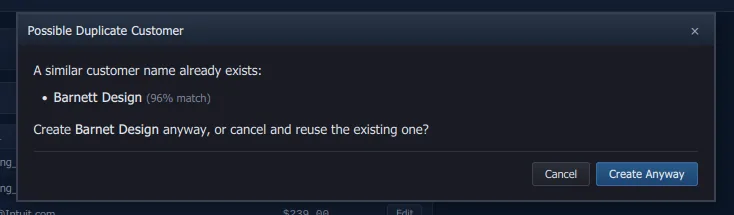
- Saved reports — Full CRUD on named
(report_type, parameters)tuples at/api/saved-reports. Lets users one-click rerun their favorite P&L, Balance Sheet, or account drill-down without re-entering dates
Security & Authentication
- Named sign-ins in four roles with Argon2id password hashing and rate-limited login (see Who can do what at the top); sessions end after four hours idle and when a user is deactivated, re-roled or given a new password, and Sign Out ends the person's other sessions; a new company opens on setup with its name; an opt-in setting asks for the password each time the app starts
- Closing date override password: asked for when a change falls in the closed period; five wrong passwords lock the override for ten minutes
- App-level HTTPS redirect, HSTS, and
Securesession cookie whenFORCE_HTTPS=true; behind a proxyFORWARDED_ALLOW_IPSnames it, and with several workersRATE_LIMIT_STORAGE_URIshares the rate-limit counters (HTTPS with a proxy) - Field-level Fernet encryption for bank routing/account numbers, with zero-downtime key rotation
- Self-service portal tokens expire on 90-day idle + 1-year hard windows
- Startup checks fail hard if production config is missing TLS, a real encryption secret (the dev default, an empty or a short one is refused), or HTTPS; the single-host
docker compose upsetsSLOWBOOKS_PRIVATE_NETWORK=1, which skips the two transport checks and never the secret - Company file encryption (#290) — a desktop or Server Edition company file can be a SQLCipher file, off by default; an administrator turns it on from Settings with the company's name typed to confirm. On the desktop the key comes from a recovery key shown once, wrapped for each administrator's password in
<company>.db.keyring; on Server Edition fromCOMPANY_FILE_ENCRYPTION_SECRET, set before turning it on; backups are ciphertext under the same key (Encrypting the company file). PostgreSQL deployments are the database host's job
Canonical list of security measures lives in SECURITY.md; engineering log of the hardening pass is at Security hardening.
System & Administration
- First month of the fiscal year (v2.29.0, #444) — Settings → Company Information sets the month a fiscal year starts ("1"–"12", default January). Reports' fiscal-year presets and default periods, the dashboard's profit card and nonprofit mode's year to date follow it; payroll forms (W-2, 941) stay on the calendar year by law
- Transaction warnings (#481) — Settings → Transaction Warnings, for the whole company, each off until turned on (v2.29.1): a transaction dated more than N days in the past (90) or the future (30) asks before it saves, on every transaction form, Bill Quick Entry and the register's quick row (the closing date keeps its own lock); a check, register payment or bill payment whose number is already used on that bank account asks "Keep the number / Go back and edit" (a 409
duplicate_check_numberfromPOST /api/banking/transactions,PUT /api/banking/entries/{id},POST /api/expensesandPOST /api/bill-payments, passed by sending it again with?allow_duplicate_check_number=true; deposits, voids and references that are not all digits such as "ACH" don't count); saving changes to a transaction already saved asks first, a journal entry or deposit opened from the register included. Settings keyswarn_date_past,warn_date_past_days,warn_date_future,warn_date_future_days,warn_duplicate_check_number,warn_edit_transaction - Dark Mode — Toggle between QB2003 Blue theme and dark mode (Alt+D or toolbar button). Persists in localStorage
- Backup/Restore — Create, download and restore backups from Settings. Backups are named for their company and listed per company; a restore takes a safety copy first, asks twice for another company's backup, and refuses a newer version's
- Multi-Company — Each company is its own database. The desktop apps switch between company files from the Companies page; Server Edition on Windows serves every company file from one host, chosen at sign-in and switched from the topbar, each company with its own users and roles (see Server Edition setup); a server (Docker / PostgreSQL) serves one database per server, and a second company is a second server pointed at its database (see Operations runbook, "Several companies on a server")
- Global Search — Unified server-side search across customers, vendors, items, invoices, sales receipts, estimates, bills, credit memos, payments, accounts and classes
- Attachments — Upload files (PDF, images, text, CSV, Word, Excel, zip) to invoices, bills, expenses, estimates, purchase orders, vendor credits, vendors, customers, journal entries (v2.22.3, #281; the receipt behind a manual entry, such as an owner paying a business expense personally) and register entries (v2.31.0, #600), with MIME type and extension validation; the files live inside the company file, so a backup carries them
- Bank Rules — Auto-categorize imported bank transactions with pattern-matching rules
- Budgets — Create and track budgets by account and period with actual-vs-budget comparison
- Email Templates — Customizable templates for the invoice email, the payment receipt, the past-due reminder, the collection letter and a nonprofit's donor acknowledgment
UI
- Sidebar you can trim (v2.23.5) — Settings → Sidebar hides the sections and links a company doesn't use; a hidden page still opens by its address
- Authentic QB2003 "Default Blue" skin with navy/gold color palette (+ dark mode)
- About dialog with the version, what's new in this release, the licence terms and the artists
- Artists on About (#635). The About dialog credits every artist whose work ships in the app: name, pieces and where each is used, with a link when they gave one. The list is
app/static/artists.json, one entry per artist and no code change; while it is empty the dialog says the turtle is waiting for its first artist and points at the art repo - Windows XP-era toolbar, sidebar navigator with icons, status bar
- Type-ahead pickers (v2.19.0) — customer, vendor, item, account, employee, job and class pickers, and any list of 15 or more, search as you type; "+ New Customer" opens its quick add with the typed name
- Keyboard shortcuts:
Alt+N(new invoice),Alt+P(payment),Alt+B(enter a bill),Alt+E(enter an expense),Alt+Q(quick entry),Alt+H(home),Alt+D(dark mode),Ctrl+S(save modal form),Ctrl+K(search),Escape(close modal). In the desktop app,Ctrl++/Ctrl+-/Ctrl+0(Cmdon a Mac) zoom the window,Ctrl+wheel (Cmd+wheel on a Mac) zooms it and its document windows, and the level is kept between launches. The top bar fits a 900px window; its quick-entry buttons step aside below 1250px. The toolbar button each entry shortcut stands for announces it (title +aria-keyshortcuts) - Active / Inactive / All (v2.20.0) — Customers, Vendors, Items, Employees and Jobs show active records by default, with Make Inactive / Make Active on every row; an open balance or an employee asks first
- No frameworks — vanilla HTML/CSS/JS single-page app
- 76 SPA routes, 52 sidebar nav links (three of them nonprofit-only)
QuickBooks 2003 Pro Interoperability
- IIF Export — Export all SlowBooks data (accounts, classes, customers, vendors, items, estimates, invoices, sales receipts, payments, bills, deposits, and since 2.24.0 checks, card charges, transfers, bill payments and journal entries) as .iif files importable into QB2003 via File > Utilities > Import > IIF Files. An invoice's or sales receipt's TRNS row names the full Customer:Job, and its split rows carry INVITEM, QNTY, PRICE and TAXABLE (quantity negative, price positive, as Intuit's own sample import files have them), so a round trip keeps the job, the items, the quantities and each line's taxable flag (v2.23.0, #199; it wrote the customer alone and no item or quantity); a quantity finer than the hundredth (2.125) comes back as it went out, and one finer than four places is rounded on the way in with a note, its unit price set so that quantity × price still gives the line's amount. Each split row carries its line's own class, with the document's as the fallback (v2.23.1, #308; it wrote the header's on every row). Every amount in the file is in the home currency, so on a document in another currency PRICE is the line's booked home-currency amount divided by its quantity, to the places the quantity needs (four at least), and QNTY × PRICE gives AMOUNT to the cent at any quantity
- IIF Import — Parse and import .iif files exported from QB2003 with duplicate detection and per-row error handling. An account's ACCNTTYPE is its detail type (FIXASSET is a Fixed Asset, LTLIAB a Long Term Liability, EXINC Other Income…) and the export writes the detail type back, CCARD included, so the fifteen types round trip; NONPOSTING accounts (estimates, purchase orders) are skipped with a note, and an account already in the chart keeps its own detail type (v2.27.0). The importer takes INVOICE, PAYMENT, CASH SALE, ESTIMATE, BILL, DEPOSIT, and since 2.24.0 CHECK, CREDIT CARD, TRANSFER, BILLPMT and GENERAL JOURNAL blocks (the last five as journal-only entries, a block already in the books posting nothing twice; GENERAL JOURNAL blocks post as adjusting entries on request).
- Validation — Pre-flight validation of .iif files before import (checks structure, account types, balanced transactions)
- Date Range Filtering — Export the nine transaction sections (invoices, sales receipts, payments, bills, deposits, checks and card charges, transfers, bill payments, journal entries) for a date range
- Round-Trip Safe — Export from SlowBooks, re-import into SlowBooks — deduplication prevents double-entry
- Import from Report CSV — QuickBooks Desktop can't export transactions to IIF, so a detail report saved as CSV uploads instead, the report type detected from its columns and rows: Transaction Detail filtered to Sales Receipt (a paid sale + payment each), filtered to Invoice (v2.23.0, #291: each invoice with its item lines, quantity and price, its sales tax, its Customer:Job and its number; open, partly paid or paid by the report's Open Balance column, with a payment for what was paid, dated the invoice, to Undeposited Funds — without that column every invoice comes in open and the import says how many did, and uploading the report again with the column marks the invoices here that have nothing paid on them paid or partly paid from it; an invoice's header row posts to Accounts Receivable and a receipt's to the deposit account, so one file can hold both), Deposit Detail and Check Detail (journal entries on the bank account). On all four, the report's Class column is read: the header row's class is the document's and each line's is its own, and a class the report names is created on first sight with a note (v2.23.1, #308) Re-uploads skip what is already here — an invoice is the same document when it is the same customer's under the report's number, as it was numbered here or as the import renumbered it when that number was taken (QB-1031), or, with no number, of the same date and total
Full IIF format reference, account-type mapping, and round-trip examples live in the QuickBooks Desktop IIF section below.
Utilities
- Backup Script —
scripts/backup.sh— apg_dump --cleanwith gzip compression for the PostgreSQL installs, keeps the last 30 backups; the desktop app and Server Edition back up from Settings → Backup / Restore - Recurring Invoice Cron —
scripts/run_recurring.py— Standalone script for a server install that generates due recurring invoices and enters the memorized bills and journal entries set to auto-enter (#605). It catches up both kinds the way Enter All Due does: every missed installment of each recurring invoice and every missed occurrence of each memorized schedule up to today, however far behind, each dated its scheduled date, and keeps going when another window generates an installment first (before 2.31.1 it made one installment of each recurring invoice per run). The app itself enters the due memorized bills and journal entries when it opens and once a day while it runs (app/services/scheduler.py, theauto_enter_on_opensetting); recurring invoices wait for Generate, Enter All Due or this script - IRS Mock Data —
scripts/seed_irs_mock_data.py— Seeds realistic test data from IRS Publication 583 (Henry Brown's Auto Body Shop: 8 customers, 13 vendors, 10 invoices, 5 payments, 3 estimates)
QuickBooks Desktop — IIF Interoperability
SlowBooks exchanges data with QuickBooks Desktop (2003 through the current release) via Intuit Interchange Format (IIF) — the tab-delimited text format QuickBooks Desktop uses for file-based import and export.
Exporting from SlowBooks to QuickBooks Desktop
- Navigate to Interoperability in the sidebar
- Click Export All Data (or export individual sections)
- For the transaction sections, optionally set a date range
- Save the
.iiffile - In QuickBooks Desktop: File > Utilities > Import > IIF Files and select the file
What gets exported:
| Section | IIF Header | Fields |
|---|---|---|
| Chart of Accounts | !ACCNT | Name, the IIF type for the account's detail type (table below), number, description |
| Classes | !CLASS | Name, parent |
| Customers | !CUST | Name, company, address, phone, email, terms, tax ID |
| Vendors | !VEND | Name, address, phone, email, terms, tax ID |
| Items | !INVITEM | Name, type (SERV/PART/OTHC; a DISC item comes in as a service item marked as a discount, #639), description, rate, income account |
| Invoices | !TRNS/!SPL INVOICE | Customer:Job, date, line items with item, quantity, price and taxable flag, tax, terms, class |
| Sales receipts | CASH SALE | The same, with the deposit account |
| Payments | PAYMENT | Customer, date, amount, deposit account, invoice allocation |
| Estimates | ESTIMATE | Customer, date, line items (non-posting) |
| Bills | BILL | Vendor, date, due date, lines with their accounts |
| Deposits | DEPOSIT | Bank account, date, the payments taken |
| Checks and card charges | CHECK / CREDIT CARD | Bank or card account, payee, date, number, split lines (since 2.24.0) |
| Transfers | TRANSFER | From and to accounts, date, amount (since 2.24.0) |
| Bill payments | BILLPMT | Bank account, vendor, date, check number (since 2.24.0) |
| Journal entries | GENERAL JOURNAL | Every line with its account, name and class (since 2.24.0) |
Importing from QuickBooks Desktop to SlowBooks
- In QuickBooks Desktop: File > Utilities > Export > Lists to IIF Files. That menu exports the lists only; transactions come across from a report CSV (Import from Report CSV, above, and Moving from QuickBooks)
- In SlowBooks: navigate to Interoperability → Import from IIF
- Drag and drop the
.iiffile (or click to browse), one at a time - Click Validate — checks structure, account types, and balanced transactions. Two boxes follow it: This is an accountant's file posts the file's GENERAL JOURNAL blocks as adjusting entries, and The Customer:Job names in this file are sub-customers, not jobs (v2.31.1) brings a colon name in as a sub-customer that can bill with its parent
- If the file has names typed in ALL CAPS, Validate shows a few of them as they would import and offers Change ALL-CAPS names to normal capitalization (
BOB JONES→Bob Jones,ACME TOOLING, INC.→ACME Tooling, Inc.). It is off unless you tick it: customer, vendor and account names only, item names kept as typed, and names already in your books are left alone (v2.18.1, #195) - If validation passes, click Import
The importer handles:
- Account types: QuickBooks' fifteen posting account types map one-to-one onto SlowBooks' detail types (each under one of the six base types); NONPOSTING accounts (estimates, purchase orders) are skipped with a note
- Parent:Child colon-separated account names
- Fields QuickBooks quotes because they hold a comma (
"Jones, Bob","99,250.02") — the quotes are not part of the name (v2.18.1, #195) - Duplicate detection (skips records that already exist by name, in any case, or by document number)
- Per-row error collection (a bad row won't abort the entire import)
- Windows-1252 and UTF-8 encoded files
tools/clean_iif.py (source installs) writes a cleaned copy of an export with the same quote and capitalization rules, for anyone who wants the file fixed before importing it.
IIF Format Reference
IIF is tab-delimited with \r\n line endings. Header rows start with !. Transaction blocks use TRNS/SPL/ENDTRNS grouping. Sign convention: a positive amount is a debit and a negative one a credit, and a block sums to zero (a sale's TRNS row is the positive receivable; a bill's TRNS row is the negative payable). A minimal block (the real export also carries DUEDATE, TERMS, MEMO and CLASS, and INVITEM, QNTY, PRICE and TAXABLE on the split rows):
!TRNS   TRNSTYPE    DATE    ACCNT   NAME    AMOUNT  DOCNUM
!SPL    TRNSTYPE    DATE    ACCNT   NAME    AMOUNT  DOCNUM
!ENDTRNS
TRNS    INVOICE 01/15/2026  Accounts Receivable John E. Marks   444.96  2001
SPL INVOICE 01/15/2026  Service Income  John E. Marks   -438.00 2001
SPL INVOICE 01/15/2026  Sales Tax Payable   John E. Marks   -6.96   2001
ENDTRNS
Account Type Mapping
Each account's detail type is its IIF type, both ways (the number-range guess an earlier release used is gone, #390):
| Detail type (base type) | IIF type |
|---|---|
| Bank (asset) | BANK |
| Accounts Receivable (asset) | AR |
| Other Current Asset (asset) | OCASSET |
| Fixed Asset (asset) | FIXASSET |
| Other Asset (asset) | OASSET |
| Accounts Payable (liability) | AP |
| Credit Card (liability) | CCARD |
| Other Current Liability (liability) | OCLIAB |
| Long Term Liability (liability) | LTLIAB |
| Equity | EQUITY |
| Income | INC |
| Other Income (income) | EXINC |
| Cost of Goods Sold (COGS) | COGS |
| Expense | EXP |
| Other Expense (expense) | EXEXP |
Sample Data
The scripts/seed_irs_mock_data.py script populates SlowBooks with test data from IRS Publication 583 (Rev. December 2024) — "Starting a Business and Keeping Records." The sample business is Henry Brown's Auto Body Shop, a sole proprietorship with:
- 8 customers (John E. Marks, Patricia Davis, Robert Garcia, Thompson & Sons, etc.)
- 13 vendors from the IRS check disbursements journal (Auto Parts Inc., ABC Auto Paint, Baker's Fender Co., etc.)
- 8 service/material items (Body Repair, Paint & Finish, Dent Removal, Frame Alignment, etc.)
- 10 invoices totaling $3,631.31 with 1.59% sales tax
- 5 payments totaling $1,498.00
- 3 pending estimates
- All with proper double-entry journal entries
python3 scripts/seed_irs_mock_data.pyAPI reference
All endpoints under /api/. Swagger docs at /docs, the schema at /openapi.json; 735 operations on 588 paths across 89 routers (v2.31.4). Every endpoint needs a signed-in session or an API token (Authorization: Bearer sbp_…, Settings → API Tokens; the token's role decides what it reaches, and no token is an administrator), except sign-in (/api/auth/*), /health, /openapi.json, the public pay page and its checkout (/pay/{token}, /api/payments/{provider}/create-checkout-session), the provider webhooks (payments, Stripe, Mercury) and the employee portal under /portal/. A refused field answers 422 with a detail list and a plain message per field (v2.31.1). The tables below are a guide, not the whole list: the generated API index has every operation.
Authentication
| Endpoint | Methods | Description |
|---|---|---|
/api/auth/status | GET | Auth state: {setup_needed, authenticated, multi_user}; signed out on a multi-user install, also usernames (names only) |
/api/auth/setup | POST | First-run password setup (min 8 chars); optional entity_type / llc_tax_election seed the equity accounts (#488) |
/api/auth/login | POST | Login with password (username too once there is more than one user); on a Server Edition host the status also lists companies, and /api/auth/company chooses one |
/api/auth/logout | POST | Clear session (and the person's other sessions) |
/api/auth/password | POST | Change the signed-in user's password |
Core (Original)
| Endpoint | Methods | Description |
|---|---|---|
/api/dashboard/widgets | GET | The card catalog and the saved layout |
/api/dashboard/data | GET | The cards' figures, ?ids= for a subset (snapshot, aging, monthly revenue, bank balances) |
/api/settings | GET, PUT | Company settings |
/api/settings/test-email | POST | Send SMTP test email |
/api/search | GET | Unified search across all entities, classes and accounts included (v2.22.0) |
/api/accounts | GET, POST, PUT, DELETE | Chart of Accounts CRUD. ?bank=1 filters to bank/card accounts, ?detail_type= to one detail type. detail_type is optional on POST and PUT (omitted: the default for the type and bank kind, or a sub-account's parent's) and every response carries it with detail_type_label; a detail type that contradicts the type, the bank kind, the 1100 / 2000 rule or the parent is a 400 with the reason. parent_id sets or (as null) clears the parent on PUT; one that would make the account a sub-account of itself, one that does not exist, one of another base type, or a new parent for a control account is a 400 with the reason (v2.27.0). A PUT whose detail-type change cascades to sub-accounts returns retyped_sub_accounts naming each one (id, name, account_number, from/to detail type); it is null on any PUT that did not cascade. PUT refuses the number, type or detail type of a control account (400); POST and PUT refuse creating or renumbering an account onto a reserved control-account number (409); DELETE refuses a control account |
/api/accounts/detail-types | GET | The fifteen detail types in picker order, each with its label and base type (v2.27.0) |
/api/customers | GET, POST, PUT, DELETE | Customer management |
/api/vendors | GET, POST, PUT, DELETE | Vendor management |
/api/items | GET, POST, PUT, DELETE | Items & services |
/api/invoices | GET, POST, PUT | Invoice CRUD with line items; another customer's job_id on the header or a line is refused (400), a job that does not exist 404; an edit touching neither customer, job nor lines saves as it is (v2.22.0); an edit takes the bill and ship address fields and ship_to_country, to correct them or to go with a move to another customer, "" or null blanking a part (v2.31.1); a move to another customer is refused (409 money_applied) while a payment or credit memo is applied to the invoice (v2.31.1) |
/api/invoices/{id}/pdf | GET | Generate invoice PDF |
/api/invoices/{id}/void | POST | Void with reversing journal entry |
/api/invoices/{id}/send | POST | Mark invoice as sent |
/api/invoices/{id}/email | POST | Email invoice as PDF attachment (/email-preview renders the message first; /api/invoices/apply-late-fees posts the late fees A/R Aging offers, #500) |
/api/invoices/{id}/duplicate | POST | Duplicate invoice as new draft, billed as of now (v2.31.1); optional body {allow_zero_total, allow_over_credit_limit} |
/api/invoices/{id}/print-preview | GET | Browser print preview (HTML) |
/api/estimates | GET, POST, PUT | Estimate CRUD with line items; a job must be the customer's, header or line (v2.22.0) |
/api/estimates/{id}/convert | POST | Convert estimate to invoice (drops unit prices + un-accepted alternates, carries cost type + unit cost, adds the markup lines) |
/api/estimates/{id}/accept | POST | Accept the estimate and lock its job budget (#551); 409 no_job, already accepted, or budget_locked |
/api/estimates/{id}/print-preview | GET | Browser print preview (HTML) |
/api/jobs/{id}/contract | GET, PUT | The job's contract terms + summary and schedule of values (#552); PUT validates the type and amounts, defaults a GMP cap to the contract sum, stamps the original sum once |
/api/jobs/{id}/contract/from-estimate/{estimate_id} | POST | Set the contract from an accepted estimate and build its schedule of values (#552); 409 estimate_not_accepted or estimate_job_mismatch |
/api/jobs/{id}/sov | PUT | Replace the schedule of values (renumbered 1..n, item no defaulted); returns the contract summary (#552) |
/api/jobs/{id}/buyout | GET | Bid vs buyout per trade package (#553): bid cost, bought, variance, committed-remaining, billed-to-date and the commitments behind each (with Sub compliance flags), plus an Unassigned row and totals |
/api/change-orders | GET, POST | Change orders (#554): list by job_id (history=true adds superseded PCO revisions), create a PCO / owner / sub change order with lines (cost per type, sell with markup) |
/api/change-orders/{id} | GET, PUT, DELETE | Read one; edit a draft/pending one (409 co_locked once approved/void/promoted); delete a draft |
/api/change-orders/{id}/submit | POST | Draft → pending |
/api/change-orders/{id}/approve | POST | Pending → approved; moves the contract, SOV, budget and commitment; 409 promote_instead for a PCO, contingency_exceeded / allowance_exceeded over a limit |
/api/change-orders/{id}/reject | POST | Draft/pending → rejected |
/api/change-orders/{id}/void | POST | Reverse every effect of an approved change order; 409 co_billed when an added commitment line has been billed |
/api/change-orders/{id}/promote | POST | Promote a PCO to a new owner change order (copies lines, source_pco_id set); the PCO becomes promoted. Body {"pco_ids": [...]} rolls several PCOs (same job, funding, allowance line, markup setting) into the one owner CO |
/api/change-orders/{id}/revise | POST | New draft revision of a PCO (…-R2, supersedes_id); the prior one becomes superseded |
/api/change-orders/{id}/sub-order | POST | From an owner change order, create a linked draft sub change order on a chosen commitment_id (its subcontract lines, or line_ids) |
/api/change-orders/{id}/pdf | GET | The owner CO / PCO document — price (sell) per line and per cost type, and the total (cost and markup stay in the app) |
/api/payments | GET, POST | Record payments with invoice allocation; Idempotency-Key header makes a POST retry-safe (v2.23.0) |
/api/payments/{id}/void | POST | Void payment with reversing journal entry (refused while in a deposit) |
/api/payments/{id}/apply | POST | Apply a payment's unapplied remainder to invoices (allocations) |
/api/customers/{id}/credits | GET | A customer's unapplied payments and open credit memos |
/api/banking/ledger-balance | GET | The ledger balance of a bank/card account as of a date |
/api/banking/transactions/{id} | PATCH | Keep the category picked for a statement line |
/api/banking/reconciliations/{id}/report · /pdf | GET | A completed reconciliation's report |
/api/banking/overview | GET | Bank and card accounts with ledger balances, feed, to-review count |
/api/banking/accounts | GET, POST, PUT | Bank feeds (statement identity of a ledger account); opening_balance posts; …/post-legacy-balance |
/api/banking/transactions | GET, POST | GET: statement lines (review queue). POST: a register entry — posts a journal entry |
/api/banking/transactions/{id}/candidates · match · unmatch · add · exclude · restore | GET, POST | Review-queue actions |
/api/banking/accounts/{id}/feed/add-all · auto-match | POST | Bulk review actions |
/api/banking/entries/{id} | GET, PUT | A register entry in the + Entry form's shape; PUT rewrites it in place, a field left out kept (a reconciled entry: amount and date refused, a new category 409 until confirm_reconciled) (part of #388) |
/api/banking/entries/{id}/void | POST | Void a register entry |
/api/banking/reconciliations | GET, POST, DELETE | Reconciliation sessions over ledger lines (…/{id}/transactions, toggle/{line_id}, mark-all {cleared, through} (v2.22.2), complete); PUT /{id} corrects the statement balance or date while in progress (#389) |
/api/transfers | GET, POST | Transfers between bank/card accounts (…/{id}/void) |
Accounts Payable
| Endpoint | Methods | Description |
|---|---|---|
/api/purchase-orders | GET, POST, PUT | Purchase order CRUD; in construction a commitment carries commitment_type (po / subcontract), trade_package_id, retainage_pct and scope_notes (#553) |
/api/purchase-orders/{id}/convert-to-bill | POST | Convert PO to bill; optional body lines: [{line_id, account_id, amount}] — amount bills that line's part this period (partial billing, #553), 422 over-remaining / ≤ 0, 409 when nothing is left; retainage held to Retainage Payable (2050) |
/api/purchase-orders/{id}/pdf · /print-preview | GET | Purchase order PDF / print page |
/api/bills | GET, POST, PUT | Bill CRUD with line items; a line sends quantity and rate, or amount alone (#391); PUT edits a posted bill (v2.21.0), re-posting its journal; carries retainage_held and lien_waiver_status, and the list/get responses add vendor_compliance (Sub W-9 / COI flags, #553) |
/api/bills/{id}/void | POST | Void bill |
/api/bills/{id}/pdf · /print-preview | GET | Bill PDF / print page |
/api/expenses | GET, POST | A receipt already paid: DR the expense account (or each line's account, lines, which add up to amount), CR the bank, cash or card account it came from. The older single expense_account_id is accepted as one line; a response carries both lines and the first line's account. No PUT: an expense is voided and entered again |
/api/expenses/{id} | GET | One expense |
/api/expenses/{id}/void | POST | Void an expense with a reversing entry; refused once reconciled or in a closed period |
/api/bill-payments | GET, POST | Pay vendor bills with allocation (a payment pays its own vendor's bills only); ?bill_id= lists a bill's payments; class_id/job_id are refused (they were accepted and dropped; v2.22.0); Idempotency-Key header makes a POST retry-safe (v2.23.0) |
/api/bill-payments/{id} | GET | One bill payment with what it paid; POST …/void reverses it (refused once the check is reconciled), PUT …/memo sets the check memo (#602) |
/api/credit-memos | GET, POST | Credit memo CRUD; a job must be the customer's (v2.22.0); a line takes its own class_id and job_id, else the memo's (v2.31.0, #640) |
/api/credit-memos/{id}/apply | POST | Apply credit to that customer's invoices |
/api/credit-memos/{id}/pdf · /print-preview | GET | Credit memo PDF / print page |
/api/vendor-credits | GET, POST | Vendor credit list and create |
/api/vendor-credits/{id} | GET | One vendor credit with its lines |
/api/vendor-credits/{id}/apply | POST | Apply a vendor credit to a bill |
Productivity
| Endpoint | Methods | Description |
|---|---|---|
/api/recurring | GET, POST, PUT, DELETE | Recurring invoice templates; a job must be the customer's (v2.22.0); a PUT that ticks Active again rolls the next due date forward by whole periods to the first on or after today, on the start date's day; on a schedule past its end date it is a 409 naming the end date the schedule has, unless it also moves the end date past the next due date or clears it |
/api/recurring/generate | POST | Generate due recurring invoices, one installment per schedule per call; each installment is claimed before it posts, so two calls at once invoice a period once |
/api/recurring/{id}/generate | POST | Enter this one schedule's invoice now, due or not: ?occurrence=, the installment the page showed (the next due date when left out), dated its scheduled date or ?dated=; an installment that is no longer the next one is a 409 and nothing is created, and so is one after the next due date, which the 409 says is not the next one (#605) |
/api/memorized | GET, POST | Every schedule in one list (recurring invoices as kind invoice with the mode generate, memorized bills and journal entries with auto or remind), ?due=true and ?kind=; create a memorized bill or journal entry (#605) |
/api/memorized/due | GET | The schedules due on or before today |
/api/memorized/enter-due | POST | Enter All Due: generate every due recurring invoice and enter every due auto-enter memorized bill and journal entry, every missed occurrence in order however far behind, still going when another window generates an installment first (the app's own runs, when it opens and once a day, enter the memorized ones only) |
/api/memorized/entered-recently | GET | What the app's last run (startup or daily) entered, for the page's "while you were away" note |
/api/memorized/{id} | GET, PUT, DELETE | One memorized bill or journal entry with its lines |
/api/memorized/{id}/enter | POST | Enter the occurrence the page showed (occurrence, its scheduled date; the next date when left out) now, dated that date or the date sent, and move the schedule on; an occurrence that is no longer the next one is a 409 and nothing is posted, and so is one after the next date, which the 409 says is not the next one |
/api/memorized/{id}/pause, /resume | POST | Pause; resume rolls the next date forward past the dates missed (a schedule that has ended, or would on resuming, is a 409 with the ended sentence) |
/api/batch-payments | POST | Batch payment application |
Payroll & HR Core
Every route in this group needs an administrator signed in, reads included; a bookkeeper, accountant or read-only sign-in, and every API token, is refused.
| Endpoint | Methods | Description |
|---|---|---|
/api/employees | GET, POST, PUT | Employee CRUD with W-4, address, hire date, work state (the list is open to bookkeeper and read-only sign-ins as a directory, pay and tax elections blanked) |
/api/employees/{id}/ytd | GET | Year-to-date totals (gross, taxes, deductions, net) |
/api/employees/{id}/portal-token | GET, POST | Self-service portal token (no company password needed); GET reads what exists, POST makes or rotates it |
/api/employees/{id}/bank-accounts | GET, POST, DELETE | ACH direct deposit routing/account numbers (encrypted) |
/api/payroll | GET, POST | Pay run CRUD |
/api/payroll/{id} | GET, DELETE | One pay run; DELETE discards a draft (its stubs, and the benefit year-to-date, loan balances and time entries it moved, put back; a later draft that counted it is flagged). A processed run is refused (409) |
/api/payroll/{id}/process | POST | Process pay run (creates balanced journal entries) |
/api/payroll/{id}/void | POST | Void a processed run (#432); 409 with the warnings until ?confirm=true |
/api/payroll/{id}/paystub/{stub_id} | GET | One stub's PDF |
/api/payroll/gross-up | POST | The gross for a wanted net |
/api/payroll/states | GET | The state withholding catalog: method, deductions, other items, SUTA base, source, per state |
/api/payroll/{id}/nacha | GET, POST | The NACHA ACH file for a processed pay run: GET from the saved Settings → Direct Deposit details; POST with any of them in the body outranking the saved ones. 409 names what is not set up, or that no one on the run has an account |
Payroll & HR
The HR, benefits, deductions, onboarding, time-off, tax-form (/api/tax-forms/*: 941, 940, W-2, W-3, SUI, liability, 1099, 1096) and self-service portal routes are described in Payroll and HR, and every operation is in the API index.
Banking & Deposits
| Endpoint | Methods | Description |
|---|---|---|
/api/banking/transactions/{id}/add | POST | Post a statement line (category_account_id, payee, memo, class_id, job_id, vendor_id); the entry names vendor_id, else the vendor its payee names (#491) |
/api/banking/transactions/vendors | POST | line_ids of added feed lines: each money-out payee becomes a vendor (or is linked to the vendor of that name) and the entry names it (#491) |
/api/bank-rules | GET, POST, PUT, DELETE | Bank rules (pattern, rule_type, account_id, vendor_id); responses name the account and vendor (#493). A vendor's bank_feed_rule on POST/PUT /api/vendors makes, updates or turns off its rule |
/api/vendors/{id}/bank-entries | GET | Register entries naming the vendor — lines added from a bank feed — newest first, with the amount paid and whether voided (#491) |
/api/banking/check-register | GET | The register: ledger lines on a bank/card account with running balance, links, cleared state; start_date, end_date, class_id (v2.22.0) |
/api/deposits/pending | GET | Pending deposits in Undeposited Funds |
/api/deposits | GET, POST | List and create deposits (move funds to bank; line_ids are the payments taken) |
/api/deposits/{id} | GET, PUT | One deposit with its payments; PUT edits it in place from the register (date, reference, class, job, and which payments it takes via line_ids; a reconciled deposit's amount and date are refused) (part of #388) |
/api/deposits/{id}/pdf · /print-preview | GET | The deposit slip (v2.22.2): the account, the date, each payment taken and the total; VOID when void |
/api/deposits/{id}/void | POST | Void a deposit (its payments wait to be deposited again) |
/api/cc-charges | GET, POST | Credit card charge entry (card_account_id, …/{id}/void) |
/api/checks/print | GET | Generate check PDF (3-per-page format) for a bill payment (bill_payment_id), or for a check written in the bank register or as an expense (transaction_id; a deposit, card charge, transfer or void is refused with the reason) |
/api/checks/unprinted · /api/checks/print-batch · /api/checks/test-print | GET, POST, GET | The checks waiting to print on a bank account with the next number; number and print a batch as one PDF (#603); a sample check for lining up pre-printed stock (#440) |
Journal Entries
| Endpoint | Methods | Description |
|---|---|---|
/api/journal | GET, POST | Manual journal entry CRUD; is_adjusting marks an adjusting entry (an accountant's defaults to it); an optional entry-level basis (both default, accrual, cash) says which reports the entry counts on (#483) |
/api/journal/{id} | GET, PUT | Get a journal entry with lines; PUT rewrites a hand-entered one in place from the register (a reconciled line's amount, account and the date refused, a non-reconciled account move 409 until confirm_reconciled; the accountant's sign-in does not edit) (part of #388) |
/api/journal/{id}/void | POST | Void with reversing entry. A document's posting (an invoice's, a bill's, a payment's, a register entry's) is refused with a sentence naming the document to void instead, since its own void reverses it (#661) |
/api/fixed-assets | GET, POST, PUT | Fixed asset register (acquisition posts the purchase) |
/api/fixed-assets/{id}/post-purchase | POST | Post the purchase of an asset registered without one |
/api/fixed-assets/types · /run-depreciation · /{id}/dispose · /import-csv · /reports/reconciliation | GET, POST | Asset types; post depreciation through a date; dispose with gain or loss; import a register; the reconciliation report |
Reports & Tax
Shared parameters on the statements: basis=accrual|cash (#483), hide_zero=true (#625), compare=prior_year (#347), exclude_adjusting=true, sort=number|name, and on the P&L columns=month|quarter (#478).
| Endpoint | Methods | Description |
|---|---|---|
/api/reports/profit-loss (+/pdf, /csv) | GET | P&L report; class_id gives one class's P&L |
/api/reports/profit-loss-by-class (+/pdf, /csv) | GET | Every P&L account with a column per class (accounts), and each class's totals (classes); class_ids, show=active, include_empty choose the columns and the response says filtered with columns_total and the unfiltered figures; CSV layout=wide|long (v2.22.0) |
/api/reports/profit-loss-by-job (+/pdf, /csv) | GET | The same grid with a column per job and "No job"; job_ids (0 = no job), customer_id, show, include_empty (v2.22.0) |
/api/reports/balance-sheet (+/pdf, /csv) | GET | Balance sheet |
/api/reports/trial-balance (+/pdf, /csv) | GET | Trial balance, debit and credit columns with totals |
/api/reports/ar-aging (+/csv) | GET | Accounts receivable aging |
/api/reports/ap-aging (+/csv) | GET | Accounts payable aging |
/api/reports/profit-loss-detail, /cash-flow, /sales-by-item, /purchases-by-item, /adjusting-entries, /closing-date-exceptions, /1099-summary, /accountants-package, /reconciliations (each +/pdf and/or /csv) | GET | The other reports the Report Center offers; the construction reports (/wip-schedule, /cost-to-complete, /change-order-log, /buyout, /job-cost-by-vendor, /cost-to-complete-forecast, /commitment-status) in construction mode |
/api/reports/sales-tax | GET | Sales tax collected |
/api/reports/sales-tax/pay | POST | Record sales tax payment to government |
/api/reports/general-ledger (+/pdf, /csv) | GET | Every posted line by account: balance brought forward, running balance, source, class, period total; account_id and class_id filter it, the balance brought forward under the same class test (v2.22.0) |
/api/reports/income-by-customer | GET | Sales totals per customer |
/api/tax/schedule-c | GET | Schedule C data from P&L; 409 not_schedule_c when the company's entity type files another return (#488) |
/api/tax/schedule-c/csv | GET | Schedule C CSV export; 409 not_schedule_c when the company's entity type files another return (#488) |
/api/tax/return | GET | Page 1 of the return the entity type files (Form 1065, 1120, 1120-S; Schedule C for the entities that file it) from the P&L; 409 no_entity_return when unset or a nonprofit (#488) |
/api/tax/return/csv | GET | The same as CSV, under the form's title |
/api/reports/statement-of-activities (+/pdf, /csv) | GET | Nonprofit: revenue, releases, expenses by restriction |
/api/reports/statement-of-financial-position (+/pdf, /csv) | GET | Nonprofit: net assets with / without donor restrictions |
/api/reports/fund-balances (+/pdf, /csv) | GET | Nonprofit: per restricted fund |
/api/reports/functional-expenses (+/pdf, /csv) | GET | Nonprofit: Form 990 Part IX columns |
/api/reports/pledges (+/pdf, /csv) | GET | Nonprofit: promised / received / written off / outstanding |
/api/reports/possible-duplicates (+/pdf, /csv) | GET | Possible duplicate entries on a bank or card account (account_id, start_date, end_date, include_dismissed): groups with each entry's source, reconciled flag and void_path (v2.27.0, #414) |
/api/reports/possible-duplicates/dismiss | POST | Mark a group not a duplicate: {account_id, transaction_ids} |
/api/reports/possible-duplicates/dismissals/{id} | DELETE | Put a dismissed group back on the report |
/api/nonprofit/setup-accounts | POST | Create the net-asset, in-kind and bad-debt accounts if missing |
/api/nonprofit/releases (+/suggest, /{id}/void) | GET, POST | Release from restriction |
/api/nonprofit/allocation-rules (+/{id}/split, /{id}/preview) | GET, POST, PUT, DELETE | Saved shared-cost rules |
/api/nonprofit/allocations (+/{id}/void) | GET, POST | Period-end functional allocation runs |
/api/in-kind-gifts (+/{id}/void) | GET, POST | In-kind gift documents |
/api/donors/gifts/{kind}/{id}/acknowledgment/{preview,pdf,email} | GET, POST | Acknowledgment letters |
/api/donors/{id}/giving-statement/pdf, /api/donors/giving-statements/{pdf,batch-email}, /api/donors/giving-statement/preview | GET, POST | Year-end giving statements (preview: one donor's with the default giving-statement message and footer, a sample donor when the file has no gifts) |
/api/invoices/{id}/write-off | POST | Write an open balance off to Bad Debt Expense (any company, v2.22.2) |
/api/invoices/write-offs/candidates | GET | The open balances under ?under= as of ?as_of_date=, listed before any is written off (v2.22.2) |
/api/invoices/write-offs | POST | Write the listed invoices off together, one credit memo each; {date, under, invoice_ids, memo} → {written_off, skipped} (v2.22.2) |
/api/credit-memos/{id}/void | POST | Void a credit memo (unwinds applications) |
/api/vendor-credits/{id}/void | POST | Void a vendor credit (unwinds applications, returns stock) |
Import/Export
| Endpoint | Methods | Description |
|---|---|---|
/api/iif/export/all · /api/iif/export/{section} | GET | Export everything as .iif, or one of the fifteen sections |
/api/iif/validate | POST | Check an .iif file without importing; caps_names and caps_name_examples show what the ALL-CAPS box would change |
/api/iif/import | POST | Import .iif file; form fields retitle_names=true (ALL-CAPS names in normal capitalization), adjusting=true (an accountant's file) and sub_customers=true (Customer:Job names as sub-customers, v2.31.1) |
/api/csv/export/{type} | GET | Export entities as CSV |
/api/csv/import/{type} | POST | Import CSV file (`accounts?dry_run=1 |
/api/csv/import/qb-report | POST | A QuickBooks Desktop report (CSV or .xlsx): the type detected; a ledger file's problem list and its answers (v2.31.2, #663) |
/api/bank-import/preview · /preview-csv | POST | Preview OFX/QFX or CSV transactions (a CSV the import can't read answers its columns for the mapping) |
/api/bank-import/import/{id} · /import-csv/{id} | POST | Import OFX/QFX or CSV into a bank account |
Online Payments
| Endpoint | Methods | Description |
|---|---|---|
/pay/{token} | GET | Public payment page (no auth) |
/api/payments/{provider}/create-checkout-session | POST | Create a hosted checkout for an invoice (public; the token is the capability) |
/api/payments/{provider}/webhook | POST | Provider webhook handler (/api/stripe/webhook still works) |
/api/payments/{provider}/check-status/{invoice_id} | POST | Ask the provider whether an invoice was paid |
/api/payments/payment-link/{invoice_id} | GET, POST | Public payment URL for an invoice: GET reads one that exists (url null and a note when there is none), POST makes it (an administrator or bookkeeper; a read-only or accountant sign-in is refused) |
/api/payments/{provider}/payout | POST | Record a payout from the provider's clearing account (#584); the bank review queue's Payout… uses it |
System
| Endpoint | Methods | Description |
|---|---|---|
/api/audit | GET | Audit log viewer |
/api/backups | GET, POST | List this company's backups; make one (an administrator, or a token with Can make backups) |
/api/backups/download/{filename} | GET | Download a backup file (the same) |
/api/backups/restore | POST | Restore a backup: a signed-in administrator only, never a token |
/api/companies | GET, POST | Multi-company management |
/api/uploads/logo | GET, POST, DELETE | Company logo: describe, upload, remove (upload and remove: administrator) |
/api/uploads/logo/{id} | GET | The logo image, from the company's database |
/api/attachments/{type}/{id} · /api/attachments/{id} · /api/attachments/download/{id} | GET, POST / DELETE / GET | List and add a document's attachments; remove one; download one |
/api/budgets (+/bulk, /variance) | GET, POST | Budgets by account and period, set in bulk, with the actual-vs-budget variance |
/api/accounts/rebuild-balances | POST | Recompute the stored account balances from the ledger (#490; also runs at start) |
/api/email-templates | GET, POST, PUT, DELETE | Custom email template management |
/api/invoice-messages | GET, POST, PUT, DELETE | Saved messages, one the default per kind; ?kind=invoice (default) or ?kind=giving_statement filters the list (#392, #415; writes: administrator) |
/health | GET | Liveness probe (no auth required) |
Inventory
| Endpoint | Methods | Description |
|---|---|---|
/api/items/{id}/movements | GET | Per-item inventory ledger (newest first) |
/api/items/{id}/adjust | POST | Manual quantity adjustment with offsetting JE |
/api/items/low-stock | GET | Items at or below their reorder point |
/api/items/valuation | GET | Sum of qty × avg_cost across tracked items |
Drill-Down & Saved Reports
| Endpoint | Methods | Description |
|---|---|---|
/api/reports/account-transactions | GET | Every journal line hitting an account, with source-doc links for every posting; class_id keeps one class's lines, job_id one job's (0 = no job) (v2.22.0) |
/api/customers/check-duplicate | GET | Pre-submit duplicate-name check (fuzzy) |
/api/vendors/check-duplicate | GET | Pre-submit duplicate-name check (fuzzy) |
/api/saved-reports | GET, POST | List/create named report parameter sets |
/api/saved-reports/{id} | GET, PUT, DELETE | Saved report CRUD |
Classes (v2.22.0)
| Endpoint | Methods | Description |
|---|---|---|
/api/classes | GET, POST | The classes (funds in a nonprofit); create one |
/api/classes/activity | GET | One row per class for start_date–end_date (income, COGS, gross profit, expenses, net); include_archived; totals of the rows and the company's P&L totals |
/api/classes/{id} | GET, PUT, DELETE | One class; rename or archive it |
/api/classes/{id}/summary | GET | The class's P&L for the dates (the same query as /api/reports/profit-loss?class_id) with the company's net income beside it |
/api/classes/{id}/transactions | GET | Every posted line attributed to the class across all accounts, with source_link, and the class's debit, credit and net |
Analytics
All read endpoints accept ?period=month|quarter|year (or mtd/qtd/ytd; year is the fiscal year when Settings sets one), or explicit ?start_date=YYYY-MM-DD&end_date=YYYY-MM-DD. The AI routes (ai-config, ai-models, ai-config/test) are an administrator's; ai-insights, ai-actions and ai-query are POSTs, closed to read-only and accountant sign-ins and to API tokens.
| Endpoint | Methods | Description |
|---|---|---|
/api/analytics/dashboard | GET | Complete analytics snapshot (every metric, includes period echo) |
/api/analytics/revenue | GET | Windowed revenue by customer + 12-month trend |
/api/analytics/expenses | GET | Windowed expense breakdown by account number |
/api/analytics/cash-flow | GET | Cash forecast + DSO + A/R and A/P aging (?days=90) |
/api/analytics/profitability | GET | Lifetime paid revenue per customer |
/api/analytics/export.csv | GET | Flat CSV of the full snapshot (section,key,subkey,value) — honors period params |
/api/analytics/export.pdf | GET | Print-ready PDF via WeasyPrint — honors period params |
/api/analytics/ai-config | GET, PUT | Display config (no raw key) / update provider/model/key/worker_url (key Fernet-encrypted at rest; worker_url validated against SSRF/MITM) |
/api/analytics/ai-config/test | POST | Smoke-test the configured provider with a one-word prompt |
/api/analytics/ai-models | GET, POST | The provider's models, listed by the provider (v2.22.2): GET for the saved settings, POST for what the Settings page holds (a key typed and not yet saved); what the picker shows |
/api/analytics/ai-insights | POST | Run the dashboard through the configured LLM; ?force=true bypasses 10-min cache |
/api/analytics/ai-query | POST | Tool-calling Q&A — LLM autonomously calls 16 read-only tools to answer ?question=... |
/analytics | GET | Backwards-compat 307 redirect to the SPA hash route /#/analytics |
Sub-customers (Parent:Sub)
- Sub-customers with parent billing (v2.31.1, #638, from Discussion #633) - a customer can sit under another, one level deep: QuickBooks' "Parent:Sub". A property manager keeps each property as a customer and each tenant as a sub-customer under it, so a tenant is made inactive on move-out without touching the property, and everything rolls up to the property. The customer form has Sub-customer of (the active top-level customers; a sub-customer cannot have sub-customers of its own, and a customer that has them cannot become one, each refused with a sentence) and Bill with parent. Every customer picker lists sub-customers under their parents as "Parent: Sub" (
GET /api/customers?tree=1; the API'sfull_name,parent_customer_id,parent_name,bill_with_parent,sub_countandrollup_balance), and a search for the property's name finds its tenants. A parent's page lists its sub-customers with each one's balance and the roll-up (GET /api/customers/{id}/subs: own, sub-customers, together), and a sub-customer's page names its parent with a link. Every customer answers three balances, each from its open documents:balanceis what its own documents leave;billed_balanceis what sits on its A/R, its own balance plus that of the sub-customers billed with it, the figure its A/R Aging row shows and what a property owes for its tenants (the same asbalancefor a customer with nothing billed with it);rollup_balance, on a parent, is its own balance plus every sub-customer's, billed with it or not. The Customer Center's list and page showbilled_balanceas the figure owed, the customer's own figure under it when the two differ, and the roll-up under a parent; the customer CSV export's Name column is the full name, "Parent: Sub" for a sub-customer, so two properties' Unit 1 rows are told apart. The credit limit checked when an invoice is saved (on the API, the form, an edit that raises what it leaves owing, a duplicate, and an estimate converted) is the payer's: an invoice to a sub-customer billed with its parent is checked against the parent's limit andbilled_balance, and the 409 names the parent; a customer billed on its own is checked against its own. Making a sub-customer inactive leaves the parent as it is; making a parent inactive with active sub-customers asks about them (409active_subs, naming each with its open balance) unless?with_subs=truetakes them along, from the form and from Make Inactive alike. While a sub-customer billed with the parent, active or not, still has open invoices, the parent is not made inactive at all, with or withoutwith_subs(409subs_billed_with_parent_owe, saying what each owes and what to do: receive the payment or write the balance off, or take Bill with parent off the sub-customer), since the parent's A/R carries those invoices and no Receive Payment picker offers an inactive customer. A sub-customer is not made active again under an inactive parent, nor made or moved under one (409parent_inactive: make the parent active first, or move the sub-customer); an edit that keeps an inactive sub-customer under its inactive parent is fine. Bill with parent puts a sub-customer's invoices on the parent's A/R: the invoice keeps the sub-customer as its customer and takes the parent's billing address, the printed invoice's Bill To names the parent and then "For: the sub-customer" (the whole Bill To block is frozen on the invoice when it is made, the name and country with the street:bill_to_customer_id,bill_to_nameandbill_to_countryon every invoice response, backfilled for older books from the customer each invoice was billed to at the upgrade, so a tenant moved to another property or billed on its own afterwards prints the invoice it was sent; an invoice moved to another customer by an edit, a duplicate, an estimate converted to an invoice, a generated recurring invoice and a pay application's invoice are billed as of that moment, the payer's whole Bill To, street, name and country, with the customer's ship-to, and an edit corrects the addresses with the bill and ship address fields ofPUT /api/invoices/{id}, a part sent with a move winning over the one copied and a part sent as "" or null left blank, with a move or without, while a new invoice fills a part left out or sent empty from the customer and the invoice form sends no address part, so its save never blanks one; the Ship To's country is kept with the ship-to street the same way, the customer's own and never the payer's, asship_to_countryon every invoice response, backfilled for older books from each invoice's customer and given or corrected onPOSTandPUT /api/invoiceslike the ship street, so the printed Ship To, in the PDF and the print preview, keeps the country the invoice was sent with; and an invoice with a payment or credit memo applied to it, a write-off included, is not moved to another customer, the edit refused with 409money_applied, whose sentence names each payment and credit, whose it is and for how much, and says to void it and enter it again where it belongs first (appliedlists them), so the money stays on one customer's statement, while an unpaid invoice moves as before), the parent's statement carries the sub-customer's invoices, payments and credit memos (each line opens with the sub-customer's name), A/R Aging shows the sub-customer's balance under the parent's row (the row carries it once;subson the row has each one's share), Email All Overdue and the collection letters go to the parent, Receive Payment for the parent offers the sub-customer's open invoices (GET /api/invoices?customer_id=&billed_to=true) and a payment from the parent applies to them, on the API too; a credit memo of the parent is routed the same way, issued against the sub-customer's invoice or applied to it, and the credit pickers offer the same invoices. A statement's payment and credit memo lines are what relieved the invoices on it, whoever paid, plus the customer's own payments and credits not applied yet: a sub-customer's own statement shows the parent's payment or credit that relieved its invoice ("from Maple St") and reads what the sub-customer owes, asGET /api/customers/{id}does; a customer with no sub-customers reads as before. A customer's own payment or credit memo applied to another customer's invoice (a former tenant's, or a tenant billed on its own, the shape the IIF import makes when it allocates a payment by invoice number) is listed as a pair, the payment and the invoice it paid named "for Unit 1: #1001" at what that money relieved, so the statement shows what the customer paid and its balance is unchanged. Bill with parent stays on, and the sub-customer stays under that parent, while any of the parent's money sits on an open invoice of the sub-customer (409parent_money_on_open_invoices, naming the invoices and what is on them); once those invoices are settled the sub-customer may be billed on its own or moved, since tenants do move, and the statements keep the history: the former parent's statement keeps the invoices it paid and its payments as pairs, and the new parent's statement carries neither the old parent's payments nor the invoices they relieved (a sub-customer's invoice is carried on the parent's statement net of what a customer off the statement relieved on it, and not at all once that money covered it). The printed invoice billed to the parent prints the parent's country under the parent's street, and an invoice'scustomer_nameis "Parent: Sub" on every response (list, get, edit, send, void, duplicate, write-off). Without the flag a sub-customer is billed and aged on its own, under its "Parent: Sub" name, and only rolls up on the parent's page. The IIF import, which cannot tell a QuickBooks Desktop job from a sub-customer (both are "Customer:Job" rows), asks: after Validate, a box says the file's Customer:Job names are sub-customers, and the import (sub_customers=true) then keeps "Parent:Sub" as a parent customer and a sub-customer with the row's own contact details, with the transactions that name it on the sub-customer; left unticked, each is a job under the customer, as before, and a transaction naming a sub-customer already on file lands on it either way. A bare name in a file is always a top-level customer, as QuickBooks spells it: an imported "Smith" is matched to, or made as, a top-level Smith and never posts to a tenant "Oak St:Smith", and "Smith:Unit 2" lands under the top-level Smith, never a third level under the tenant (a sub-customer is reached only as "Parent:Sub"). A name with more than one level ("A:B:C") is listed by Validate (nested_customer_job_names, with a warning) and imported one level deep, "A" with job or sub-customer "B:C", said once in the import's warnings. The QuickBooks Online export's Customer list carries no parent column, so its "Parent:Sub" names (the only way a QuickBooks name holds a colon) are imported as a parent and a sub-customer, and the A/R Aging Detail's open invoices for "Parent:Sub" land on the sub-customer. The IIF export writes a sub-customer as "Parent:Sub" on every row: the customer list (where it follows its parent, the top-level rows in their usual name order) and the NAME of every invoice, payment, estimate and sales receipt TRNS and SPL row. A new sub-customer's name is checked for a likely duplicate against the top-level names, and among its siblings under the same parent only the same name, in any case, is refused (GET /api/customers/check-duplicate?name=&parent_customer_id=), so every property can have a Unit 1 and Unit 2 beside Unit 1 is the next unit, not a likely typo of it; a top-level name is checked the likely-match way against the top-level names, as before. In the Customer Center every sub-customer listed right under its parent shows its own name, however many there are; a sub-customer whose parent is not in the list shows its full name.
Jobs (Customer:Job / Projects)
A job is its customer's (v2.22.0) — the Job picker on an invoice, estimate or sales receipt lists the chosen customer's jobs and "No job", follows a change of customer and clears a job that stops matching; the API refuses another customer's job on an invoice, sales receipt, credit memo, estimate, recurring schedule or in-kind gift (the header's and each line's) with 400 "Job X belongs to a different customer than this invoice…", a job that does not exist with 404; an edit that touches neither customer, job nor lines saves as it is; a copy carries only the customer's jobs and says what it left off (
jobs_left_off); a job carried by documents can't move to another customerA job belongs to one customer; status, number, type, dates, site address, contract amount. Managed on the Jobs page or from the Customer Center.
Job (and per-line job/class) on invoices, bills, expenses, card charges, journal entries, sales receipts, estimates, purchase orders, credit memos (per line, #640), vendor credits, recurring invoices, memorized bills and journal entries, deposits, register entries and time entries. A line without its own job inherits the document's.
Job Profitability report and per-job detail from posted ledger lines; "No job" bucket keeps totals equal to the P&L.
IIF
Customer:Jobimports as a job under the customer, or as a sub-customer when the import's box is ticked (v2.31.1).Cost codes, committed cost, change orders, progress billing, time and burden and the WIP schedule all shipped (v2.30.0, the Construction mode section above and Contractor mode).
Cost codes (Settings → Cost Codes; standard division/section loader) with cost types; per-line on bills, expenses, POs, journal entries; job costs by code; billable flag on cost lines; committed cost from open POs.
Job cost model: nested cost codes with CSV import, editable cost types with burden and offset accounts, Job Cost Entries (labor, equipment, mileage, burden, allocations), time posted to jobs at loaded cost, budgets per code seeded from estimates, drill-down job page (budget / committed / actual / projected / variance), Job Budget vs Actual report.
Everywhere
- Customizable overview: show / hide / reorder dashboard cards per user, a catalog of cards (P&L this month vs last, P&L year to date with cumulative net by month, balance sheet trend over 12 month-ends, cash position + 30-day forecast, open POs, receipts to review, jobs budget vs actual), reset to standard.
- Optional post sound: a short chime when a transaction posts, off by default, a per-user toggle in Settings → Sounds that follows you across machines (#476); postings only (not deletes, voids or settings).
- Export parity: the IIF export covers the lists, classes (list + CLASS column), Customer:Job rows, invoices, sales receipts, payments, bills, deposits, checks and card charges, transfers, bill payments and journal entries, and the full export re-imports into a fresh company with matching trial balances; the CSV export adds bills, deposits, sales receipts, classes and jobs (the CSV import takes accounts, customers, vendors, items and report CSVs, so those document exports are for spreadsheets, not for re-import).
- Accessibility: WCAG 2.1 AA posture ("strive to conform") — header scopes, labelled icon buttons, live-region toasts, dialog focus management, AA contrast, and tagged (PDF/UA-1) PDFs. See docs/accessibility.md.
- Contact support from inside the app (top bar, About dialog, and the launcher's error dialog): Send opens your own mail program with the message, the environment block and a redacted log tail written for you. The app sends nothing itself. See Contact support from the app.
Platforms and install
- Windows 10 and 11 (x64): a signed installer (
SlowBooksPro-Setup-x64.exe) and a portable zip. The app's window is Microsoft's Edge WebView2, version 101.0.1210.39 or later; the installer installs or updates the runtime, and an older one is named at start with Microsoft's download link and an offer to open SlowBooks in the browser meanwhile (v2.31.2). A same-version reinstall replaces the program file (#643). The same install serves an office as Server Edition: browser sign-ins with roles, an audit trail that names who changed what, a startup task that serves the books before anyone logs in (Server Edition setup). - macOS 15 or later on Apple Silicon: a signed and notarized DMG; a Mac that cannot open the current build is offered no update to it. Intel Macs use Docker.
- Linux, Intel Macs and cloud servers: Docker with PostgreSQL (Installing SlowBooks Pro, Hosting on a cloud server), or a native install from source.
- Every install serves the same local REST API on port 3001 (above).