Completely local
No SaaS backend. No third-party cloud. Your ledger is a PostgreSQL database on your hardware. Close the laptop and your books close with it.
SlowBooks Pro is a free, source-available accounting app for Windows, Mac, and Linux. No cloud, no subscription, no account to create. Your books live on your hard drive, where they belong.
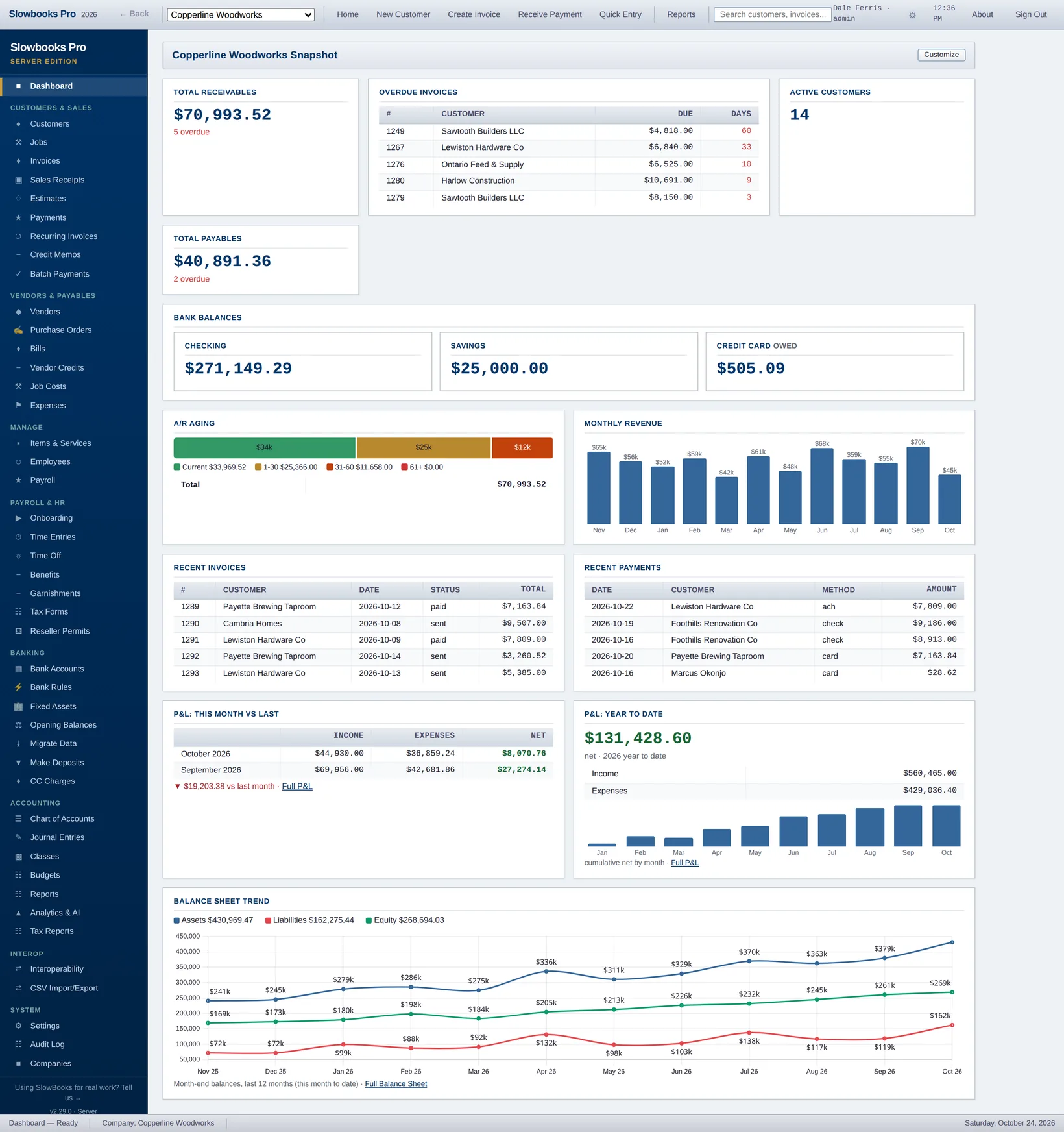
Every other accounting app today wants you to host your books on their servers. SlowBooks doesn’t. It runs on the computer in front of you, and that’s the whole point.
No SaaS backend. No third-party cloud. Your ledger is a PostgreSQL database on your hardware. Close the laptop and your books close with it.
There is no free trial, and no paid tier to graduate to. The license is source-available and permits personal, internal, and enterprise use at no cost.
PostgreSQL backups, IIF exports, CSV downloads, PDF statements. Walk away to another tool any time. No lock-in and no contract to exit.
Leaving QuickBooks Online takes its own Export data zip and nothing else: the chart, every transaction, the customer and vendor lists, and, with its A/R Aging Detail report beside it, every open invoice and unapplied payment as documents, so the A/R aging is right on day one. No Intuit developer app. And the plumbing for an encrypted company file, contributed by @grungenut. The full release ledger →
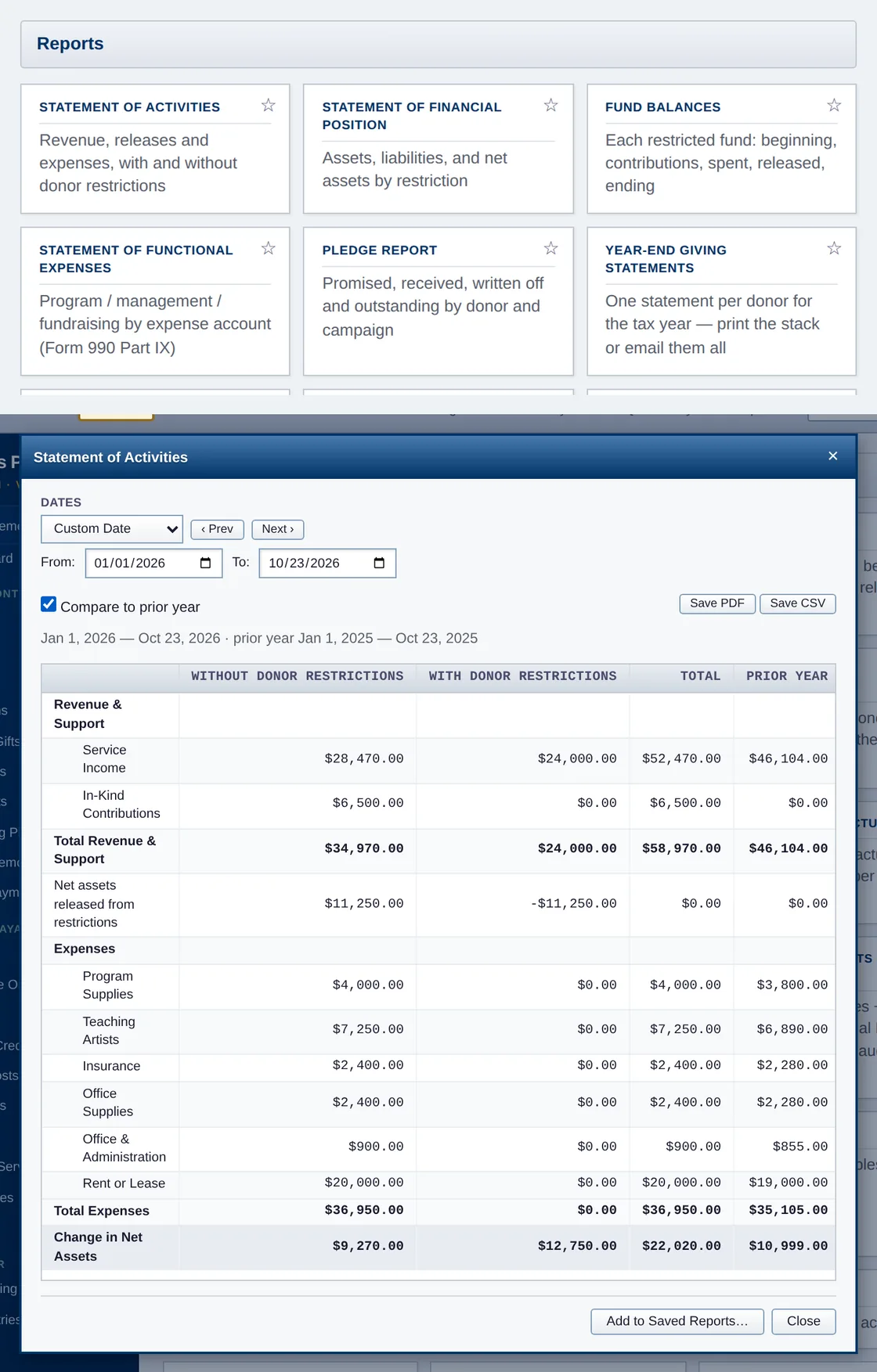
One switch and the books speak donor, pledge, fund and grant. Funds carry donor restrictions and release from them; every expense knows whether it is program, management or fundraising, with allocation rules for the shared ones; the Statement of Activities, Statement of Financial Position, Fund Balances and Statement of Functional Expenses reconcile to the cent; receipts, acknowledgment letters and year-end giving statements carry the IRS language. Free, for the groups that pay for a "nonprofit edition" of everything else.
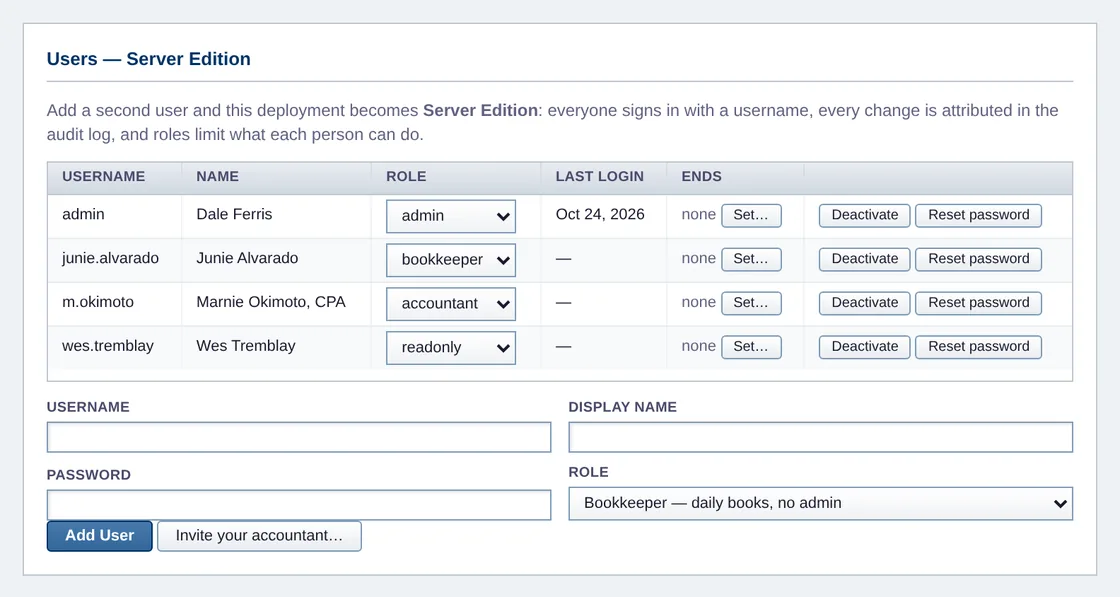
Run the signed installer's server mode on one Windows machine and the whole office works in a browser - users with roles (admin, bookkeeper, read-only), username logins, and an audit trail that names who changed what. Starts with Windows, before anyone logs in. Add a second user and you're Server Edition; there's nothing to buy.
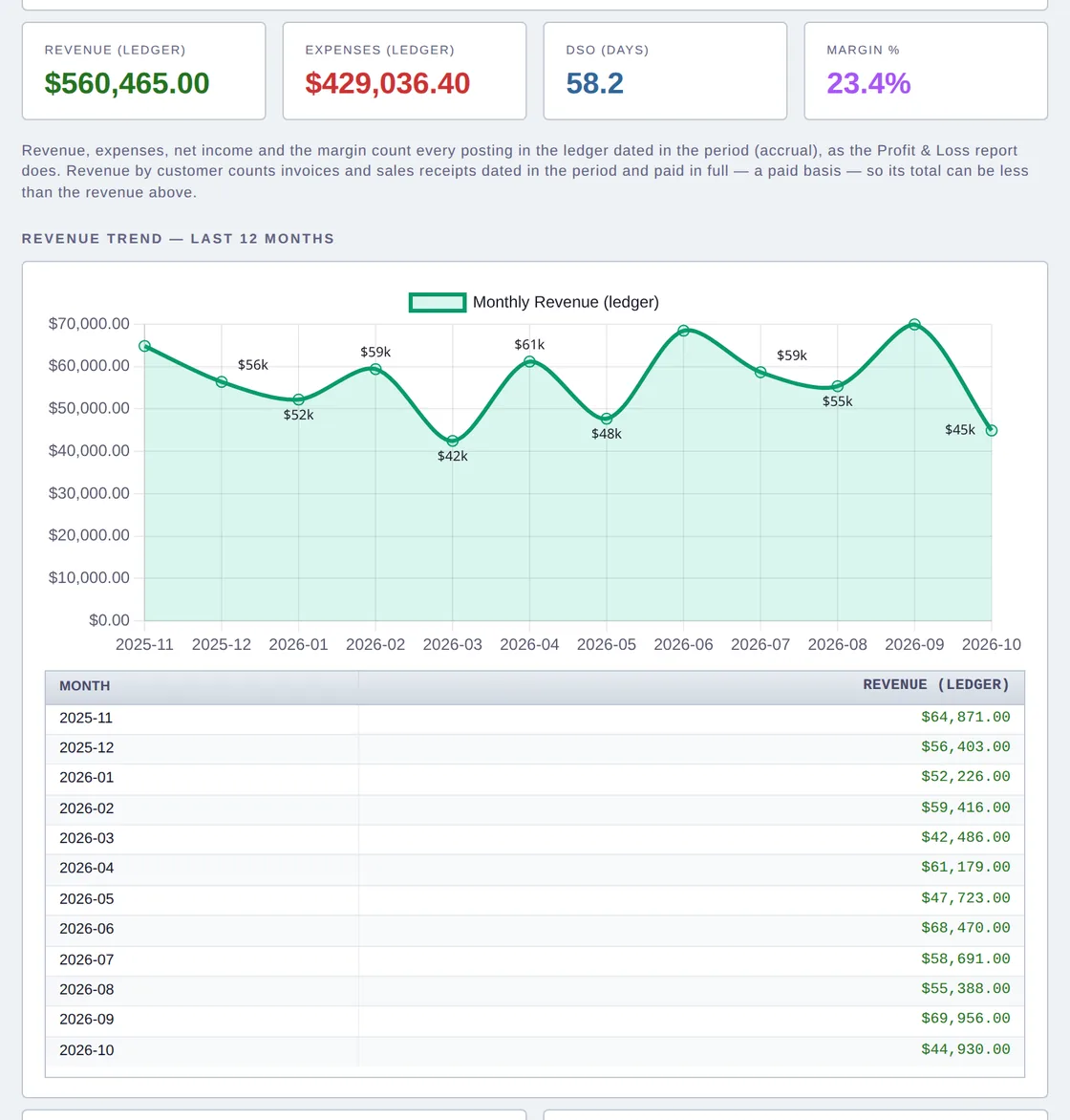
KPI cards, 12-month revenue trend, A/R and A/P aging stacks, 90-day cash forecast, expense doughnut. Chart.js self-hosted, no CDN. Period selector for MTD / QTD / YTD. CSV and PDF export with branded headers.
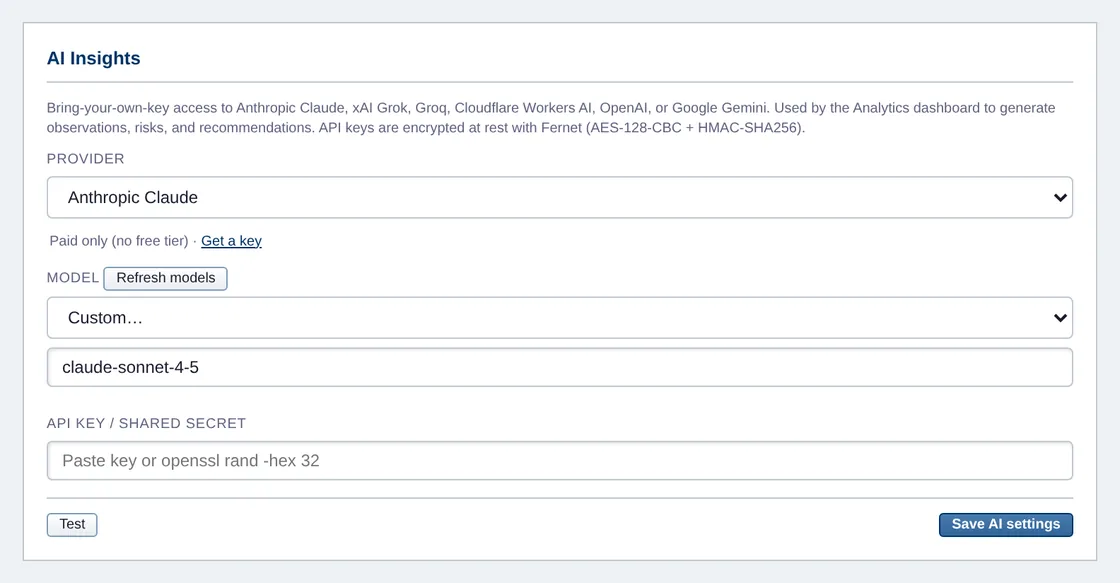
Eight providers, Anthropic Claude and xAI Grok first, then Groq, Cloudflare Workers AI, a self-hosted Cloudflare Worker gateway, OpenAI, Google Gemini and any OpenAI-compatible endpoint you name. Keys Fernet-encrypted at rest. Eleven predefined analyses spanning customers, vendors, banking, P&L, and tax.
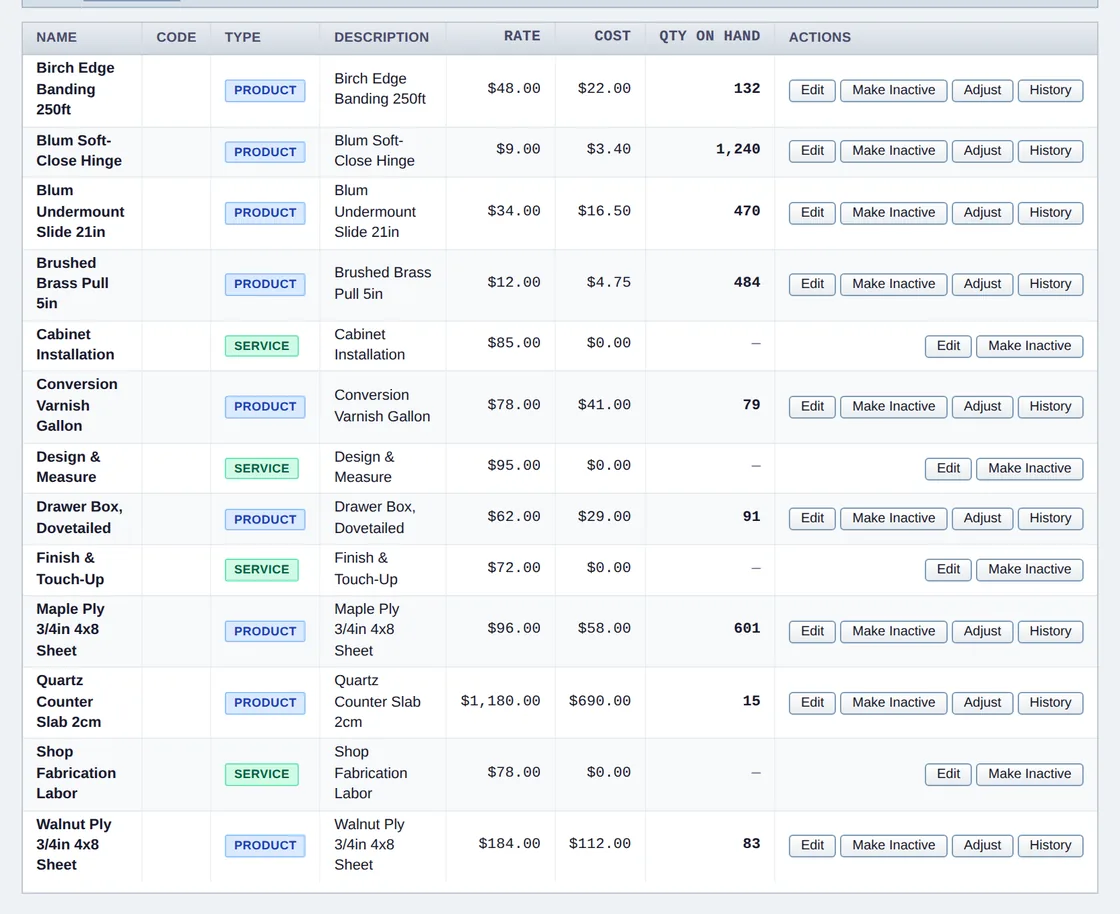
Real inventory ledger with weighted-average cost, automatic COGS journal entries on sale, reorder points, and a low-stock report. P&L and Balance Sheet rows are now click-through to the underlying transactions. Saved reports and fuzzy duplicate detection for customers and vendors.
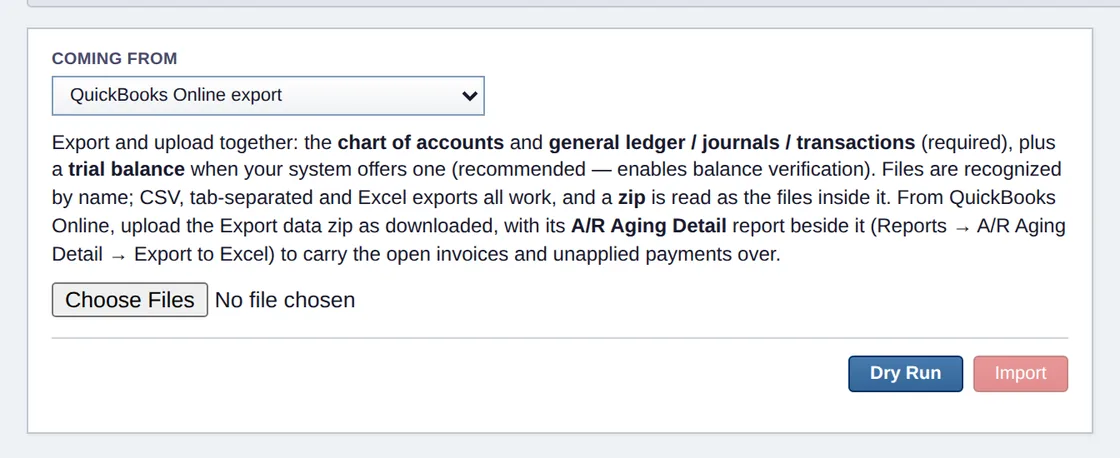
Accept online payments through Stripe, PayPal, or Square. Enable any combination and the customer pay page shows a button per processor, every payment auto-recorded with a balanced journal entry. Desktop installs record payments too, no webhook required. QuickBooks Online companies migrate from their own Export data zip, no Intuit app needed, open invoices included, and Xero, MYOB, Sage 50, Wave, Zoho Books and GnuCash users migrate in with dry-run verification.
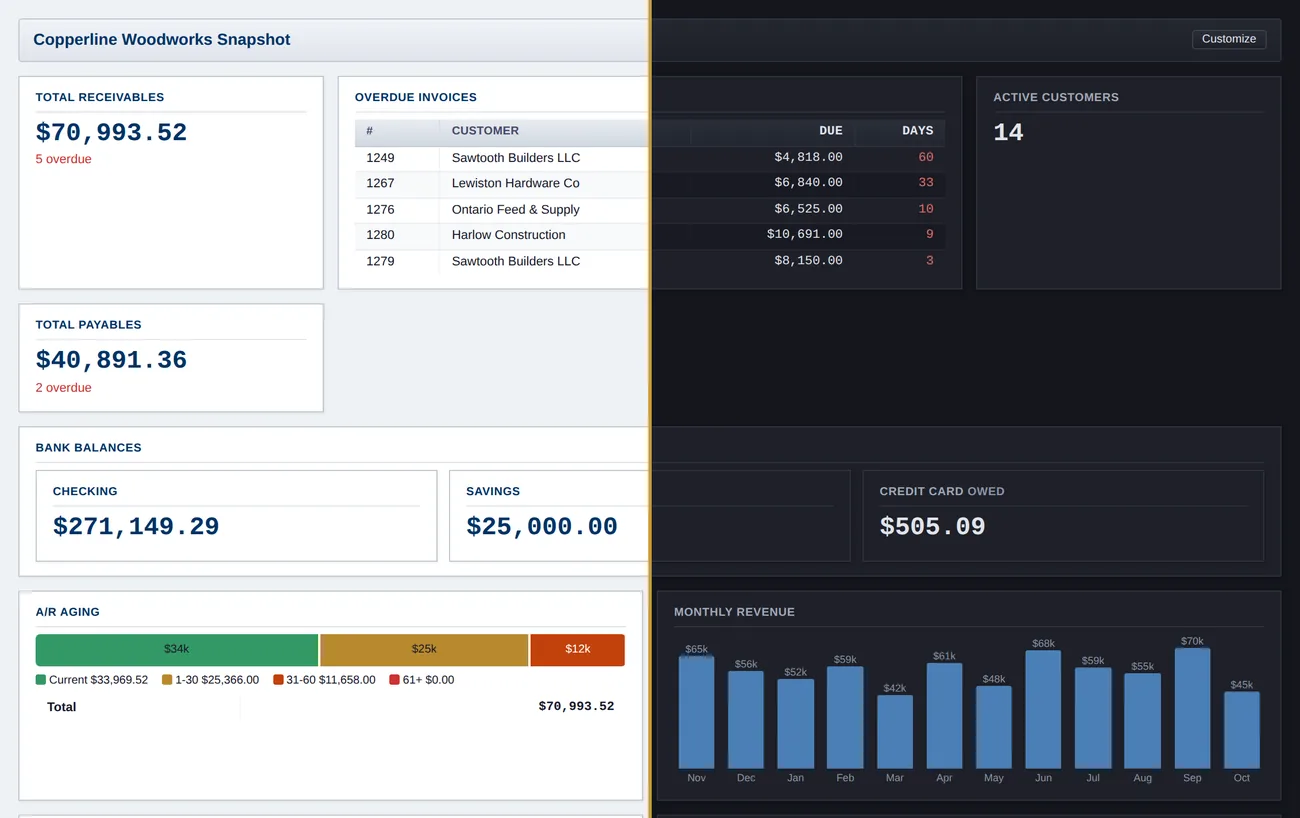
Text meets WCAG AA contrast in the light and dark themes on every page and dialog, and a browser measures it before each release. Every form field says its name to a screen reader. Every PDF, invoices and tax forms included, is tagged so a screen reader gets headings and tables instead of a picture. Dialogs keep your keyboard focus, and notifications are read out. We strive to conform to WCAG 2.1 AA and say plainly what's still open. Where we stand →
Run it on your desktop, or run the same signed installer in server mode and the whole office works in a browser: users with roles (admin, bookkeeper, read-only), username logins, an audit trail that names who changed what, and a startup task that has the books serving before anyone logs in. Add a second user and you've become Server Edition. There's nothing to buy, because there's never anything to buy.
Every install ships a self-documenting 556-operation local API. Built for Claude Code and Grok first; Codex CLI, Gemini CLI or any agentic tool can migrate, configure, and operate your books. The books and the API stay on your machine; the guide says what the agent's own model sees.
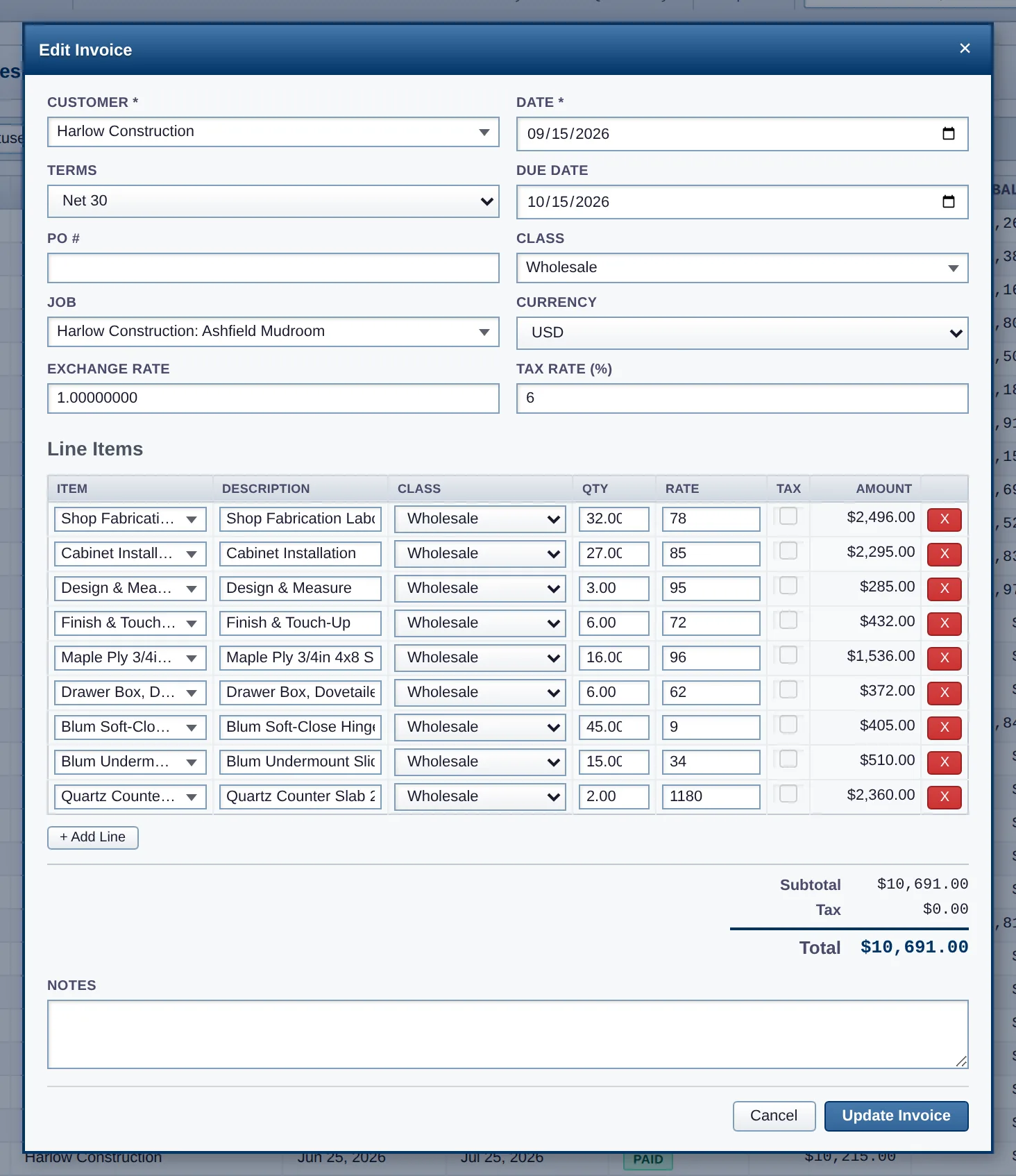
Create an invoice, receive a payment, run a P&L. All the things you’d do in QuickBooks, done locally and without a subscription.
Windows gets a signed installer, macOS gets a signed and notarized native app - download, open, done, no command line. Docker covers Linux, Intel Macs, and container-first servers, with bare-metal source installs for that crowd.
A normal Windows app: download, double-click, done. The installer is code-signed (Windows shows a verified publisher, not a SmartScreen warning) and completely self-contained, so there is nothing else to install.
Download SlowBooksPro-Setup-x64.exe
Currently v2.29.1 for 64-bit
Windows 10/11, also available as a
portable .zip.
Each company is its own file (like QuickBooks company files),
stored under %LOCALAPPDATA%\SlowBooksPro, so
upgrades and even uninstalls never touch your books. When a new
version ships, the app’s footer shows an update notice.
One command. PostgreSQL, migrations, and seed data are handled by the compose stack. (Multi-user on Windows doesn’t need Docker; that’s Server Edition, built into the signed installer.)
git clone git@github.com:VonHoltenCodes/SlowBooks-Pro-2026.git
cd SlowBooks-Pro-2026
docker compose up
Open http://localhost:3001 in your browser. First run pulls images, applies migrations, and seeds the chart of accounts. Container runs as a non-root slowbooks user.
A real Mac app: download the DMG, drag SlowBooks Pro
to Applications, launch. Signed with an Apple Developer ID and
notarized by Apple - no Gatekeeper warnings, no
Docker, no Python. Apple Silicon, macOS 15 or newer (v2.25 and earlier
ran on macOS 14). Your
companies live under ~/Library/Application Support/SlowBooksPro.
Get the macOS DMG from the latest release Developer ID signed and notarized by Apple
macOS build maintained by @ContractorKeith; signed and notarized releases ship alongside the Windows build. Intel Mac? Use the Docker tab; it runs the same app against the same files. Bare-metal source installs are covered in INSTALL.md.
Debian, Ubuntu, and Pop!_OS use the same recipe. Other distros: swap apt for your package manager.
sudo apt install -y postgresql libcairo2-dev libpango-1.0-0 \
    libpangocairo-1.0-0 libgdk-pixbuf-2.0-0 libffi-dev

sudo -u postgres createuser bookkeeper -P
sudo -u postgres createdb bookkeeper -O bookkeeper

git clone git@github.com:VonHoltenCodes/SlowBooks-Pro-2026.git
cd SlowBooks-Pro-2026
pip install -r requirements.txt
cp .env.example .env
alembic upgrade head
python scripts/seed_database.py
python run.py
Then open http://localhost:3001.
Owns nothing. Phones home to nobody. Runs on hardware you can unplug. Accounting software should be the last thing you’d rent.
“Intuit’s activation servers died in 2017. The hard drive died in 2024. We just wanted to print invoices.”
Free & source-available - no caps of any kind
Born as an independent replacement for
QuickBooks Pro 2003 after Intuit’s
activation servers died.
Independent reimplementation. No Intuit source code was used; built from published SDK documentation (QBFC 5.0) and 14 years as a paying customer. Not affiliated with Intuit Inc. VonHoltenCodes, 2026
No catch. SlowBooks is source-available under a license that permits free use for personal, educational, and internal business purposes, including at commercial enterprises. The only restriction is you can’t repackage and resell it as your own paid product or hosted service. See the LICENSE for the full text.
The source is public on GitHub and you can read, modify, and redistribute it. Technically the license is “source-available” rather than OSI-certified open source, because of the No-Commercial-Resale clause. In practice, if you’re using it to run your own business, there is no functional difference.
Because accounting data is the last thing that should live on someone else’s server. Your financial history, customer information, payroll, and tax records shouldn’t be subject to some other company’s pricing decisions, breach history, or terms-of-service updates. SlowBooks sidesteps the entire question.
SlowBooks creates PostgreSQL-native backups on demand from the Settings screen. You can also export everything as IIF (for re-import into QuickBooks), CSV, or PDF. If your computer is already backed up by Time Machine, a cloud drive, or an external disk, SlowBooks’ data is already safe along with the rest.
Yes, natively. Download the signed installer, double-click, and you’re keeping books in under a minute, without a database server to configure first. Windows shows a verified publisher instead of a SmartScreen warning because every release is code-signed. Each company is a single file under %LOCALAPPDATA%\SlowBooksPro, so backups are as simple as copying a file. Docker still works too, if you prefer containers, and serving your whole office over the LAN needs no Docker at all: that’s Server Edition, built into the same signed installer.
No. Server Edition is built into the signed Windows installer. Run it in server mode (or use the bundled install script for a boot-time service) and every machine on your LAN connects through a browser, with per-user logins, roles, and an attributed audit trail. Docker is an optional alternative for Linux servers and Intel Macs, never a requirement. See the Server section or the server setup guide.
Yes. SlowBooks imports IIF files exported from QuickBooks Desktop (including the finicky Mac QB format with quoted thousands separators). It also has OAuth integration with QuickBooks Online for direct import.
Yes. v2.0.0 ships an analytics dashboard (KPI cards, charts, 90-day cash forecast, CSV/PDF export) and an optional AI Insights brief. The AI is bring-your-own-key: pick from eight providers (Claude, Grok, Groq, Cloudflare Workers AI, a self-hosted Cloudflare Worker, OpenAI, Gemini, or any OpenAI-compatible endpoint you point it at). Nothing is sent until you click. Keys are Fernet-encrypted at rest. If you don’t configure a provider, the feature simply isn’t there.
Yes, through Stripe, PayPal, or Square (enable any combination). SlowBooks emails invoices with a “Pay Online” button; the customer pays on the processor's hosted page and a balanced journal entry posts back into your local ledger automatically. Card data never touches SlowBooks. Desktop installs record payments on the customer's return, no public webhook needed. The payment URL is a token-scoped page, so customers never need a SlowBooks login.
We strive to conform to WCAG 2.1 AA. Text meets AA contrast in the light and dark themes on every page and dialog, checked by a browser before each release. Every PDF it makes is tagged for screen readers (PDF/UA-1), invoices and tax forms included. Every form field is announced with its label, and a required field as required. Dialogs keep keyboard focus, and notifications are announced. The full picture, and how to report a barrier →
Single-user authentication is built in - setup wizard on first run, argon2id password hashing, rate-limited logins. All API keys you add (AI providers, Stripe, QBO) are encrypted at rest with Fernet. The Docker image runs as a non-root user. v2.0.0 also completed an external security audit pass: SSRF guards on outbound LLM calls, CSV formula-injection protection, schema-validated config payloads, constant-time secret comparison on the Cloudflare gateway. Your books are still on your hardware, same backup story as the rest of your machine (Time Machine, an external disk, whatever you already use).